In February, Bing rolled out new AI Performance reports within Bing Webmaster Tools. Bing announced a new feature for this report that connects the Grounding Queries and Pages views within the AI Performance report.
New Capability: In response to strong positive customer feedback and numerous requests, we're excited to announce a new feature connecting the Grounding Queries and Pages views within the AI Performance report.
Grounding Query '" Page Mapping: Users can quickly see which pages are being cited for a specific grounding query, and which grounding queries are driving citations to a specific page. Select a grounding query to see its cited pages or select a page to see its associated grounding queries. Keep in mind, one grounding query may be mapped to multiple pages and vice versa.
Aleyda Solis shared a screenshot on X showing this more visually:
Yea, this is super useful. As Alyeda said, "We can now see which pages are being cited for a specific grounding query, and which grounding queries are driving citations to a specific pages."
Good question! Many advertisers are loving the new AI performance tool because it gives them access to valuable AI data. So we used this Ads blog post to highlight this incremental feature, and as I said, there's a lot more coming. Stay tuned. We will speak about that in our blog
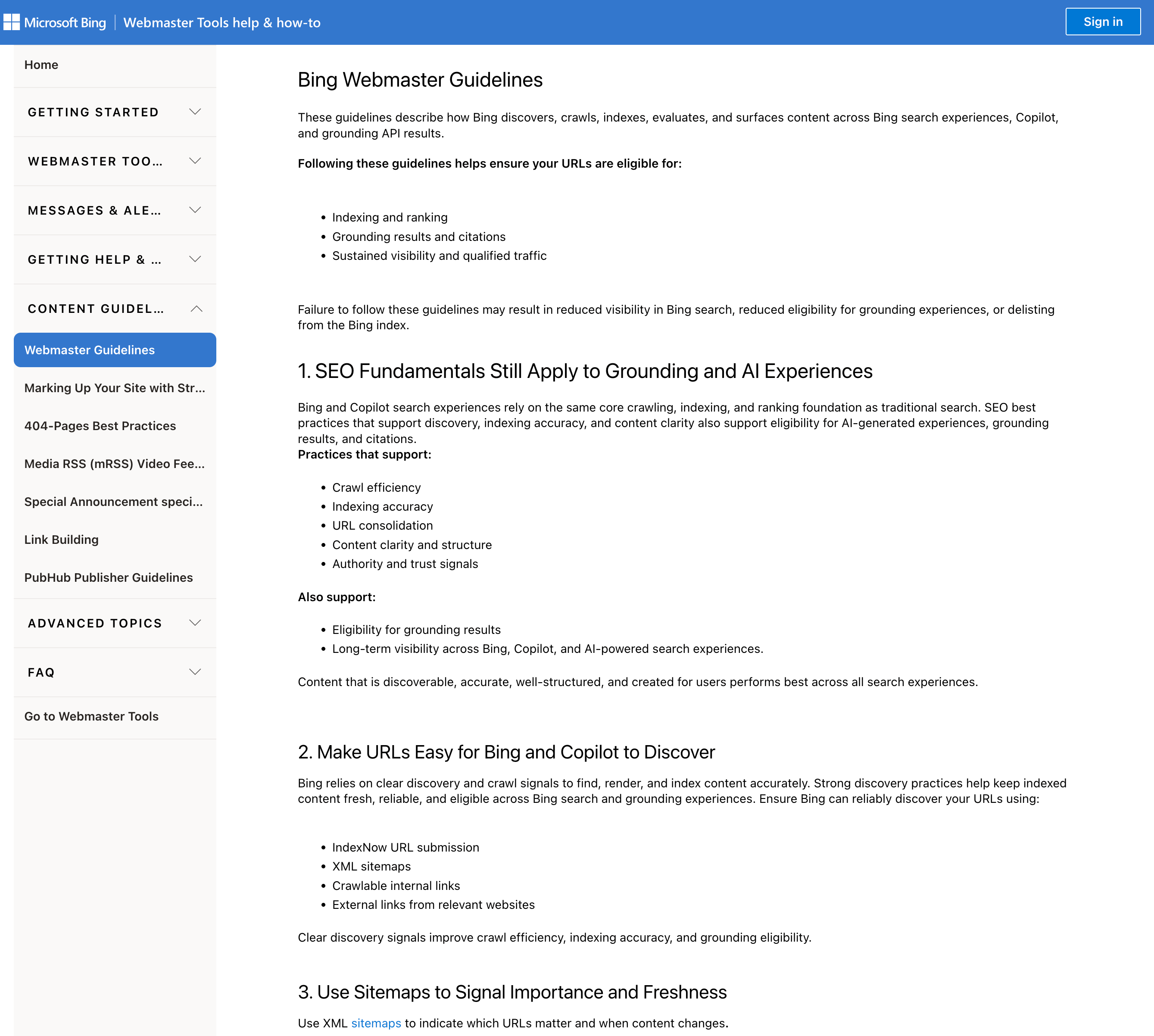
Microsoft has updated the design of the Bing Webmaster Guidelines section and changed some of the verbiage. I think overall these are smaller updates, but I have not gone through every single change to double-check as of yet.
These guidelines describe how Bing discovers, crawls, indexes, evaluates, and surfaces content across Bing search experiences, Copilot, and grounding API results.
Following these guidelines helps ensure your URLs are eligible for:
- Indexing and ranking
- Grounding results and citations
- Sustained visibility and qualified traffic
Failure to follow these guidelines may result in reduced visibility in Bing search, reduced eligibility for grounding experiences, or delisting from the Bing index.
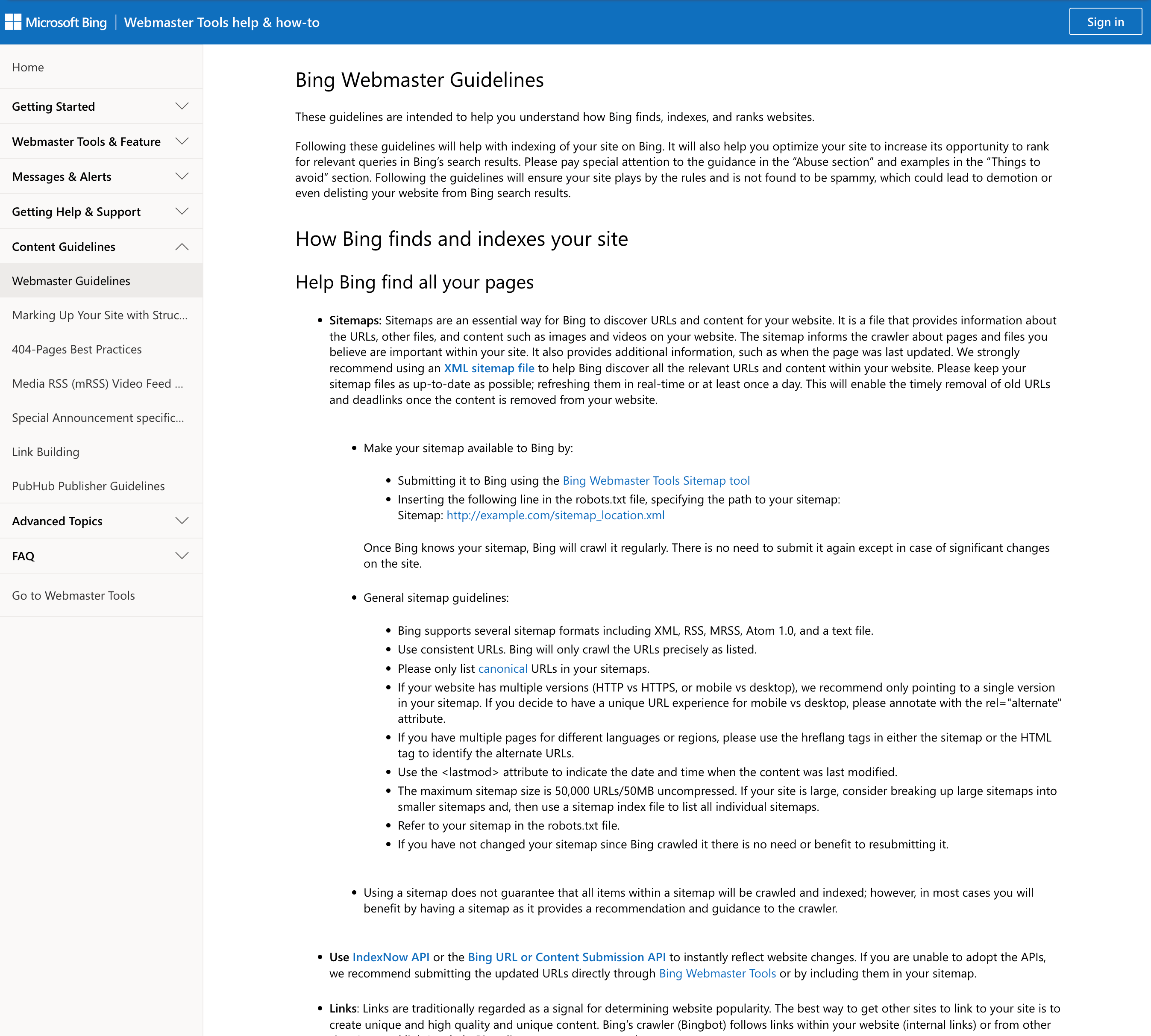
It used to read:
These guidelines are intended to help you understand how Bing finds, indexes, and ranks websites.
Following these guidelines will help with indexing of your site on Bing. It will also help you optimize your site to increase its opportunity to rank for relevant queries in Bing's search results. Please pay special attention to the guidance in the 'Abuse section' and examples in the 'Things to avoid' section. Following the guidelines will ensure your site plays by the rules and is not found to be spammy, which could lead to demotion or even delisting your website from Bing search results.
So Bing added more about "Copilot, and grounding API results" to the guidelines.
Most WordPress users eventually explore a WordPress SEO plugin, though many discontinue it before realizing its full value.
It always sounds good on paper, right? Getting better rankings, more visitors, and clear directions.But honestly, a lot of SEO tools just feel like these complex dashboards packed with scores, graphs, and alerts without really telling you what to actually do next.
It often just feels too complicated for bloggers, freelancers, and small business owners, and that can really be a bummer.It’s just another thing you have to learn, isn’t it?
This is where DefiniteSEO quietly stands apart.
Instead of packing a ton of features into one plugin, DefiniteSEO really zeroes in on being user-friendly and clear.
This is for folks who want to make their website content and technical stuff better for search engines, but without it becoming a whole new job.
SEO Guidance That Actually Feels Useful
One of the most impressive things about DefiniteSEO is how it approaches on-page optimization.
When you’re writing a post or page, this plugin checks important SEO things, like how you’re using keywords, your headings, the meta descriptions, if it’s easy to read, and what you’re really trying to say.
The tone and quality of the feedback are what set it apart.
Instead of just telling you to “make your content better,” DefiniteSEO actually breaks down why that’s important and how it impacts where you show up in search results.
So, for instance, it might tell you to make your intro stronger so it really hits what people are searching for, or to tweak a headline to get more clicks.These suggestions actually feel pretty useful, not just thought up in a lab.
It even shows you parts where you’re already doing a great job.That balance matters.
SEO can feel like you’re always messing up, but DefiniteSEO helps you see it more like you’re just getting better over time.
Technical SEO Without the Stress
DefiniteSEO really takes most of that stress off your plate by just taking care of the technical stuff in the background.
It makes XML and video sitemaps, gets canonical URLs right, and sorts out robots.There’s a lot of stuff going on with all those txt configs in the background.
When you’re actually using it, this thing just clicks with your custom post types and all your media stuff. It really helps search engines find and list your site the right way, so you’re not always messing with manual changes.
When you’re not super techy, this automation really gives you peace of mind.You can just focus on what you’re writing, because the basic stuff is taken care of.
Lightweight Performance That Actually Matters
Website speed is a big deal for SEO, but a lot of SEO plugins actually make your site slower, both when you’re working on it and for visitors.
If you let this go on, it’ll eventually mess things up for your users and your search engine spots.
DefiniteSEO is really light, which is a nice touch.It won’t bog down your site with a bunch of extra stuff you don’t even need.
Pages zip right open, the WordPress editor keeps up without a hitch, and moving around the backend is still super smooth.
This is a solid choice for websites where performance really counts, like blogs, online stores, or platforms loaded with a lot of content.
Built for Beginners, Efficient for Experienced Users
“The DefiniteSEO interface just feels really clean and easy to use.”I think everything is clearly labeled, so nothing is competing for attention.
You can just glance at the visuals and instantly get what’s going on with your optimization. No need to go digging around in menus or reading a ton of documents.
If you’re just starting out, you can get this plugin going and see your content get better right away.Experienced users will also be glad to see how fast they can put really good ideas into action without a lot of extra fuss.
It respects your time, which is something a lot of SEO tools forget about.
DefiniteSEO Pro: A Natural Next Step
We’re launching DefiniteSEO Pro, and it just brings more to the table while sticking to what makes the plugin great.
With the Pro version, you get more in-depth AI help, better content analysis, and cool upcoming features like improved schema support.
These tools are here to help, but they won’t make your choices for you.The plugin gives you suggestions, not commands, so you still have full creative control.”It really feels more like a helping hand than someone just laying down the law.”
A Growing Plugin with Momentum
DefiniteSEO isn’t huge like some of the older SEO plugins, but that’s actually not a bad thing.
The team that builds this stuff is really on the ball; they push out updates all the time, and you can totally tell that our ideas are shaping what comes next.
With more people using it, especially now that the Pro version is out, the plugin’s community and resources should naturally grow bigger.
Final Verdict
DefiniteSEO really gets it right because they make SEO easy to understand instead of making it feel impossible.It’s really about what counts, and it shows you everything in a way that just clicks for people actually using it.
If you want an SEO plugin that’s actually useful, quick, and just plain works, DefiniteSEO is definitely worth checking out.
LLaunching a new website is exciting, but it’s also when SEO plays a crucial role in ensuring long-term success.
New website coming SOON
Here’s a step-by-step breakdown of how I approach SEO for new websites:
Understand the Purpose and Audience
Before diving into technical SEO, I focus on understanding the website’s purpose and target audience.
Define objectives: Is the website meant to generate leads, sell products, or provide information?
Identify the audience: Who will visit the website? Their preferences, problems, and search behaviour guide my strategy.
Keyword Research
Effective keyword research is the backbone of SEO. For a new website.
Use tools like SEMRush, Ahrefs, or Google Keyword Planner.
Target low-competition, long-tail keywords to quickly gain traction.
Analyze competitor keywords and gaps.
Create a seed list of primary, secondary, and LSI (Latent Semantic Indexing) keywords.
Structure the Website
Site structure impacts SEO and user experience.
My process includes:
Flat structure: Ensures every page is accessible within 3 clicks.
Logical hierarchy: Groups pages into categories for clarity.
SEO-friendly URLs: Keep them short, descriptive, and keyword-optimized.
Internal linking: Helps Google understand relationships between pages.
Technical SEO Setup
The technical foundation is essential for search engines to crawl and index the site. I focus on:
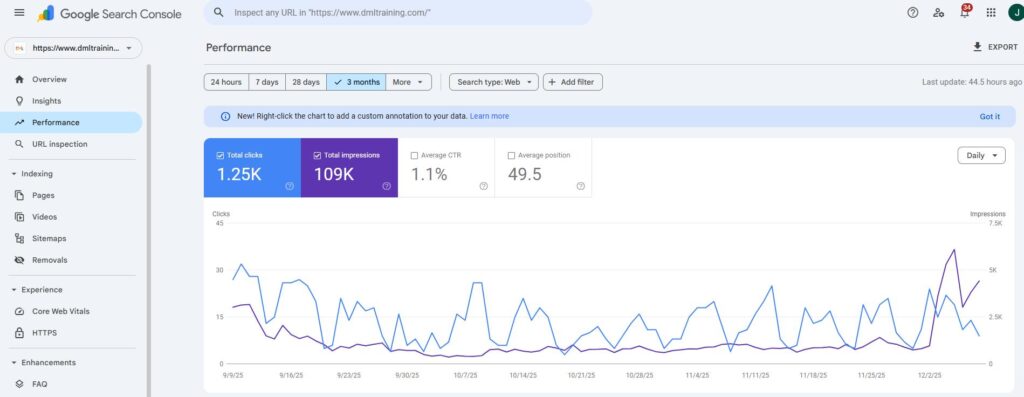
Installing Google Analytics and Google Search Console.
Submitting an XML Sitemap to Search Console.
Setting up a robots.txt file to control crawling.
Ensuring the website is mobile-friendly with responsive design.
Improving Core Web Vitals: Optimize load time, interactivity, and visual stability.
Enabling HTTPS for a secure browsing experience.
Content Creation
Content drives organic traffic, so I prioritise:
Writing SEO-optimized blog posts targeting keywords.
Creating cornerstone content that answers key user queries.
Ensuring content is informative, actionable, and engaging.
Using multimedia (images, videos, infographics) to boost user interaction.
On-Page SEO Optimization
Every page is optimized to rank effectively. My on-page checklist includes:
Crafting compelling title tags and meta descriptions.
Using header tags (H1, H2, H3) for better readability and keyword placement.
Optimizing images with alt tags and compressed file sizes.
Adding internal and external links to boost authority.
Building Backlinks
Backlinks signal authority to search engines. For a new website
Build citations and directory links for local businesses.
Leverage guest blogging on niche-relevant sites.
Conduct outreach campaigns for high-quality backlinks.
Avoid spammy or black-hat link-building practices.
Regular Monitoring and Optimization
SEO is a continuous process. Post-launch
Track performance: Use tools like Google Analytics and Ahrefs to measure organic traffic and keyword rankings.
Analyze user behavior to identify bounce rates, exit pages, and session durations.
Update content regularly to stay relevant.
Fix crawl errors, broken links, or duplicate content to maintain site health.
Local SEO (If Applicable)
For businesses targeting specific locations
Set up Google My Business and optimise the profile.
Add NAP (Name, Address, Phone Number) consistency across citations.
Encourage customer reviews for credibility.
Remember
SEO for a new website requires a strong foundation, strategic planning, and consistent effort.
From technical optimizations to creating valuable content and building backlinks, I ensure every step aligns with the website’s goals and audience needs.
SSEO strategies sound great on paper. In reality, growth comes from fixing boring problems, making small improvements consistently, and learning from real data.
This 90-day SEO plan is built around what actually works in 2026, with examples and insights you’ll recognize if you’ve ever worked on a real website.
Days 0 – 30: Fix What’s Broken Before Trying to Grow
Most SEO failures happen because teams skip the basics and jump straight to content production.
Every SEO win I’ve seen started with fixing technical issues no one wanted to look at.” SEO Consultant, B2B SaaS
Run a Full SEO Audit
A proper audit often reveals surprising problems.
Real example: A SaaS website publishing weekly blogs saw no traffic growth. The audit revealed 40% of its pages weren’t indexed due to incorrect canonical tags. Fixing that alone led to a 22% increase in organic traffic within a month.
Fix Crawl Errors and Broken Links
Broken links don’t just hurt SEO, they frustrate users.
Real example: An education platform fixed over 300 broken internal links after a site migration. Within weeks, crawl stats improved and several previously “lost” pages started ranking again.
If Google struggles to move through your site, users probably do too.
Set Up Search Console and Analytics
Without clean data, SEO decisions become guesswork.
Real example: After properly setting up GA4 events, a hiring tech company realized its highest-traffic page had the lowest conversion rate, leading to a content rewrite that doubled demo sign-ups.
Do Keyword Research Based on Intent
High-volume keywords often bring the wrong audience.
Real example: A recruitment SaaS stopped targeting “video interview software” alone and created content around long-tail queries like “one-way video interview for universities”. Result: fewer visits, but higher-quality leads.
Intent beats volume every single time.
Days 31 – 60: Improve Content and Build Trust
Once the foundation is solid, content starts doing the heavy lifting.
Update Old Content Before Writing New Posts
Refreshing content is faster, and often more effective.
Real example: A healthcare blog updated 15 older posts with new data, FAQs, and better formatting. No new content was published for a month, yet organic traffic grew 18%.
SEO isn’t always about creating more—it’s about improving what already exists.
Write Long-Tail, Problem-Focused Content
Long-tail keywords attract users who are closer to action.
Real example: Instead of generic blogs, a B2B brand published content answering very specific questions like “How to reduce interview drop-offs in campus hiring.” These pages didn’t go viral, but they converted.
Start Backlink Outreach the Right Way
Link building works best when it feels natural.
Real example: A SaaS company earned backlinks by contributing expert quotes to industry articles instead of cold pitching guest posts. Fewer emails, better links.
One contextual link from the right site is worth more than ten generic guest posts.
Optimize for Featured Snippets and Rich Results
Clear answers help both users and search engines.
Real example: Adding short Q&A sections helped multiple blog posts earn featured snippets, increasing click-through rates without ranking #1.
Days 61- 90: Scale, Optimize, and Convert
At this stage, SEO shifts from traffic to business impact.
Scale What’s Already Working
Not all content deserves scaling, only what performs.
Real example: After noticing high engagement on “how-to” guides, a SaaS brand doubled down on that format. Those guides became their top organic lead drivers.
SEO growth accelerates when you stop experimenting and start repeating success.
Improve Landing Pages and Conversions
SEO traffic only matters if it converts.
Real example: Changing a CTA from “Book a Demo” to “See How It Works for Your Hiring Team” increased conversions by 27%, with no traffic increase.
Review Results and Plan the Next Cycle
SEO is iterative.
Real example: One team found that pages ranking in positions 5–10 were the fastest wins. They focused solely on improving those pages during the next 90 days—and saw quicker results than chasing new keywords.
The second 90-day SEO plan always performs better than the first—because now you have real data
Final Thoughts
SEO in 2026 isn’t about hacks or shortcuts. It’s about:
Fixing real problems
Writing content for real users
Measuring real outcomes
A 90-day SEO plan gives you direction—but the results come from execution, iteration, and patience.
IIf you’re just getting into SEO, it can be confusing to know where to start or which tools are actually useful. I’ve put together this list of 16 tools because they’re easy to understand, beginner-friendly, and genuinely helpful for improving your website. Whether you want to find the right keywords, check your site’s health, spy on competitors, or make your content better, these tools will make the whole process a lot easier. Think of this as a quick guide to the essentials you should know before diving deeper into SEO.
1. Google Analytics
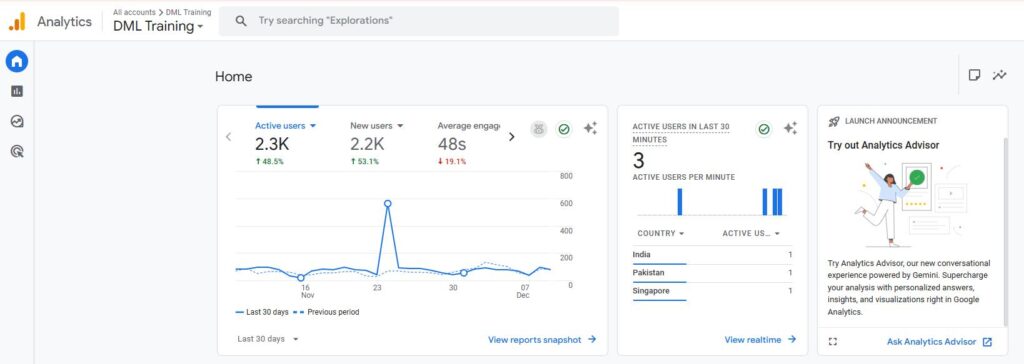
TRAFFIC ANALYSIS: Track the number of visitors, their source, and their behavior on your site.
USER INSIGHTS: Measure your website’s conversion rates and identify areas for improvement.
CONVERSIONS TRACKING: Understand user demographics, interests, and engagement to refine your strategy.
2. Google Search Console
PERFORMANCE MONITORING: Track your site’s search performance and discover which queries bring the most traffic.
INDEXING STATUS: Ensure your website’s pages are properly indexed by Google.
ERROR DETECTION: Identify and fix crawling, indexing, and mobile usability issues quickly.
3. Ahrefs
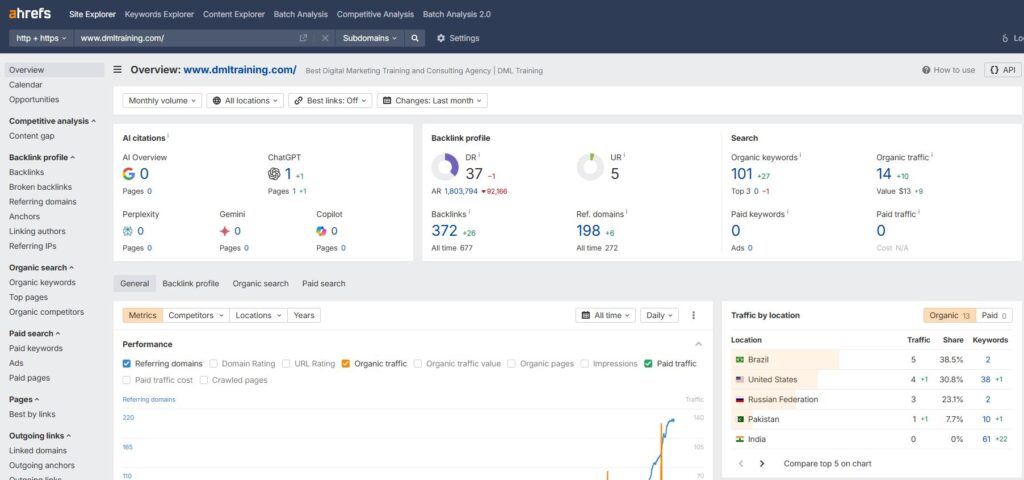
BACKLINK ANALYSIS: Explore your site’s backlink profile and identify high-quality link opportunities.
COMPETITOR RESEARCH: Analyze competitor content and keywords for a competitive edge.
KEYWORD RESEARCH: Discover keyword search volume and traffic potential.
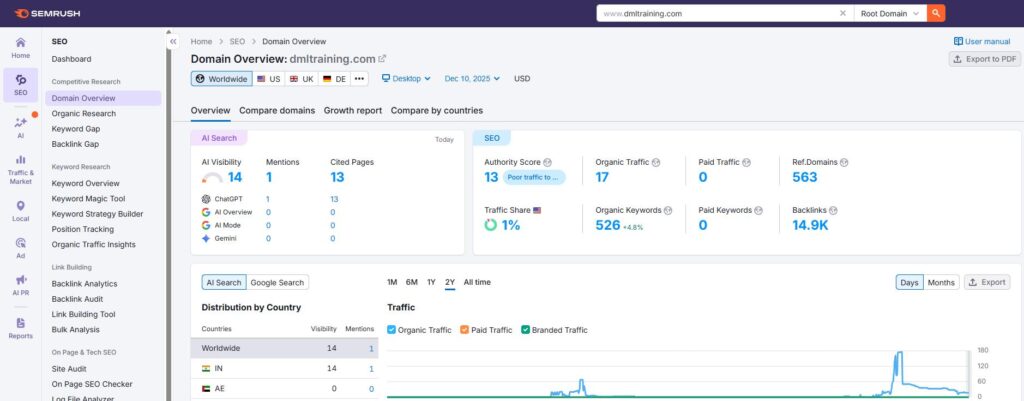
4. SEMrush
COMPREHENSIVE KEYWORD RESEARCH: Access detailed keyword data, including trends and competition levels.
SITE AUDIT: Identify technical SEO issues and optimize your site for better performance.
COMPETITOR ANALYSIS: Monitor your competitors’ rankings and content strategies to stay ahead.
5. Yoast SEO
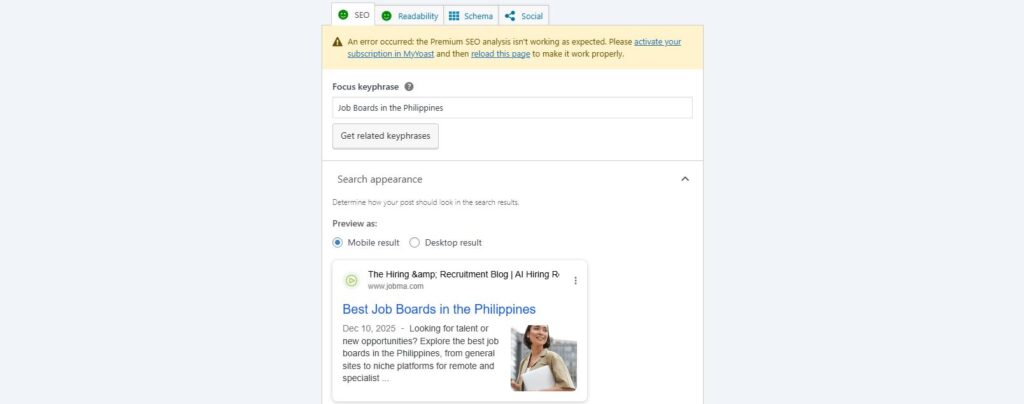
ON-PAGE OPTIMIZATION: Get real-time suggestions for optimizing content, titles, and meta descriptions.
READABILITY CHECK: Improve readability with easy-to-follow recommendations.
XML SITEMAPS: Automatically generate sitemaps to help search engines index your site efficiently.
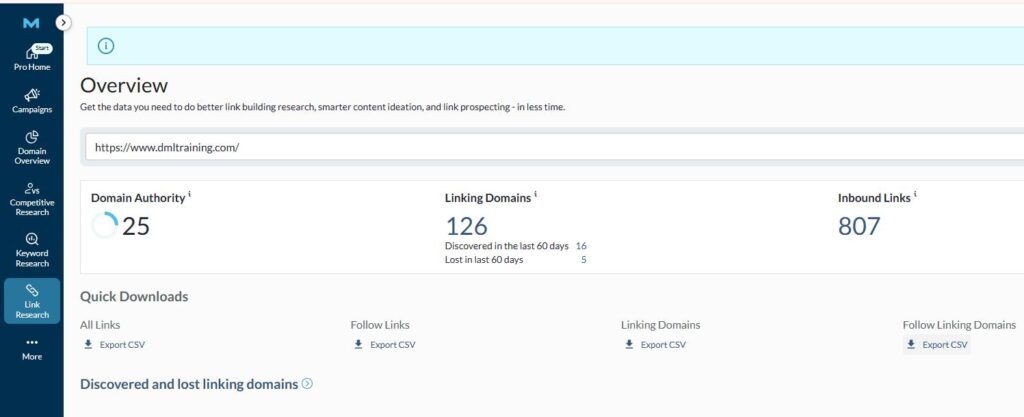
6. Mozbar
QUICK SEO METRICS: Instantly view key SEO metrics like domain authority for any website.
ON-PAGE ANALYSIS: Evaluate the SEO elements of any webpage, including titles, meta tags, and headings.
SERP OVERLAY: See how your website ranks on search engine results pages (SERPs) with ease.
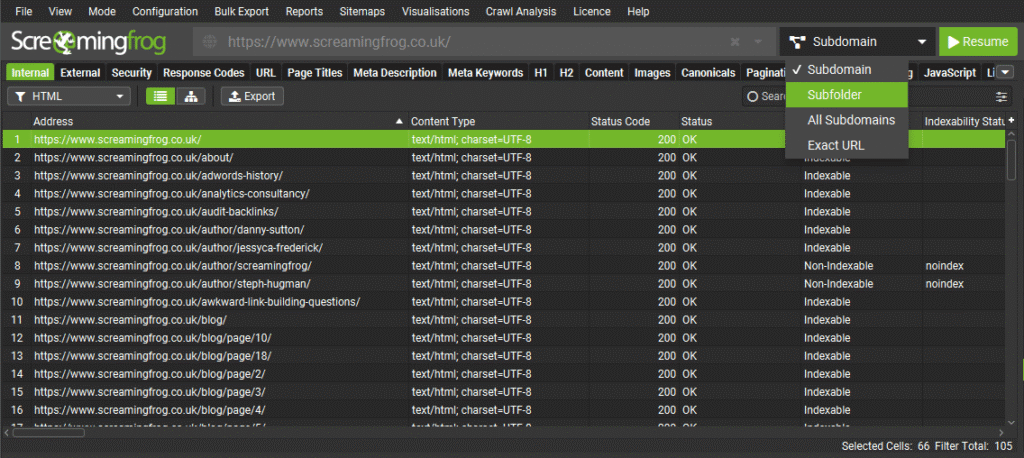
7. Screaming Frog
KEYWORD SUGGESTIONS: Discover volume new keywords with search, competition, and cost-per-click data.
CONTENT IDEAS: Generate ideas for content based on top-performing pages and search trends.
SEO AUDITS: See how your website ranks on search engine results pages (SERPs) with ease.
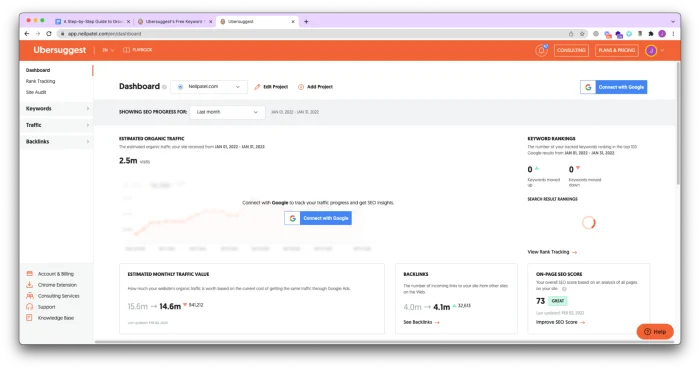
8. Ubersuggest
SITE CRAWLING: Identify broken links, redirects, and other issues by crawling your entire site.
TECHNICAL SEO INSIGHTS: Analyze key SEO elements like meta tags, headers, and content structure.
DUPLICATE CONTENT DETECTION: Find and fix duplicate content issues that can harm your rankings.
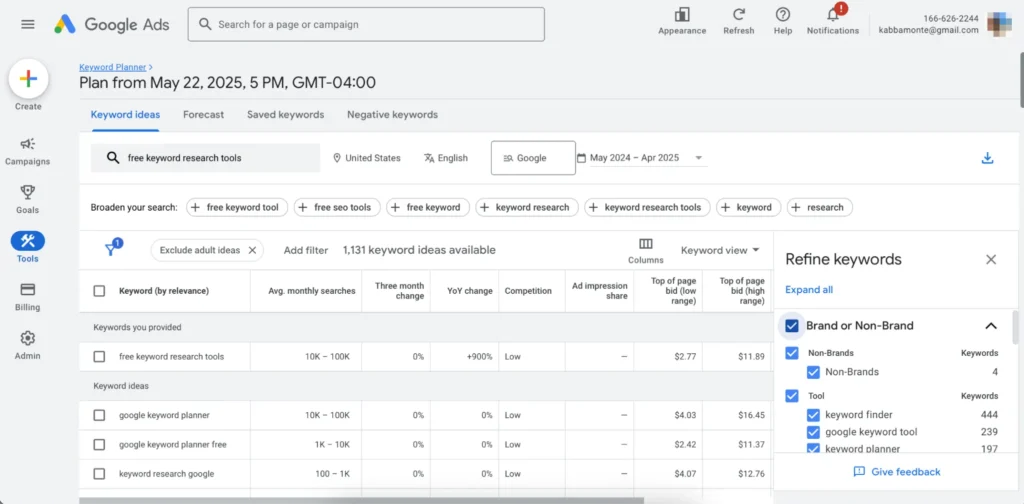
9. Google Keyword Planner
KEYWORD DISCOVERY: Find new keywords related to your business with search volume and competition metrics.
AD CAMPAIGN PLANNING: Optimize your PPC campaign with precise keyword targeting.
BUDGET-FRIENDLY: A free tool from Google, making it accessible for all beginners.
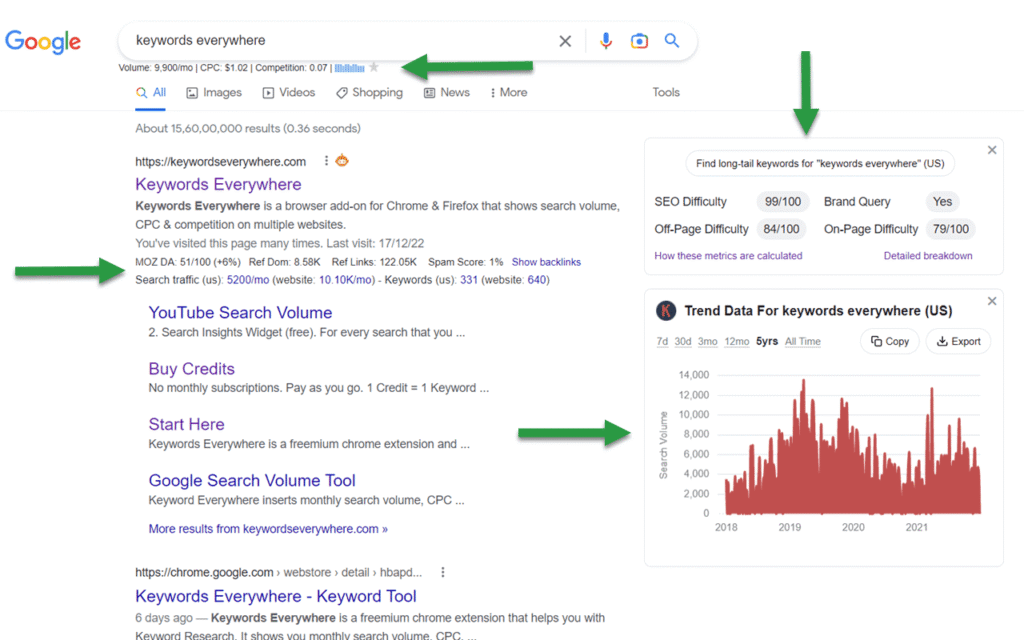
10. Keywords Everywhere
KEYWORD METRICS: Access search volume, CPC, and competition data directly in your browser.
TREND ANALYSIS: Identify trending keywords and topics to capitalize on new opportunities.
COST-EFFECTIVE: Affordable keyword research tool with a pay-as-you-go model.
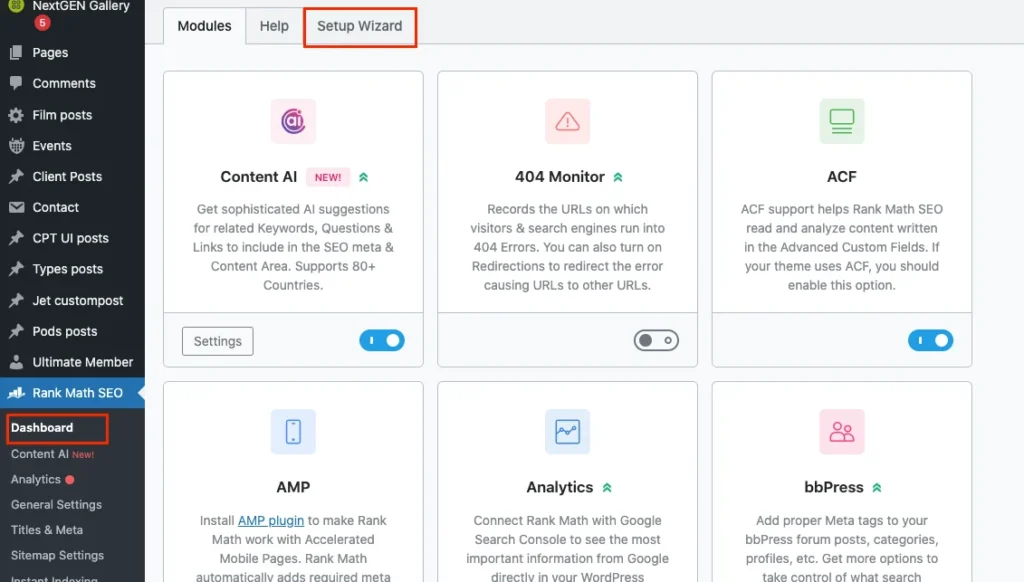
11. Rankmath (WordPress)
ADVANCED SEO FEATURES: Access features like rich snippets, 404 monitoring, and redirections in one plugin.
EASY-TO-USE INTERFACE: Intuitive setup and configuration process with detailed SEO analysis.
INTEGRATION: Seamlessly integrates with Google Search Console and other tools for enhanced tracking.
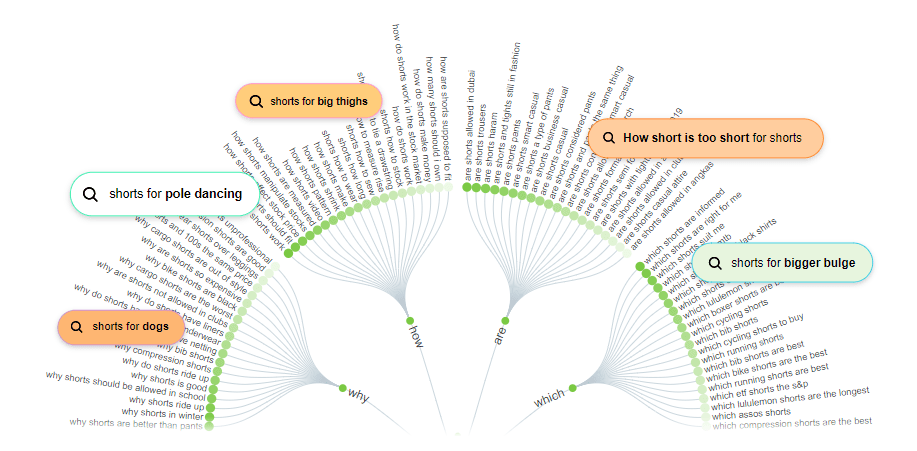
12. Answer the Public
CONTENT INSPIRATION: Find new keywords related to your business with search volume and competition metrics.
KEYWORD INSIGHTS: Discover related keywords and phrases for better content targeting.
VISUAL DATA: Easy-to-interpret visualizations help you quickly grasp audience interests.
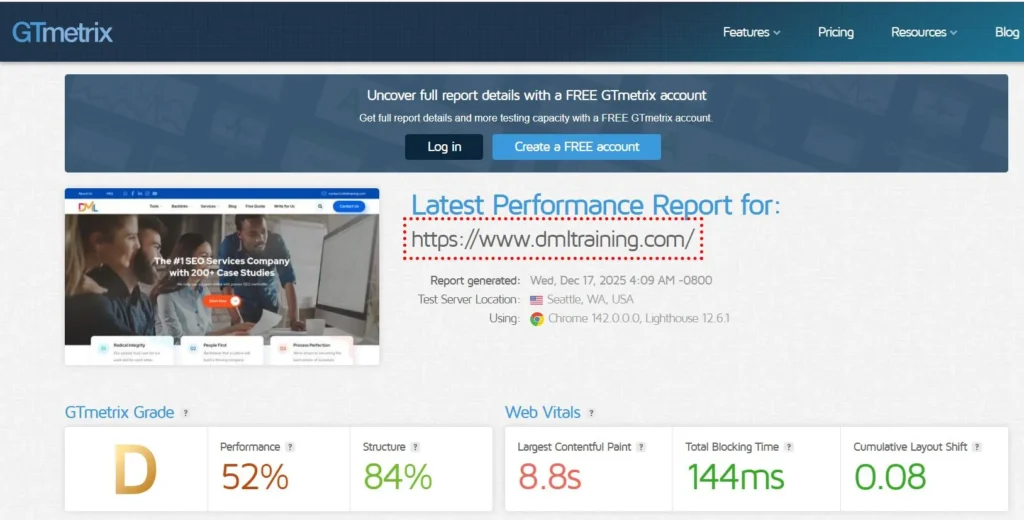
13. GT Metrix
SPEED ANALYSIS: Test your site’s loading speed and receive actionable insights for improvement.
PERFORMANCE SCORE: Get detailed performance scores and recommendations to optimize your site.
HISTORICAL TRACKING: Monitor changes in your site’s performance over time with historical data.
14. SEO Quake
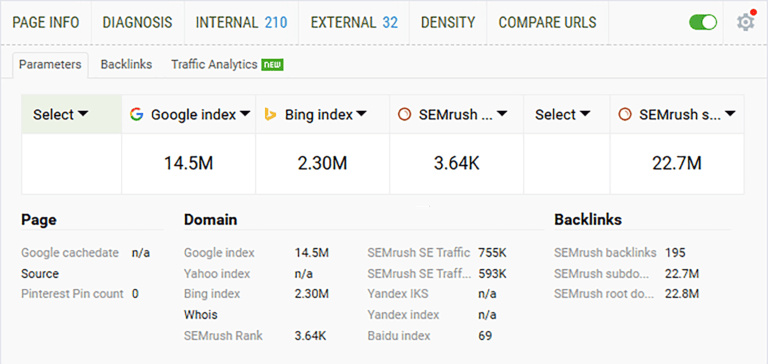
SEO OVERVIEW: A quick overview of any webpage’s SEO elements including meta tags and keywords.
SERP ANALYSIS: Compare multiple websites directly in the Search Engine Results Pages (SERPs).
FREE TOOL: A cost-effective option for beginners to get started with SEO analysis.
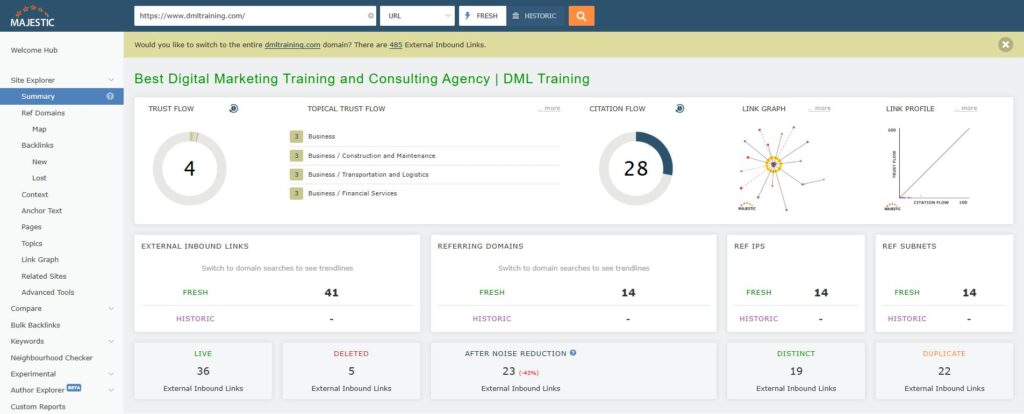
15. Majestic SEO
LINK ANALYSIS: Dive deep into your website’s backlink profile with trust flow and citation flow metrics.
SITE EXPLORER: Explore any domain in detail, uncovering top pages, referring domains, and backlinks.
LINK CONTEXT: Understand the context of your backlinks, including the surrounding content and anchor.
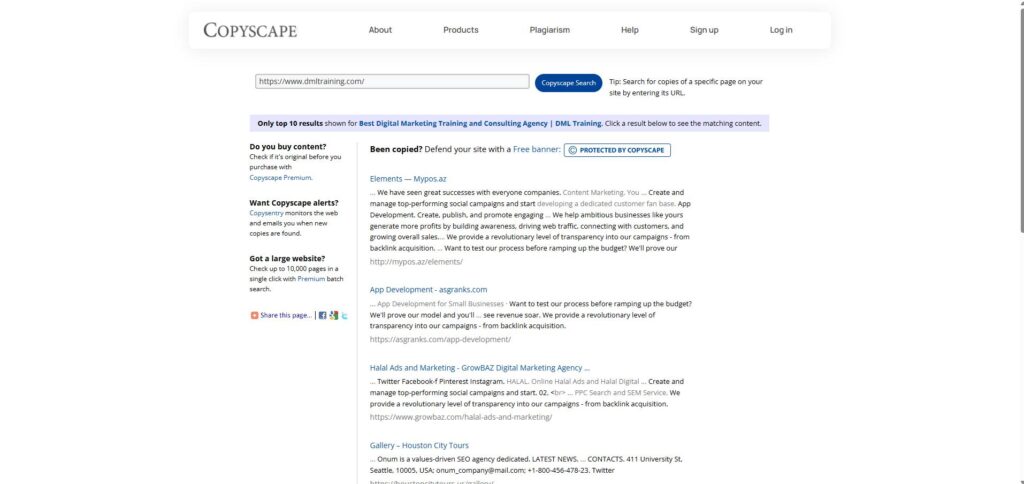
16. Copyscape
PLAGIARISM DETECTION: Ensure your content is original and avoid duplicate content penalties.
CONTENT PROTECTION: Protect your website from unauthorized content copying.
EASE OF USE: Simple interface that provides quick and accurate results.
Conclusion
SEO gets much easier once you know which tools to rely on. You don’t need to use everything at once—just start with a few and slowly build your workflow as you get comfortable. The tools in this list cover all the basics you need as a beginner, from researching keywords to checking site performance and improving your content. With a bit of practice, you’ll start seeing what works, what doesn’t, and how to make steady progress.
SEO (Search Engine Optimisation) is the process of optimising your website so that it appears higher in search engine results pages (SERPs).
It helps to:
Increase website traffic
Generate more leads
Improve brand awareness
Boost your online sales
Concepts We’ll Cover
SEO Basics
Types of SEO
Keyword Research
Search Engine Mechanics
SEO Tools
Advanced Tactics
Do You Want to Learn SEO Practically?
What You Will Learn in This Article?
How Search Engines work (SEO Basics)
How to do in-depth SEO Audit
How To Do Keyword Research
SEO Strategies used by Agencies
How to Rank on the 1st page of Google for Target Keywords
Master Technical SEO to beat your competitors
How to create high-quality backlinks
How to use AI to scale your SEO Efforts
What is SEO?
SEO stands for Search Engine Optimization, which is a process to help search engines understand your website content and help users find your site.
Key Goals:
Boost Website Traffic
Enhance Visibility
Drive Conversions
SEO’s Impact on Business Growth:
Businesses prioritising SEO grow faster, showing a 14.6% conversion rate from SEO-driven leads. So, What Kinds of SEO You Need.
Types of SEO
It’s important to understand and implement all types of SEO. Together they play an important role in improving your site’s ranking and visibility.
3 Types of SEO
Off-Page SEO
On-Page SEO
Technical SEO
On-Page SEO
Focuses on keyword optimization and high-quality content
Improves user experience through meta tags and headers
Off-Page SEO
Builds authority with backlinks
Enhances reputation through external site interactions
Technical SEO
Optimizes site speed and mobile-friendliness
Fixes crawlability and indexing issues
We have just scratched the surface. It’s time to take a deep dive into the world of SEO. Ready to lock the secrets of SEO and boost your online visibility?
How Search Engines Work
Crawling: Search engines scan the web to discover new and updated content.
Indexing: The collected content is stored and organized in the search engine’s database.
Retrieval: The search engine retrieves and ranks the most relevant content from its index for a user query.
Ranking: Based on algorithms, search engines rank indexed content to show the most relevant results for a query.
Importance of Algorithms
Algorithms determine which content ranks first in search results. Google uses 200+ factors, including:
Keyword Relevance
Mobile-Friendliness
Backlink Quality
Ensures the most accurate and relevant results for users.
Organic vs. Paid Search Results
Paid
Organic
Paid ads (PPC) for quick visibility
Free, earned through SEO
Appear at the top of search results
Ranked by relevance and content quality
Short-Term
Long-Term
You’ve put in a lot of effort in learning key SEO basics. Give yourself a break!
In the meantime, here are some fun SEO marketing facts:
The top 5 search results get over 75% of all clicks.
Over 3.5 billion searches are conducted on Google every day!
Content including visual elements like images or videos can drive up to 94% more views
What is Keyword Research?
Keyword research finds and analyses the search terms people use on search engines. It ranks your content higher, attracting relevant traffic.
Identifies popular search terms and phrases
Helps understand user intent and behaviour
Guides content creation for better SEO
Improves visibility by targeting relevant keywords
Crucial for both organic and paid search strategies
3 Tools for Keyword Research
Google Keyword Planner
Ahrefs
SEMRush
Types of Keywords
Informational: Keywords used to find information or answers (e.g., “how to bake a cake”)
Navigational: Keywords used to find a specific website or page (e.g., “Facebook login”)
Commercial: Keywords showing interest in a product or service (e.g., “best DSLR cameras”)
Search Volume: Choose keywords with significant search traffic potential.
Competition: Target keywords with low competition for easier ranking.
Relevance: Ensure the keyword aligns with your content and business goals.
User Intent: Focus on keywords that match what your audience is looking for.
Conversion Potential: Prioritize keywords likely to drive conversions or sales.
Types of Search Intent
Informational
Navigational
Transactional
Commercial
How to Align Content with Search Intent
Informational: Offer in-depth, helpful content like blogs, guides, or FAQs.
Navigational: Create clear, accessible content that leads users to your site.
Transactional: Optimize product pages, pricing info, and calls-to-action to encourage purchases.
Commercial: Use comparison pages, reviews, and guides to aid purchase decisions.
Take a Quick Break!
You’ve been learning a lot about SEO – great job so far! Take a moment to relax, stretch, or grab some coffee. When you’re ready, we’ll dive into some core concepts. Get set for practical, actionable insights you can implement immediately!
All About On-Page SEO
The SEO best practices of optimizing web page content for search engines and users is on-page SEO.
Directly impacts search rankings by optimizing individual pages
Enhances user experience and improves content visibility
Ensures your site is relevant and accessible for both users and search engines
Key Elements of On-Page SEO
Meta Tags (Title, Description): Optimise titles and descriptions for keyword relevance and clarity.
Content Quality: Focus on creating valuable, relevant, and keyword-rich content.
Image SEO: Use descriptive alt text, optimize file size for faster loading.
On-Page Optimization Techniques
Internal Linking: Create a clear, logical internal link structure to guide users and bots.
URL Structure: Keep URLs short, descriptive, and keyword-rich.
Mobile-Friendliness: Ensure your site is responsive on all devices.
Page Load Speed: Optimize for faster load times to improve rankings and user experience.
Off-Page SEO Basics
Off-Page SEO focuses on actions taken outside your website to improve rankings. It helps build your site’s authority and credibility through external factors.
Builds trust and credibility with search engines and users
Increases site authority through quality backlinks and external references
Improves rankings by signaling relevance and reliability to search engines
Link Building Strategies
Link building involves acquiring high-quality external links to boost your site’s authority and rankings.
Key Strategies
Influencer Outreach: Collaborating with influencers to promote content and gain links
Guest Blogging: Publish on reputable sites to gain backlinks and reach new audiences
Social Sharing: Social media increases visibility, attracting more visitors and enhancing backlink opportunities
Technical SEO Basics
Importance of Technical SEO
Technical SEO helps to improve a website’s technical aspects to help search engines crawl and index it more effectively.
Benefits:
Higher search engine rankings
Increased traffic
More conversions
Elements of Technical SEO
Site Architecture and XML Sitemaps: Structured site with sitemaps for better indexing
Robots.txt and Crawlability: Control which pages search engines can crawl for indexing
HTTPS vs. HTTP: Best for enhanced security and improved trustworthiness
Structured Data (Schema Markup): Add schema markup to help search engines understand and display your content.
Fixing Broken Links (404s): Address broken links to improve user experience and maintain SEO health.
Time to Chill!
Congratulations! You’ve mastered all the types of SEO. Good work! Now it’s time to take some rest. Next, we’ll explore the strategies and tools that’ll help you put it all into practice! Relax for a moment, and learn the essential gear for your SEO journey!
Introducing SEO Tools
5 Important SEO Tools
Unlock SEO power with essential tools for analyzing performance, tracking rankings, and optimizing your website.
Tools
Google Search Console: Monitors website performance and provides insights on search queries and indexing.
Google Analytics: Analyzes website traffic and user behavior for data-driven decisions.
ahrefs: Performs backlink analysis, keyword research, and competitive analysis
SEMRUSH: Tracks keywords, conducts site audits, and analyzes content strategy
MOZ: Offers link building tools, keyword exploration, and site audits
SEO Strategies: A Short Overview
Importance of an SEO Strategy
Why SEO Strategy Matters
Drives organic traffic and improves rankings
Aligns SEO efforts with business goals
Key Benefits of SEO Strategy
Increases visibility, brand recognition, and ROI
Builds long-term trust and authority
Key Components
Keyword research, on-page and technical SEO
1. Content Marketing and SEO
SEO and Content Synergy:
Quality content targets keywords and boosts rankings
Optimization Tips:
Naturally integrate keywords
Solve user queries via blogs, guides, and articles
Content Types:
Use blogs, videos, infographics, and podcasts
2. Local SEO Strategies
Importance of Local SEO:
Crucial for businesses with physical locations
Optimizing your website for localized terms to targeted traffic and better leads
Key Tactics:
Optimize Google My Business
Include local keywords, build citations, and manage reviews
Mobile Optimisation:
Ensure the site is mobile-user friendly
3. Voice Search Optimization
Why Voice Search Matters:
27% of users use voice search; optimize for conversational queries
Optimization Tips:
Use natural language and long-tail keywords
Prioritize mobile, site speed, and featured snippets
Long-term SEO vs. Short-term Tactics
Aspects
Long-Term SEO
Focus
Sustainable growth
Quick, temporary gains
Approach
Quality content, authority
Paid ads, keyword stuffing
Timeframe
Slow, steady results
Immediate but short-lived
Risk
Low, compliant strategies
High, risk of penalties
9 Social Media Influencers to Follow for SEO
Brian Dean: Founder and CEO of Backlinko
Neil Patel: Co-Founder Of Neil Patel Digital
Barry Schwartz: SEO and Content Marketing Columnist of Search Engine Land President of Pilot Holding
Danny Sullivan: Google Search Liaison
Rand Fishkin: SEO Visionary & Former CEO of Moz.com
WWhen I run an SEO audit, I don’t rely on guesswork — I rely on tools that actually show me what’s happening behind the scenes. Over time, I’ve tested dozens of platforms, and honestly, only a few of them are worth sticking with.
Some tools help me find technical issues, some give me keyword and competitor insights, and others keep an eye on my site in real time. Together, they make the whole audit process faster, cleaner, and way more accurate.
In this blog, I’m sharing the 8 SEO tools I personally use and why they’ve stayed in my toolkit. If you’re trying to improve your site’s performance, rankings, or overall SEO workflow, these are the tools that actually make a difference.
8 Best SEO Tools
1. Ahrefs
This SEO tool provides in-depth site audits, backlink analysis, and keyword research to enhance your website’s performance.
2. Screaming Frog
Essential for crawling websites to find broken links, analyze page titles, and discover duplicate content.
3. SEMrush
An all-in-one marketing platform that offers site auditing features, competitive analysis, and on-page SEO recommendations.
4. Netpeak
Efficient for technical audits, identifying issues like broken links, duplicate content, and site structure problems.
5. SE Ranking
This SEO platform offers keyword tracking, site audits, and competitor analysis for effective optimization.
6. Sitebulb
This auditing tool generates visual reports on technical SEO issues, making complex data easy to understand.
7. Siteguru
Online SEO audit tool that analyzes your website’s health and provides actionable recommendations for improvement.
8. ContentKing
Real-time SEO auditing and monitoring. It helps you stay on top of your site’s performance and changes.
Conclusion
At the end of the day, you don’t need every SEO tool out there; you just need the ones that genuinely help you understand your site better. The tools I mentioned are the ones I use regularly because they make audits easier, help me catch issues early, and give me clearer insights to work with.
Try a few of them, see what fits your style, and build your own go-to stack. Once you get comfortable with the right tools, running SEO audits becomes a lot less overwhelming and a lot more effective.
LLaunching a website is cool, but honestly, just putting a site live doesn’t do anything.
If you want traffic, rankings, or even basic visibility, you need some SEO setup from day one.
Here’s the simple version of what actually matters.
1. Pre-Launch SEO Setup
Before you make the site public, get these basics done:
Domain Name: Keep it short and easy. If it fits your niche, even better.
Hosting: Don’t cheap out here. Pick something stable so the site doesn’t lag.
SSL Certificate: Make sure the site is HTTPS. Google doesn’t like non-secure sites.
A few more things before launch:
Mobile-Friendly: Your site should work properly on phone, tablet, laptop – everything.
Robots.txt: Tell search engines what they can and can’t crawl.
XML Sitemap: Upload it in Search Console so Google understands your site layout.
2. Keyword Research: Build the Base
This part decides what you’ll rank for.
Primary Keywords: Use tools like Keyword Planner to find keywords with good volume.
Long-Tail Keywords: These get fewer searches but convert way better.
Competitor Research: Look at what your top competitors rank for and figure out the gaps.
3. On-Page SEO: Basic Page Optimization
Title Tags: Keep them short and use the main keyword.
Meta Descriptions: Write simple, clear descriptions so people know what the page is about.
Heading Structure: Use H1 for the main topic, H2/H3 for sections. Keep it clean.
More on-page stuff:
URLs: Short, clean URLs. No weird numbers or random strings.
Images: Compress them and add alt text.
Internal Links: Link related pages so users and Google can navigate your site better.
4. Technical SEO: Fix the Backend Stuff
Speed: Use PageSpeed Insights and fix whatever slows your site.
Mobile-First: Google checks mobile performance first, so don’t ignore it.
Schema: Add structured data so your content is easier for Google to understand.
Canonical Tags: Avoid duplicate content issues with proper canonicals.
5. Content Strategy: Don’t Just Publish for the Sake of It
Quality Content: Write something useful. Not fluff. Not filler. Something that actually helps.
E-A-T: Show expertise. Link credible sources. Prove you know your stuff.
Blog/Resources: Publish content regularly – consistency is what works.
Content tips:
Longer content (1000+ words) usually performs better because it covers topics in detail.
User Intent: Understand what people actually want when they search – then write for that.
6. Off-Page SEO: Build Authority Slowly
Backlinks: Earn good links through outreach, guest posts, PR, etc.
Social Presence: Share your content so at least someone sees it at the start.
Brand Mentions: Track unlinked mentions and turn them into backlinks when you can.
7. Local SEO (If your business serves a local area)
Google Business Profile: Keep your info updated and consistent.
Local Citations: Same NAP (name, address, phone) everywhere.
Reviews: Get real customer reviews – they help with rankings and trust.
8. Analytics & Tracking
Google Analytics: Check traffic and user behavior.
Search Console: Look at indexing, search queries, and any errors.
Monthly Audits: Clean up issues regularly so they don’t pile up.
9. Post-Launch SEO
Indexing: Make sure Google actually indexes your pages.
Broken Links: Fix them using tools like Screaming Frog.
Content Refresh: Keep updating old content – it matters more than people think.
10. Stay Updated
Follow new Google updates – things change often.
Stay connected with SEO communities.
Don’t stick to old strategies; update your approach when needed.
Final Thoughts
If you follow this checklist properly, your website won’t just “exist”, it’ll actually start performing. SEO isn’t a one-time thing. You build it slowly, you fix things regularly, and over time, the site grows.
So the real question is: Are you planning for a launch or planning for long-term growth?
IIf you work in digital marketing or content writing, you already know how important SEO is. It helps your content reach the right audience and perform better online. But with so many tools available, it can get confusing to choose the right ones.
That’s why I’ve put together this SEO tools cheatsheet – a quick list of tools that can help you with everything from keyword research to link building, content writing, and analytics. You don’t need to use them all, but it’s good to know what each one can do.
Let’s break them down by category
Link Building & Analysis
Link building helps improve your website’s authority and visibility. These tools make it easier to find link opportunities, analyze backlinks, and manage outreach.
Lemlist – Helps you send personalized outreach emails.
Respona – Great for blogger outreach and PR campaigns.
Majestic – Shows detailed backlink data with Trust Flow metrics.
MOZ Link Explorer – Lets you explore backlinks and find link gaps.
Hunter.io – Helps find verified email addresses for outreach.
Ninja Outreach – Useful for finding influencers and managing outreach.
Mailshake – Makes email campaigns simple and automated.
GMass – Gmail-based tool for sending bulk personalized emails.
Pitchbox – Helps with link prospecting and managing outreach.
SEMrush Backlink Analytics – Gives a complete view of backlinks and referring domains.
Ahrefs – One of the most popular tools for backlink and competitor analysis.
BuzzStream – Keeps your outreach and relationships organized.
Content Creation & Optimization
Good content is the foundation of SEO. These tools help you write, optimize, and improve your content quality.
Clearscope – Suggests keywords and helps optimize your articles.
Jasper.ai – AI tool that helps you write SEO-friendly content quickly.
Grammarly – Checks grammar and improves readability.
Rytr – AI content generator for blogs, captions, and short posts.
BuzzSumo – Shows trending topics and popular content ideas.
Frase – Helps research topics and optimize your content for SEO.
Surfer SEO – Gives on-page optimization tips based on competitors.
Google Trends – Tells you what people are currently searching for.
AlsoAsked – Finds related questions to include in your content.
Feedly – Keeps you updated with the latest news and trends.
WriteSonic – AI writing tool for blogs, ads, and landing pages.
Copy.ai – Helps write catchy marketing content.
MarketMuse – Suggests topics and keywords for better optimization.
Analytics & Reporting
To know if your SEO is working, you need to track results. These tools help you analyze data and create reports.
Google Data Studio / Looker Studio – Turns your data into clear reports.
Google Analytics – Tracks website traffic and user behavior.
DashThis – Makes it easy to create automated SEO reports.
Databox – Combines data from different tools into one dashboard.
Clicky – Simple tool for real-time website analytics.
Keyword Research
Keyword research helps you understand what people are searching for. These tools show keyword volume, competition, and trends.
SimilarWeb – Gives traffic and keyword insights for competitors.
Ahrefs – Finds keywords and shows their search difficulty.
SEMrush – Great for finding keyword ideas and analyzing competitors.
AnswerThePublic – Visualizes what people ask online.
MOZ Keyword Explorer – Helps find the best keywords for your content.
SE Ranking – Tracks rankings and gives keyword suggestions.
AccuRanker – Accurate rank tracking tool.
Google Keyword Planner – Free tool for keyword ideas.
KWFinder – Finds low-competition keywords easily.
Advanced Web Ranking – Helps track keyword positions across locations.
Keyword Tool.io – Generates keyword ideas from Google, YouTube, and more.
Ubersuggest – Offers keyword ideas, traffic stats, and SEO audits.
On-Page Optimization
These tools help you improve your website pages so they perform better on search engines.
All in One SEO Pack – WordPress plugin for managing on-page SEO.
SEOPress – Helps with metadata, schema, and sitemaps.
Yoast SEO – One of the most popular SEO plugins for WordPress.
RankMath – Advanced SEO plugin with keyword optimization features.
Keyword Insights – Helps group and plan content based on keyword intent.
Technical SEO
Technical SEO ensures your site loads fast, is easy to crawl, and works properly behind the scenes.
Screaming Frog – Scans your site for technical issues.
DeepCrawl – Useful for large-scale site audits.
GTmetrix – Checks your website’s speed and performance.
Sitebulb – Gives visual reports of your site’s SEO health.
Local SEO
If you want to rank locally, these tools can help manage your business listings and reviews.
Grade.us – Helps gather and manage customer reviews.
BrightLocal – Ideal for local SEO audits and reporting.
GatherUp – Makes it easy to collect feedback and reviews.
MOZ Local – Keeps your local business listings consistent.
Yext – Manages business information across directories.
Google PageSpeed Insights – Checks your site speed, which affects local ranking too.
Final Thoughts
SEO might look complicated, but with the right tools, it becomes much easier. You don’t need to use all of them – just pick the ones that fit your goals.
If you’re just starting out, begin with free tools like Google Analytics, Google Keyword Planner, and Yoast SEO. As you grow, you can explore advanced options like Ahrefs, Surfer SEO, or BrightLocal to get deeper insights.
Use this cheatsheet as your quick reference whenever you plan, create, or analyze your SEO strategy. It’ll save time, improve your results, and help you stay on top of your game!
01 Some agencies love to take weeks to define a strategy. But what if I told you that you just need ONE DAY to do that? There’s a condition, though.
02 Building an SEO strategy in a day is about being organized and focusing on the most impactful tasks. Plus, it’s all about taking action. So… let’s start NOW
03 MORNING Keyword Research & Competitor Analysis.
04 Keyword Research & Competitor Analysis: Start by identifying the keywords your target audience is searching for. Use tools like Ahrefs, SEMrush, or Google Keyword Planner to find high-traffic, low-competition keywords. Then, analyze your top competitors to understand their keyword strategy and find gaps you can exploit.
05 ACTION : Make a list of 20–30 relevant keywords to target.
07 Technical SEO Audit Use tools like Screaming Frog or Google Search Console to perform a quick audit of your website. Look for issues like broken links, slow loading times, or missing meta tags (title & description). Fix these issues to make sure that search engines can easily crawl and index your site.
08 ACTION Fix 3–5 technical SEO issues identified in the audit.
09 LUNCHTIME SEO Content Strategy
10 SEO Content Strategy Plan out your content based on the keywords you identified. Decide on the types of content you will create (blogs, videos, infographics) and map out a content calendar. Make sure your content is aligned with the needs and interests of your audience.
11 ACTION Outline 3-4 content pieces around your main keywords.
12 AFTERNOON On-Page Optimisation
13 On-Page Optimization Focus on optimizing the key elements of your web pages. Don’t spread yourself too thin. This includes title tags, meta descriptions, headers (H1, H2, etc.), images, and internal linking. Make sure each page is optimized for the specific keyword you’re targeting + use secondary keywords.
14 ACTION Optimize the top 5 most important pages on your site.
15 LATE AFTERNOON Backlink Strategy
16 Define a Backlink Strategy Identify easy backlink opportunities, such as reclaiming unlinked brand mentions or submitting your site to relevant directories. Reach out to existing partners or use press releases or HARO (Help a Reporter Out) to gain high-quality backlinks.
17 ACTION Reach out to 5 sites for backlink opportunities.
18 EARLY EVENING Local SEO and Social Media.
19 Local SEO and Social Media If you have a local business, optimize your Google My Business listing and get listed in local directories. Use social media to share your content and build a community. SEO-wise, engaging with your audience on social platforms can drive traffic and backlinks.
20 ACTION Optimize your Google My Business profile and schedule 3 social media posts.
21 EVENING Review and Set KPIs
22 Review and Set KPIsWrap up your day by reviewing the work you’ve done. Set clear KPIs to measure the success of your strategy.
23 ACTION Set 3-5 KPIs to track over the next month.
My advice? Just do your best! Define the best strategy for your website, but don’t try to tick all boxes.
IIf you’ve ever tried to improve your website’s visibility on Google, you already know SEO isn’t simple. Between constant algorithm updates, new competitors entering the space, and dozens of ranking factors to keep in mind, it can feel overwhelming. The good news? You don’t have to figure it all out alone.
There are plenty of tools out there designed to make SEO easier, faster, and more effective. From keyword research and backlink tracking to site audits and content optimization, the right platform can save you hours of work and point you in the right direction.
That’s why I’ve pulled together this list of the 83 best SEO websites to use in 2025. Think of it as your go-to toolbox-whether you’re a beginner trying to get your first rankings or a marketer managing multiple client sites, you’ll find something here that makes your SEO journey a lot smoother.
83 best SEO websites
semrush.com – SEO toolkit (free trial in comments)
SearchMetrics.com – SEO & content marketing platform
NetpeakSoftware.com – SEO tool suite
TheHoth.com – SEO and content marketing
ContentHarmony.com – content planning
Link-Assistant.com – link management
KeywordRevealer.com – keyword research tool
GShiftLabs.com – web presence analytics
GreenlaneSEO.com – SEO tools and services
KeywordEye.com – keyword & competitor research
SERPwoo.com – niche SEO & ORM tool
SEObility.net – SEO audit and monitoring
AuthorityLabs.com – SEO rank monitoring
MonitorBacklinks.com – backlink tracking
NinjaOutreach.com – influencer marketing + SEO tool
Databox.com – SEO performance tracking
AdvancedWebRanking.com – cloud-based SEO tool
TextTools.net – semantic SEO tool
RankWatch.com – SEO management platform
Sistrix.com – SEO analytics and visibility index
SimilarWeb.com – website traffic and analytics
STATSearchAnalytics.com – SERP analytics
URLProfiler.com – audit and content tool
Pitchbox.com – outreach and link building
Copyscape.com – plagiarism checker for SEO
LinkResearchTools.com – backlink analysis tool
Zutrix.com – keyword rank tracker
Nightwatch.io – SEO tracker and reporting tool
SEOReseller.com – white label SEO platform
NobleSamurai.com – keyword research + SEO software
WordTracker.com – keyword research tool
SEOBox.com – Spanish SEO platform
SerpYou.com – clean and simple SERP tracker
AgencyAnalytics.com – SEO reporting tool for agencies
RankActive.com – versatile SEO toolkit
SERanking.com – all-inclusive SEO software
Sightliner.com – interlinking and duplicate content tool
Lipperhey.com – SEO & website analyzer
SheerSEO.com – SEO and online marketing software
Pulno.com – website audit tool
Conclusion
At the end of the day, SEO is a long game. No single tool will magically shoot you to the top of Google, but combining the right ones can give you a serious edge. The websites in this list cover just about every area you’ll need help with-keywords, content, backlinks, technical fixes, and more.
My advice? Don’t try to use all 83 at once. Start with two or three that match your immediate needs-maybe a keyword tool, a site audit tool, and a content optimizer-and build from there. As your SEO skills grow, you’ll naturally start adding more advanced tools to your stack.
SEO in 2025 is all about working smarter, not harder. With the right tools in your corner, you can cut through the noise, stay ahead of competitors, and actually enjoy the process of growing your site.
KKGR is a modern strategy for finding low-competition keywords that can help your content rank quickly on search engines. It suggests that there is an ideal ratio of keyword usage that can maximize search visibility without triggering penalties for keyword stuffing or over-optimization.
KGR = (Number of Search Results with Keyword in Title) / (Monthly Search Volume)
Keyword Research
Start by using keyword research tools like Google Keyword Planner, SEMrush, or Ahrefs to find long-tail keywords relevant to your niche with a monthly search volume below 250.
Calculate the Keyword Golden Ratio
KGR for a keyword, do a Google search using quotation marks around the keyword. Take note of the number of search results displayed on the top right of the page. (Assume 60,000 results). Then, divide this number by the average monthly search volume (Assume 1,000) and use formula. If the calculated ratio is less than 0.25, Good to GO!
Create Targeted and High-Quality Content
After finding KGR, write high-quality and info-rich content around targeted keywords. Ensure that the keyword is included in the title tag, URL, and throughout the content in a natural way. Don’t stuff or overoptimize it!
Focus on User Intent
Search engines value content that matches the searcher’s intent and provides relevant information. By creating valuable content, you stand a better chance of increasing engagement, dwell time, and ultimately, your rankings.
Semantic Keyword Diversity
In addition to your primary target keyword, use semantically related keywords and phrases that provide context and depth to your content. This helps search engines better comprehend the topic and relevance of your content.
Monitor Analytics
Keep an eye on your content’s performance and user behavior metrics. If you’re not seeing any improvements in rankings, you might need to update and improve your content or build more backlinks to it or optimize it according to need.
Publishing and Promotion
After publishing, you can share the article on social media platforms, relevant forums, and reach out to other authoritative blogs for potential backlinks or shares. It will give a boost to your article and increase the chances to rank high.
KGR can help you find those hidden gem keywords that have been overlooked by others but are still sought after by a specific audience. This method isn’t foolproof, as search engine algorithms are constantly changing.
WWhen we hear the word SEO, most of us think about just optimizing websites with keywords or building backlinks. But SEO is so much more than that. In fact, it has grown into dozens of specialized practices-each with its own goals, techniques, and tools.
If you’re a marketer, recruiter, business owner, or content creator, understanding the different types of SEO can help you choose the right strategy for your goals. Let’s break down the 51 types of SEO into categories.
General SEO
These are the foundations of search engine optimization:
1. On-page SEO: Optimizing page content, meta tags, titles, and internal linking. 2. Off-page SEO: Building backlinks, brand mentions, and authority outside your website. 3. Technical SEO: Making sure your website’s backend is search-engine friendly (site speed, indexing, crawlability, etc.).
Technical SEO Variations
Technology shapes how search engines crawl and understand websites. Here are some specialized branches:
4. Mobile SEO: Ensuring websites are mobile-friendly. 5. Accessibility SEO: Optimizing for users with disabilities (e.g., screen readers). 6. Edge SEO: Using server-side optimizations and edge computing. 7. JavaScript SEO: Making JS-heavy websites crawlable. 8. React SEO / Next.js SEO / Headless SEO: SEO for modern frameworks and headless CMS platforms.
Content SEO
Content is still king, but SEO helps it shine:
9. Landing Page SEO: Optimizing pages designed to convert. 10. Blog SEO: Structuring blog content for both readers and search engines. 11. Content SEO: Overall content strategy for keyword ratio relevance. 12. Semantic SEO: Targeting search intent and meaning behind queries. 13. Multimedia SEO: Optimizing images, videos, and infographics.
Local & International SEO
Businesses with physical locations or global reach need specialized strategies:
14. Local SEO: Getting found in Google Maps and “near me” searches. 15. International SEO: Targeting global markets. 16. Multi-lingual SEO: Optimizing websites in multiple languages.
Platform-Specific SEO
Different platforms need different strategies:
17. eCommerce SEO: Optimizing online stores. 18. YouTube SEO: Ranking videos on YouTube and Google. 19. App Store SEO (ASO): Making apps visible in app stores. 20. Amazon SEO / Etsy SEO / Shopify SEO / Squarespace SEO / WordPress SEO / Wix SEO: Tailoring strategies to specific platforms. 21. Social Media SEO: Boosting visibility of social content. 22. News SEO / Google Discover SEO: Getting content featured in news and discovery feeds. 23. Yep SEO : A fun nod to Ahrefs’ own search engine!
Specialized SEO Types
These focus on unique use cases:
24. Image SEO / Video SEO:Optimizing media for search. 25. Programmatic SEO: Scaling SEO with automation. 26. Holiday SEO: Seasonal campaigns (Black Friday, Christmas, etc.). 27. Featured Snippet SEO: Winning position zero. 28. Long-tail SEO: Targeting niche queries with lower competition. 29. SaaS SEO / Enterprise SEO / Niche SEO: Tailored to business models. 30. Voice SEO: Preparing for voice search queries. 31. AI SEO: Leveraging artificial intelligence tools. 32. Taxonomy SEO: Structuring site categories and tags.
SEO Philosophies
Finally, SEO isn’t just about tactics—it’s also about approach:
33. White Hat SEO: Ethical, long-term strategies. 34. Black Hat SEO: Aggressive, often risky tactics. 35. Grey Hat SEO: A mix of both worlds. 36. Negative SEO: Harmful tactics used against competitors. 37. Sustainable SEO: Eco-conscious, long-term strategies. 38. Continuous SEO: Ongoing optimization. 39. DIY SEO: Do-it-yourself SEO for small businesses. 40. Holistic SEO: Looking at SEO as part of a bigger digital ecosystem.
Final Thoughts
SEO is no longer a “one-size-fits-all” discipline. Whether you’re running an online store, growing a SaaS company, or just trying to get more visibility for your blog, there’s a specific type of SEO that can help.
The key is to choose the right mix of strategies, stay updated with trends, and always focus on adding value to your audience.
 Giriş yap



 lock the secrets of SEO and boost your online visibility?
 Take a Quick Break!





 Link Building & Analysis
 Content Creation & Optimization
 Analytics & Reporting
 Keyword Research
 On-Page Optimization
 Technical SEO
 Local SEO
 Final Thoughts
 Keyword Research & Competitor Analysis.
 : Make a list of 20–30 relevant keywords to target.
 Technical
  Use tools like Screaming Frog or Google Search Console to perform a quick audit of your website. Look for issues like broken links, slow loading times, or missing meta tags (title & description). Fix these issues to make sure that search engines can easily crawl and index your site.
 SEO Content Strategy
 On-Page Optimisation
 Focus on optimizing the key elements of your web pages. Don’t spread yourself too thin. This includes title tags, meta descriptions, headers (H1, H2, etc.), images, and internal linking. Make sure each page is optimized for the specific keyword you’re targeting + use secondary keywords.
 Backlink Strategy
 Identify easy backlink opportunities, such as reclaiming unlinked brand mentions or submitting your site to relevant directories. Reach out to existing partners or use press releases or HARO (Help a Reporter Out) to gain high-quality backlinks.
 Local SEO and Social Media.
 If you have a local business, optimize your Google My Business listing and get listed in local directories. Use social media to share your content and build a community. SEO-wise, engaging with your audience on social platforms can drive traffic and backlinks.
 Review and Set KPIs
 : A fun nod to Ahrefs’ own search engine!