Okuma görünümü

Top 12 Google Ads Tools Every Marketer MustMaster in 2026

GGoogle Ads seems like a simple process at first glance: Choose a few keywords, write an advertisement, choose a budget, and then launch! However, after starting an account, many beginner marketers become overwhelmed because they have spent money and received little to no response!
When most beginning marketers enter the Google Ads world, the first thing that most of them do is choose their keywords and write their ad copy. They fail to make use of all of the Google Ads features that allow them to manage, track, bid, and optimise their campaigns. All the features are important; however, your ability to understand how to use them properly can significantly increase the effectiveness of your Google Ads campaigns.
Understanding Google Ads’ many tools allows you to protect your marketing budget, find out which types of ads are effective versus those that are not, and successfully grow your campaigns. This guide takes you through the major Google Ads tools that every marketer needs to know in 2026, as well as why understanding how to use them correctly will help you when it comes to managing actual Google Ads budgets

Core Google Ads Keyword Planner Tools

As a marketer, you can use tools provided in Google Ads like Keyword Planner and Auction
Insights to help optimise, develop, and manage your advertising campaigns with complete
control over your budget. In addition to creating ads, these tools will help you protect your
budget, identify where your campaigns are performing poorly, and make better decisions at
all levels of your advertising campaigns.

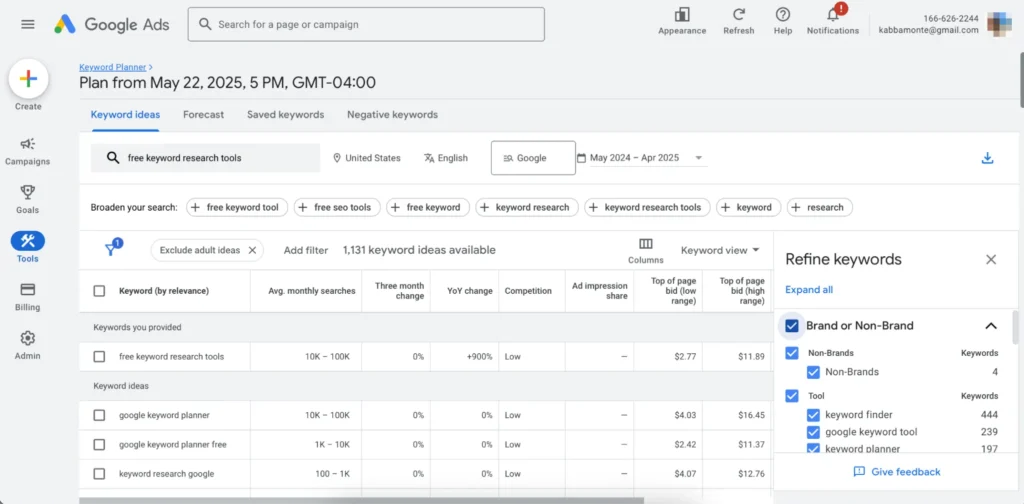
1. Google Ads Keyword Planner

Using Keyword Planner, you can research and analyse what consumers are looking for, see
keyword suggestions, search volume, competition level, and how much to bid on average for
each keyword. The most critical point to remember about Keyword Planner is that the
keyword research indicates consumer intent to use that keyword and, therefore, may have a
direct impact on sales.

2. Google Ads Auction Insights

Auction Insights is an advertising analysis feature of Google Ads. It shows your competition
in relation to the other advertisers you are competing against in the same auctions. Auction
Insights can also report how many times your ads show up, where they show up in the
auction, and how many times your competitors have their ads displayed. By using Auction
Insights, you will see if your low-performance results are due to low bids, low relevancy, or
strong competition. Without Auction Insights, you are merely guessing your bid amount and
often submitting excessive bids.

3. Search Terms Report

Search Terms Reports showcase what a customer typed in order to see your advertisement.
Keywords allow you to show up in search results, but the search term will show you the way
that actual users are searching for things. It also identifies irrelevant search terms that are
using up your budget without you knowing about it. These irrelevant search terms can drain
your budget and thus need to be removed. This is one of the most essential tools within
Google Ads that an advertiser should frequently review for keeping budgets protected.

4. Quality Score Diagnostics

Quality Score Diagnostics shows how Google’s algorithm evaluates its key phrases in terms
of relatedness and the experience for users. It provides insight into the ad relevance,
expected CTR, and the landing page quality. If you have a low score, it will increase the
costs of your bids, even if your bids are high. There are very simple methods to increase
Quality Scores, such as more clearly constructed copy in the ad, having more organized
keyword groups, and improving the landing pages. An increase in Quality Score will result in
decreased costs and increased visibility, as well as overall performance.

Budget & Bidding Control Tools

Budget and bidding control tools, including Smart Bidding, Manual Bidding, Budget Reports,
Forecasting, and Campaign Experiments, help marketers manage spending and optimize
bids without overspending. These tools ensure campaigns run efficiently, prevent wasted
budgets, and give clear insights into performance trends. Next, we’ll explore each of these
tools and how they help marketers make smarter, data-driven decisions.

1. Smart Bidding vs Manual Bidding Tools

Google Ads offer various bidding options, helping to determine how much marketers spend
on clicks and conversions. The traditional manual bidding provides complete control over bid
management. While Smart Bidding utilizes a fully automated approach, utilizing algorithms to
manage bid adjustments based on available data. Automation is advantageous for accounts
that have enough data available; however, the lack of historical data can make using Smart
Bidding in new or low-data accounts difficult.

2. Budget Reports & Forecasting Tools

Marketers use budget reports and forecasting tools to track the expenditure of their
marketing funds and the rate of spending, and to monitor daily spending against monthly
budget limits so there aren’t any unexpected surprises at month-end. Forecasting also
provides an understanding of what results are expected, based on the current trends, which
aids marketers in making more informed budgetary decisions. In addition, budget reports
and forecasting tools can identify any leakage associated with ineffective campaigns that
have no results.

3. Campaign Experiments

Campaign experiments allow marketers to test different campaign variations without risking
the entire budget. With this type of testing, traffic is split, with half going to the original
version and the other half to the test version. For new marketers, testing new bid types, ad
copy, or landing pages without guessing is a safe way to experiment. The results from these
types of experiments provide data that enable marketers to have greater confidence in
making a decision when they test a new type of bid, ad copy, or landing page. Marketers can
gain knowledge through the data obtained in these experiments, rather than having to rely
solely on assumptions.

Performance & Conversion Tracking Tools

Performance and conversion tracking tools like Google Tag Manager, Conversion Tracking
Setup, and Google Analytics (GA4) integration let marketers see exactly how ads drive
results. They provide insights into user behavior, measure conversions accurately, and
prevent costly mistakes from wrong data.

1. Google Tag Manager

GTM is a tool that makes it easy to manage all tracking codes quickly, without having to edit
your website’s code. When managing your paid advertisement campaign, all decisions you
make regarding bidding, optimizing, and reporting will ultimately be dependent on the
accuracy of your tracking. With GTM, conversions can be set up and managed in one
location. New marketers often make errors such as doubling up on conversions or
overlooking critical actions. If marketers learn how to utilize GTM early in their careers, they
will help reduce or eliminate the risk of using inaccurate tracking data, which can negatively
impact their marketing results and lead to unnecessary expenditures on low-performing ads.

2. Conversion Tracking Setup

Conversion tracking is a system that defines what actions are important for your business,
such as a lead generation form, a phone call, or a purchase. When conversion tracking is set
up and used correctly, it tells Google which clicks have the most value. Inaccurate and/or
incomplete conversion tracking results in poor conversion rates for Smart Bidding and
optimization because Smart Bidding and optimization rely on accurate and complete
conversion tracking data. New marketers should focus on tracking actions of real value and
on properly testing conversion tracking. Accurate conversion tracking will ultimately lead to
greater performance and lower costs.

3. Google Analytics (GA4) Integration

Integrating Google Analytics 4 (GA4) with Google Ads provides a better understanding of
how users interact with your ads once they’re on your website. The primary focus of Google
Ads is on clicks and costs, whereas Google Analytics provides an overall view of user
behaviour, including how long they spent on your site, how many pages they viewed, and
when users left the website before converting. By adding Google Ads and Google Analytics
to your marketing toolkit, you will be able to find out which landing pages are getting lots of
clicks but very little in terms of conversions.

Ad Creation & Optimization Tools

1. Search Ads (RSA) Asset Reports

Responsive Search Ads allow Google to test different combinations of headlines and
descriptions automatically. The asset report shows which headlines and descriptions perform
best over time. This helps marketers understand what messages connect with users. By
improving or replacing low-performing assets, ads become stronger and more relevant.
Guessing ad copy rarely works, but data-driven updates lead to better results.

2. Ad Preview & Diagnosis Too

A powerful resource for marketers is the Ad Preview & Diagnosis Tool. It allows marketers to
view their ads without triggering real clicks or impressions and can also provide a thorough
explanation for why ads may not be running (Budget ceiling, Policy issue). Many beginner
advertisers search for their ad in Google to check how it looks; unfortunately, this generates
wasted impressions and can distort campaign performance data. The Ad Preview &
Diagnosis Tool helps to eliminate these errors and provides accurate information within
minutes. Using the Ad Preview & Diagnosis Tool saves money and time.

After evaluating a dozen of the leading Google Ads Tools for Marketers in 2026, it is easy to
see how these tools support advertisers in creating smarter and more efficient ad
campaigns. From Keyword Planner to Auction Insights to Quality Score Diagnostics, Bidding
Controls, and Tracking Tools, all of these tools are strategic components in planning,
optimizing, and scaling ad campaigns. These tools allow marketers to better protect their
budgets, improve performance, and turn data into actionable insights, while ad creation tools
allow for more precise messaging without wasting budget.

However, simply using tools will not lead to true mastery of Google Ads; it takes strategic
planning and consistent testing to maximize the value of each tool.

Google Ads Tools Are Powerful, But Only When Used Right

Knowing where and how to use the tools does not necessarily mean you can successfully
manage Google Ads. To master Google Ads, you need to know the purpose for which you
are using each tool and how to make the most of the data it provides you. Without proper
strategy, testing, and interpretation, even the best tools could lead to unwise decisions.

Most marketers begin their journey with Google Ads as beginners and are forced to use trial
and error while using a real budget to learn the platform. This can be a very expensive and
risky way to learn to use Google Ads, especially when the individual or business using
Google Ads is hoping to gain truthful, immediate results. If even one mistake is made with
either a setting or by a misreading of the report, the budget will be drained in a matter of
days.

By learning in a well-structured manner, marketers will be able to understand how to use the
different tools together, how to safely test changes, and how to interpret data regarding their
performance accurately. This will prevent them from making costly mistakes while helping
them become more confident in managing large or client-based Google Ads budgets.

How Proper Google Ads Training Prepares Marketers to
Drive Results

There is a big difference between learning Google Ads in theory and managing real money
for a business. When real budgets are involved, your every decision has an impact on
business growth. Mistakes don’t just affect performance; they affect trust, revenue, and
growth. That’s why proper training plays a critical role before a marketer is given control of
live campaigns.

Well-structured digital marketing training teaches marketers how to plan, track, and optimize
ads with purpose. The training goes beyond Google Ads alone. It covers the full picture,
including search engine optimization, social media ads, content strategy, analytics, and
conversion optimization. This all-around exposure helps marketers see how paid ads fit into
a larger marketing system. Instead of working in isolation, they learn how different channels
support each other. This builds confidence, accountability, and the ability to make safe
decisions under real pressure.

As we talk about digital marketing classes, you’ll mainly learn them in two tiers:

1. Job-Oriented Digital Marketing Classes for Beginners

Job-oriented digital marketing classes focus on building strong foundations across multiple
areas. Learners understand how search marketing, paid ads, content, and analytics work
together. This makes it easier to manage Google Ads budgets wisely, as decisions are
based on overall goals, not just clicks. Being an all-rounder helps beginners avoid tunnel
vision and make smarter, safer choices.

These programs teach how Google Ads tools work together, how to set up campaigns
correctly, and how to protect budgets from common mistakes. Learners practice in controlled
environments before handling live accounts. This approach prepares them to manage
entry-level roles responsibly without risking business budgets.

2. Advanced Digital Marketing Classes for Campaign Growth

The aim of advanced-level digital marketing courses is to help marketers with basic digital
marketing skills and expand their ability to create performance-based campaigns. They
focus on the utilization of more advanced analytical tools and strategies, including smart
bidding methodologies, advanced tracking capabilities, and optimization techniques for
increasing an advertiser’s return on investment (ROI). In addition, marketers will learn to
effectively manage larger budgets as well as more extensive client accounts, and also
develop the necessary skills to successfully compete in highly competitive digital
environments.

Together, structured beginner and advanced training create marketers who are ready to
manage real budgets with skill, discipline, and confidence.

Final Takeaway

Mastering Google Ads isn’t just about knowing the buttons; it’s about using the right tools
with strategy, insight, and care. Every tool, from keyword research to conversion tracking,
plays a role in protecting budgets, improving performance, and making smarter decisions.
Beginners and advanced marketers alike benefit from structured learning and hands-on
practice, which build confidence and clarity before handling real campaigns. Understanding
how search, paid, and overall digital marketing work together helps marketers see the bigger
picture and avoid costly mistakes.

When tool mastery meets strategy, testing, and data-driven thinking, campaigns grow safely
and effectively. Marketers can optimize performance, scale budgets confidently, and deliver
measurable results without wasted spend. Start with proper training, practice deliberately,
and let insight guide every decision; this is the path to campaigns that truly perform and last.

FAQs – Top 12 Google Ads Tools to Master in 2026

How does Keyword Planner help improve campaign performance?

Keyword Planner shows search volume, competition, and intent, helping marketers choose the right keywords. Using it correctly avoids irrelevant clicks and wasted spend.

What is the difference between Smart Bidding and Manual Bidding?

Manual bidding gives full control over bids, while Smart Bidding uses automation based on data.

Why is conversion tracking important in Google Ads?

Conversion tracking shows which clicks bring real value, allowing marketers to optimize campaigns effectively. Without it, optimization and bidding decisions are based on incomplete data.

Can Google Ads tools prevent wasted budget?

Yes. Tools like Search Terms Report, Quality Score Diagnostics, and forecasting tools help identify irrelevant traffic, optimize bids, and avoid overspending.

Do I need training to master Google Ads tools?

While tools are available, proper training and guided practice teach strategy, interpretation, and safe decision-making, which prevents costly mistakes.
  •  

How I Do SEO for New Websites

LLaunching a new website is exciting, but it’s also when SEO plays a crucial role in ensuring long-term success.

New website coming SOON

Here’s a step-by-step breakdown of how I approach SEO for new websites:

Understand the Purpose and Audience

Before diving into technical SEO, I focus on understanding the website’s purpose and target audience.

Define objectives: Is the website meant to generate leads, sell products, or provide information?

Identify the audience: Who will visit the website? Their preferences, problems, and search behaviour guide my strategy.

Keyword Research

Effective keyword research is the backbone of SEO. For a new website.

  • Use tools like SEMRush, Ahrefs, or Google Keyword Planner.
  • Target low-competition, long-tail keywords to quickly gain traction.
  • Analyze competitor keywords and gaps.
  • Create a seed list of primary, secondary, and LSI (Latent Semantic Indexing) keywords.

Structure the Website

Site structure impacts SEO and user experience.

My process includes:

  • Flat structure: Ensures every page is accessible within 3 clicks.
  • Logical hierarchy: Groups pages into categories for clarity.
  • SEO-friendly URLs: Keep them short, descriptive, and keyword-optimized.
  • Internal linking: Helps Google understand relationships between pages.

Technical SEO Setup

The technical foundation is essential for search engines to crawl and index the site. I focus on:

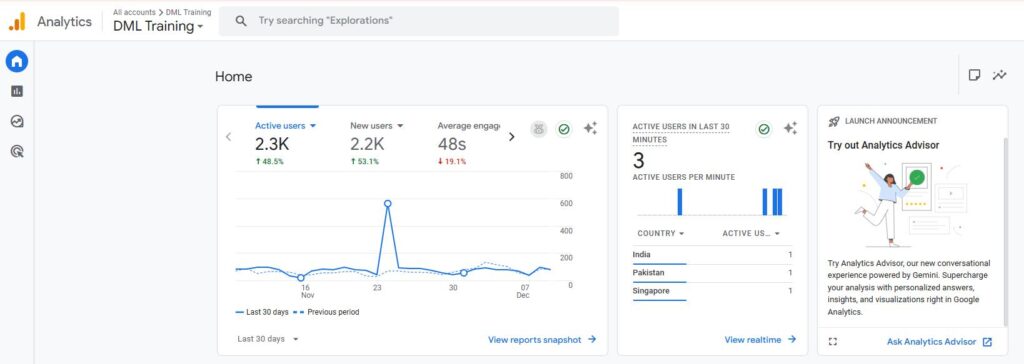
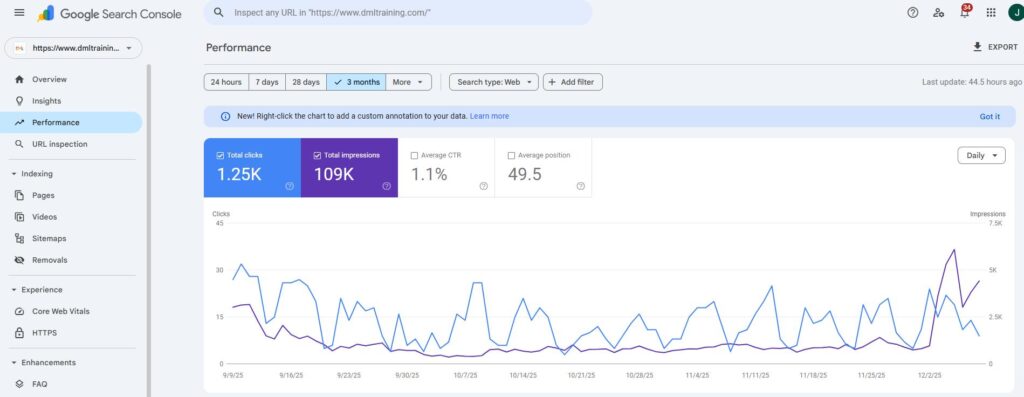
  • Installing Google Analytics and Google Search Console.
  • Submitting an XML Sitemap to Search Console.
  • Setting up a robots.txt file to control crawling.
  • Ensuring the website is mobile-friendly with responsive design.
  • Improving Core Web Vitals: Optimize load time, interactivity, and visual stability.
  • Enabling HTTPS for a secure browsing experience.

Content Creation

Content drives organic traffic, so I prioritise:

  • Writing SEO-optimized blog posts targeting keywords.
  • Creating cornerstone content that answers key user queries.
  • Ensuring content is informative, actionable, and engaging.
  • Using multimedia (images, videos, infographics) to boost user interaction.

On-Page SEO Optimization

Every page is optimized to rank effectively. My on-page checklist includes:

  • Crafting compelling title tags and meta descriptions.
  • Using header tags (H1, H2, H3) for better readability and keyword placement.
  • Optimizing images with alt tags and compressed file sizes.
  • Adding internal and external links to boost authority.

Building Backlinks

Backlinks signal authority to search engines. For a new website

  • Build citations and directory links for local businesses.
  • Leverage guest blogging on niche-relevant sites.
  • Conduct outreach campaigns for high-quality backlinks.
  • Avoid spammy or black-hat link-building practices.

Regular Monitoring and Optimization

SEO is a continuous process. Post-launch

  • Track performance: Use tools like Google Analytics and Ahrefs to measure organic traffic and keyword rankings.
  • Analyze user behavior to identify bounce rates, exit pages, and session durations.
  • Update content regularly to stay relevant.
  • Fix crawl errors, broken links, or duplicate content to maintain site health.

Local SEO (If Applicable)

For businesses targeting specific locations

  • Set up Google My Business and optimise the profile.
  • Add NAP (Name, Address, Phone Number) consistency across citations.
  • Encourage customer reviews for credibility.

Remember

SEO for a new website requires a strong foundation, strategic planning, and consistent effort.

From technical optimizations to creating valuable content and building backlinks, I ensure every step aligns with the website’s goals and audience needs.

  •  

16 SEO TOOLS EVERY BEGINNER SHOULD KNOW

IIf you’re just getting into SEO, it can be confusing to know where to start or which tools are actually useful. I’ve put together this list of 16 tools because they’re easy to understand, beginner-friendly, and genuinely helpful for improving your website. Whether you want to find the right keywords, check your site’s health, spy on competitors, or make your content better, these tools will make the whole process a lot easier. Think of this as a quick guide to the essentials you should know before diving deeper into SEO.

1. Google Analytics

TRAFFIC ANALYSIS: Track the number of visitors, their source, and their behavior on your site.

USER INSIGHTS: Measure your website’s conversion rates and identify areas for improvement.

CONVERSIONS TRACKING: Understand user demographics, interests, and engagement to refine your strategy.

2. Google Search Console

PERFORMANCE MONITORING: Track your site’s search performance and discover which queries bring the most traffic.

INDEXING STATUS: Ensure your website’s pages are properly indexed by Google.

ERROR DETECTION: Identify and fix crawling, indexing, and mobile usability issues quickly.

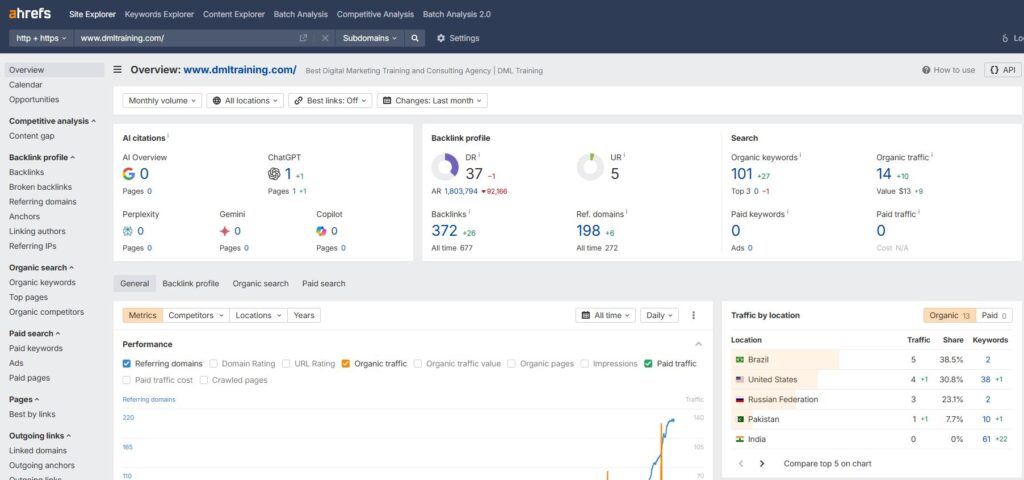
3. Ahrefs

BACKLINK ANALYSIS: Explore your site’s backlink profile and identify high-quality link opportunities.

COMPETITOR RESEARCH: Analyze competitor content and keywords for a competitive edge.

KEYWORD RESEARCH: Discover keyword search volume and traffic potential.

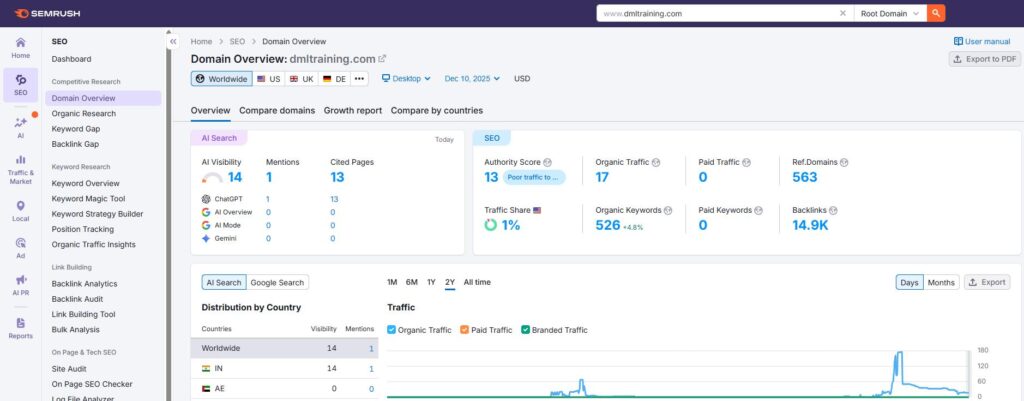
4. SEMrush

COMPREHENSIVE KEYWORD RESEARCH: Access detailed keyword data, including trends and competition levels.

SITE AUDIT: Identify technical SEO issues and optimize your site for better performance.

COMPETITOR ANALYSIS: Monitor your competitors’ rankings and content strategies to stay ahead.

5. Yoast SEO

ON-PAGE OPTIMIZATION: Get real-time suggestions for optimizing content, titles, and meta descriptions.

READABILITY CHECK: Improve readability with easy-to-follow recommendations.

XML SITEMAPS: Automatically generate sitemaps to help search engines index your site efficiently.

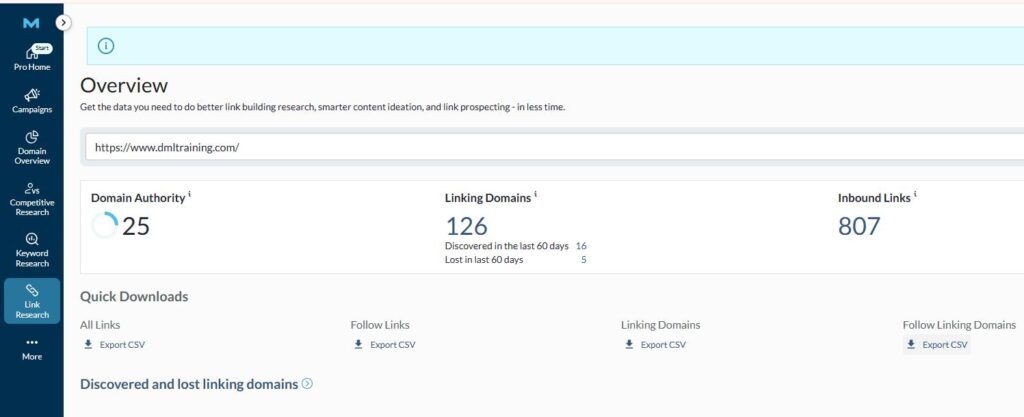
6. Mozbar

QUICK SEO METRICS: Instantly view key SEO metrics like domain authority for any website.

ON-PAGE ANALYSIS: Evaluate the SEO elements of any webpage, including titles, meta tags, and headings.

SERP OVERLAY: See how your website ranks on search engine results pages (SERPs) with ease.

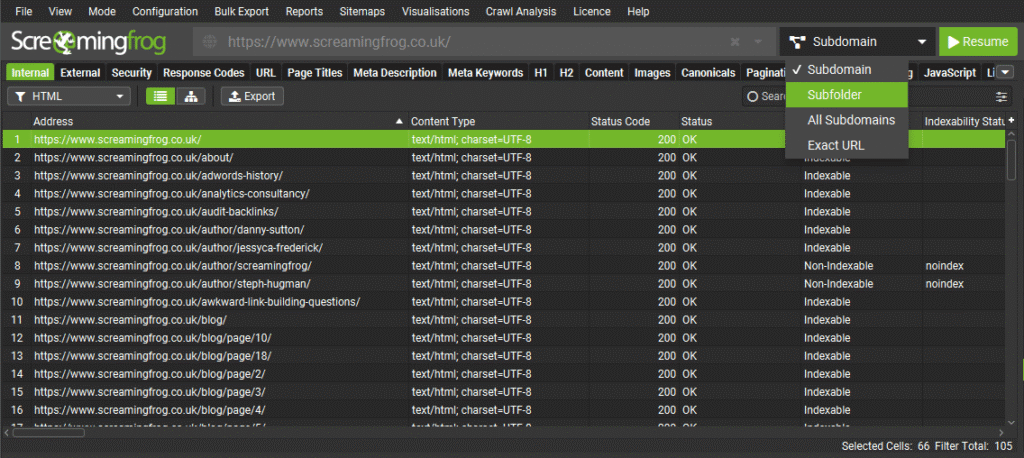
7. Screaming Frog

KEYWORD SUGGESTIONS: Discover volume new keywords with search, competition, and cost-per-click data.

CONTENT IDEAS: Generate ideas for content based on top-performing pages and search trends.

SEO AUDITS: See how your website ranks on search engine results pages (SERPs) with ease.

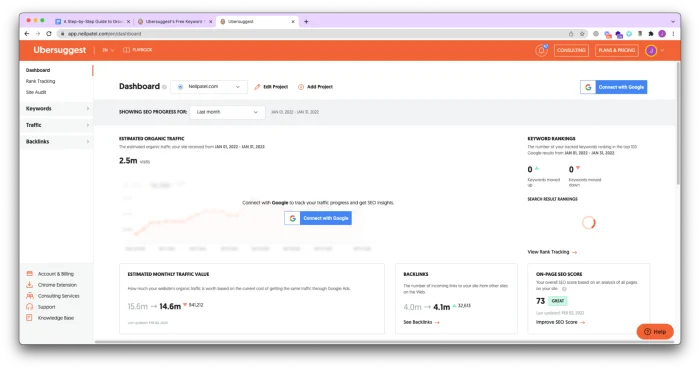
8. Ubersuggest

SITE CRAWLING: Identify broken links, redirects, and other issues by crawling your entire site.

TECHNICAL SEO INSIGHTS: Analyze key SEO elements like meta tags, headers, and content structure.

DUPLICATE CONTENT DETECTION: Find and fix duplicate content issues that can harm your rankings.

9. Google Keyword Planner

KEYWORD DISCOVERY: Find new keywords related to your business with search volume and competition metrics.

AD CAMPAIGN PLANNING: Optimize your PPC campaign with precise keyword targeting.

BUDGET-FRIENDLY: A free tool from Google, making it accessible for all beginners.

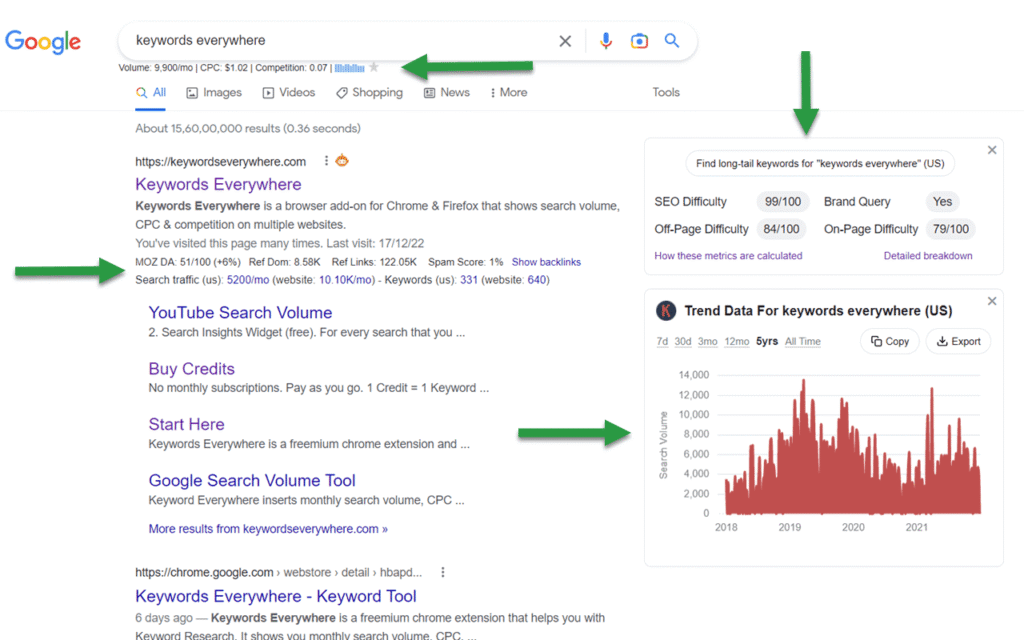
10. Keywords Everywhere

KEYWORD METRICS: Access search volume, CPC, and competition data directly in your browser.

TREND ANALYSIS: Identify trending keywords and topics to capitalize on new opportunities.

COST-EFFECTIVE: Affordable keyword research tool with a pay-as-you-go model.

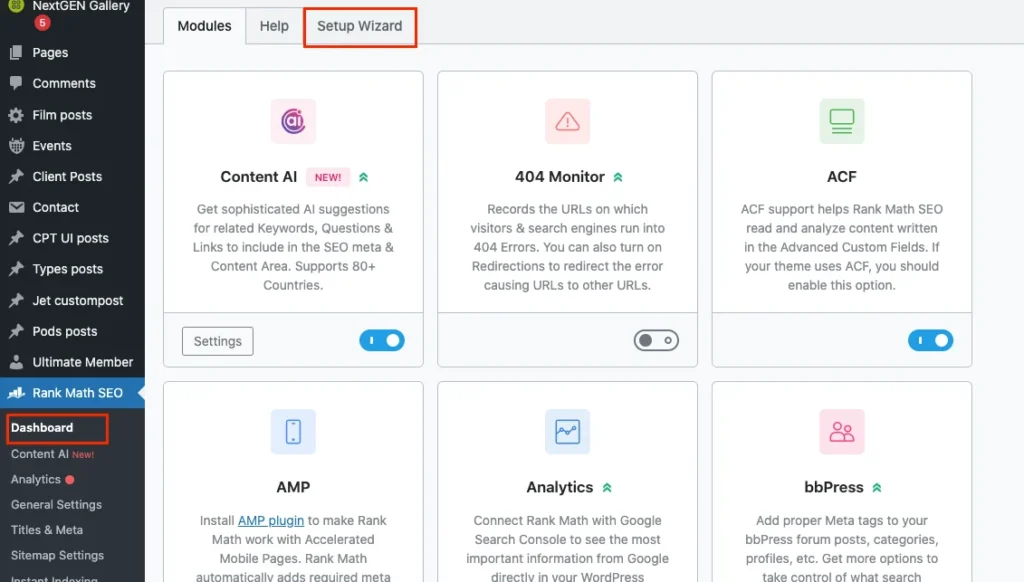
11. Rankmath (WordPress)

ADVANCED SEO FEATURES: Access features like rich snippets, 404 monitoring, and redirections in one plugin.

EASY-TO-USE INTERFACE: Intuitive setup and configuration process with detailed SEO analysis.

INTEGRATION: Seamlessly integrates with Google Search Console and other tools for enhanced tracking.

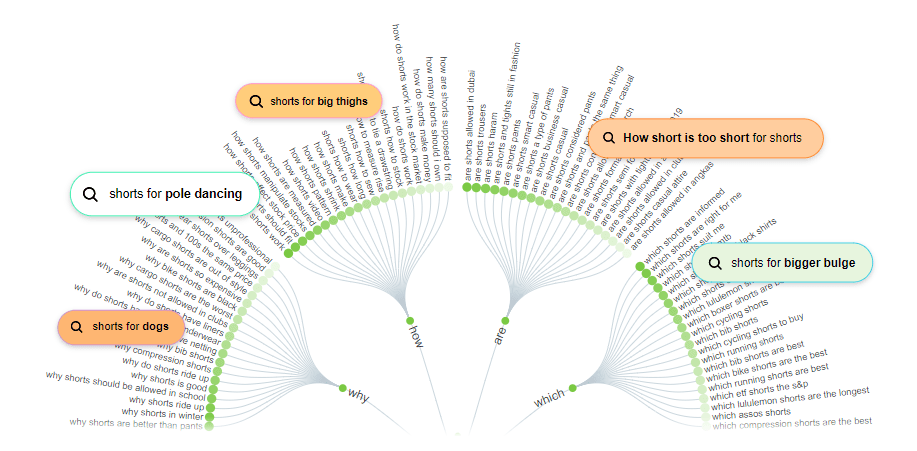
12. Answer the Public

CONTENT INSPIRATION: Find new keywords related to your business with search volume and competition metrics.

KEYWORD INSIGHTS: Discover related keywords and phrases for better content targeting.

VISUAL DATA: Easy-to-interpret visualizations help you quickly grasp audience interests.

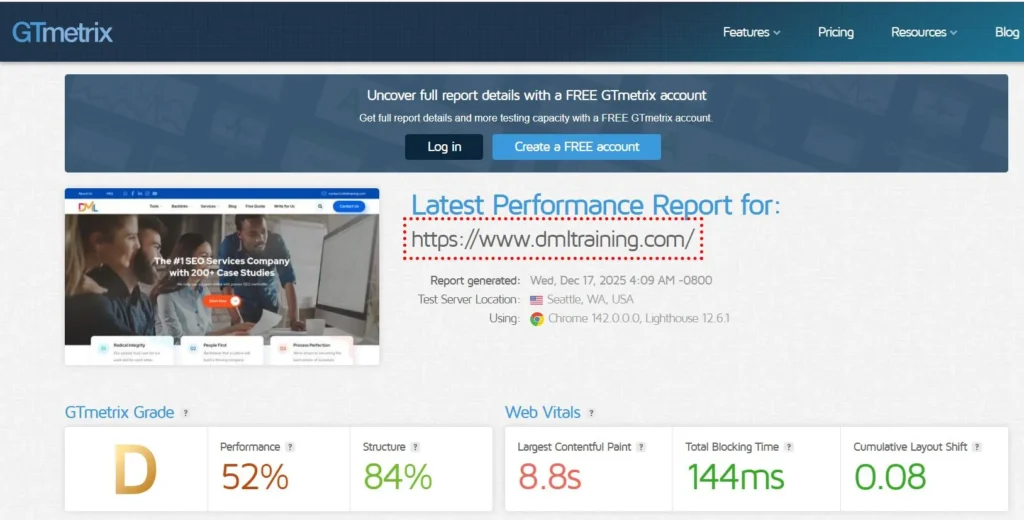
13. GT Metrix

SPEED ANALYSIS: Test your site’s loading speed and receive actionable insights for improvement.

PERFORMANCE SCORE: Get detailed performance scores and recommendations to optimize your site.

HISTORICAL TRACKING: Monitor changes in your site’s performance over time with historical data.

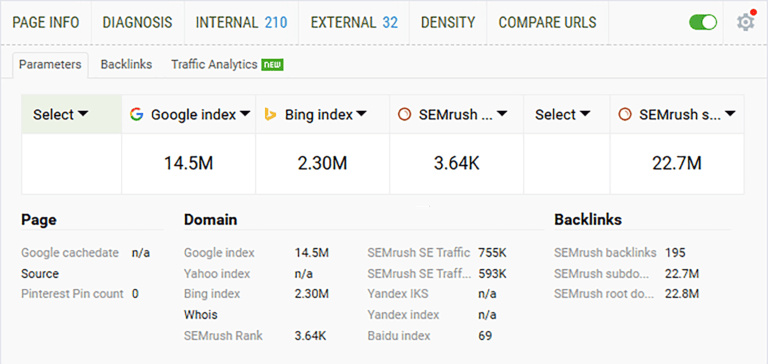
14. SEO Quake

SEO OVERVIEW: A quick overview of any webpage’s SEO elements including meta tags and keywords.

SERP ANALYSIS: Compare multiple websites directly in the Search Engine Results Pages (SERPs).

FREE TOOL: A cost-effective option for beginners to get started with SEO analysis.

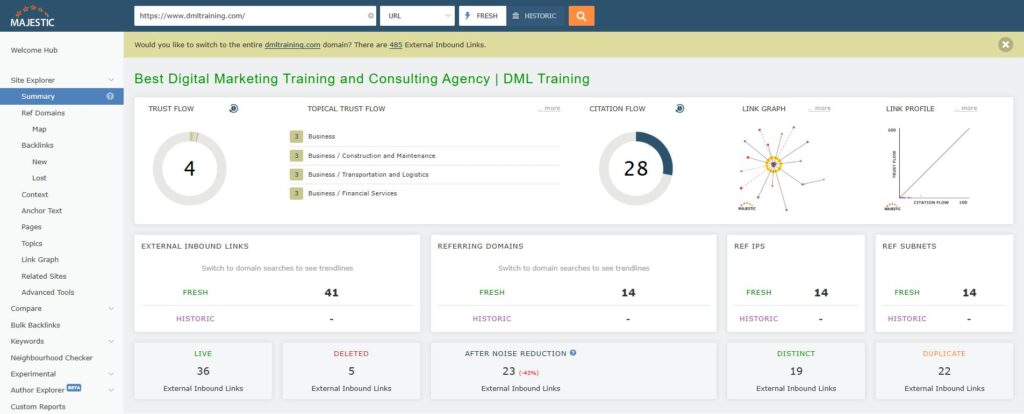
15. Majestic SEO

LINK ANALYSIS: Dive deep into your website’s backlink profile with trust flow and citation flow metrics.

SITE EXPLORER: Explore any domain in detail, uncovering top pages, referring domains, and backlinks.

LINK CONTEXT: Understand the context of your backlinks, including the surrounding content and anchor.

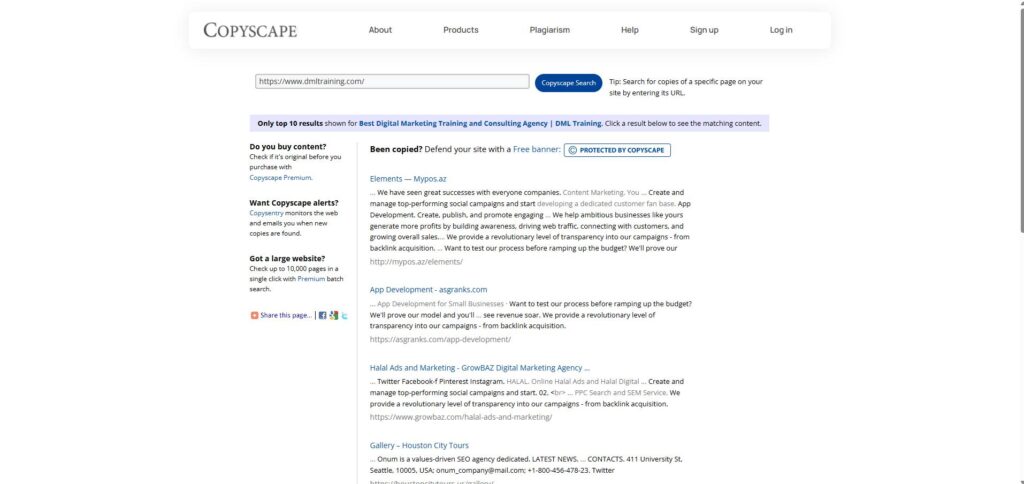
16. Copyscape

PLAGIARISM DETECTION: Ensure your content is original and avoid duplicate content penalties.

CONTENT PROTECTION: Protect your website from unauthorized content copying.

EASE OF USE: Simple interface that provides quick and accurate results.

Conclusion

SEO gets much easier once you know which tools to rely on. You don’t need to use everything at once—just start with a few and slowly build your workflow as you get comfortable. The tools in this list cover all the basics you need as a beginner, from researching keywords to checking site performance and improving your content. With a bit of practice, you’ll start seeing what works, what doesn’t, and how to make steady progress.

Related blog: How I Do SEO for New Websites

  •  

8 Best SEO Tools I Use For SEO Audit

Introduction

WWhen I run an SEO audit, I don’t rely on guesswork — I rely on tools that actually show me what’s happening behind the scenes. Over time, I’ve tested dozens of platforms, and honestly, only a few of them are worth sticking with.

Some tools help me find technical issues, some give me keyword and competitor insights, and others keep an eye on my site in real time. Together, they make the whole audit process faster, cleaner, and way more accurate.

In this blog, I’m sharing the 8 SEO tools I personally use and why they’ve stayed in my toolkit. If you’re trying to improve your site’s performance, rankings, or overall SEO workflow, these are the tools that actually make a difference.

8 Best SEO Tools

1. Ahrefs

This SEO tool provides in-depth site audits, backlink analysis, and keyword research to enhance your website’s performance.

2. Screaming Frog

Essential for crawling websites to find broken links, analyze page titles, and discover duplicate content.

3. SEMrush

An all-in-one marketing platform that offers site auditing features, competitive analysis, and on-page SEO recommendations.

4. Netpeak

Efficient for technical audits, identifying issues like broken links, duplicate content, and site structure problems.

5. SE Ranking

This SEO platform offers keyword tracking, site audits, and competitor analysis for effective optimization.

6. Sitebulb

This auditing tool generates visual reports on technical SEO issues, making complex data easy to understand.

7. Siteguru

Online SEO audit tool that analyzes your website’s health and provides actionable recommendations for improvement.

8. ContentKing

Real-time SEO auditing and monitoring. It helps you stay on top of your site’s performance and changes.

Conclusion

At the end of the day, you don’t need every SEO tool out there; you just need the ones that genuinely help you understand your site better. The tools I mentioned are the ones I use regularly because they make audits easier, help me catch issues early, and give me clearer insights to work with.

Try a few of them, see what fits your style, and build your own go-to stack. Once you get comfortable with the right tools, running SEO audits becomes a lot less overwhelming and a lot more effective.

Related blog: 16 SEO TOOLS EVERY BEGINNER SHOULD KNOW

  •  

60+ SEO Tools The Ultimate SEO Tools Cheatsheet

IIf you work in digital marketing or content writing, you already know how important SEO is. It helps your content reach the right audience and perform better online. But with so many tools available, it can get confusing to choose the right ones.

That’s why I’ve put together this SEO tools cheatsheet – a quick list of tools that can help you with everything from keyword research to link building, content writing, and analytics. You don’t need to use them all, but it’s good to know what each one can do.

Let’s break them down by category 👇

🧩 Link Building & Analysis

Link building helps improve your website’s authority and visibility. These tools make it easier to find link opportunities, analyze backlinks, and manage outreach.

  • Lemlist – Helps you send personalized outreach emails.
  • Respona – Great for blogger outreach and PR campaigns.
  • Majestic – Shows detailed backlink data with Trust Flow metrics.
  • MOZ Link Explorer – Lets you explore backlinks and find link gaps.
  • Hunter.io – Helps find verified email addresses for outreach.
  • Ninja Outreach – Useful for finding influencers and managing outreach.
  • Mailshake – Makes email campaigns simple and automated.
  • GMass – Gmail-based tool for sending bulk personalized emails.
  • Pitchbox – Helps with link prospecting and managing outreach.
  • SEMrush Backlink Analytics – Gives a complete view of backlinks and referring domains.
  • Ahrefs – One of the most popular tools for backlink and competitor analysis.
  • BuzzStream – Keeps your outreach and relationships organized.

✍ Content Creation & Optimization

Good content is the foundation of SEO. These tools help you write, optimize, and improve your content quality.

  • Clearscope – Suggests keywords and helps optimize your articles.
  • Jasper.ai – AI tool that helps you write SEO-friendly content quickly.
  • Grammarly – Checks grammar and improves readability.
  • Rytr – AI content generator for blogs, captions, and short posts.
  • BuzzSumo – Shows trending topics and popular content ideas.
  • Frase – Helps research topics and optimize your content for SEO.
  • Surfer SEO – Gives on-page optimization tips based on competitors.
  • Google Trends – Tells you what people are currently searching for.
  • AlsoAsked – Finds related questions to include in your content.
  • Feedly – Keeps you updated with the latest news and trends.
  • WriteSonic – AI writing tool for blogs, ads, and landing pages.
  • Copy.ai – Helps write catchy marketing content.
  • MarketMuse – Suggests topics and keywords for better optimization.

📊 Analytics & Reporting

To know if your SEO is working, you need to track results. These tools help you analyze data and create reports.

  • Google Data Studio / Looker Studio – Turns your data into clear reports.
  • Google Analytics – Tracks website traffic and user behavior.
  • DashThis – Makes it easy to create automated SEO reports.
  • Databox – Combines data from different tools into one dashboard.
  • Clicky – Simple tool for real-time website analytics.

🔑 Keyword Research

Keyword research helps you understand what people are searching for. These tools show keyword volume, competition, and trends.

  • SimilarWeb – Gives traffic and keyword insights for competitors.
  • Ahrefs – Finds keywords and shows their search difficulty.
  • SEMrush – Great for finding keyword ideas and analyzing competitors.
  • AnswerThePublic – Visualizes what people ask online.
  • MOZ Keyword Explorer – Helps find the best keywords for your content.
  • SE Ranking – Tracks rankings and gives keyword suggestions.
  • AccuRanker – Accurate rank tracking tool.
  • Google Keyword Planner – Free tool for keyword ideas.
  • KWFinder – Finds low-competition keywords easily.
  • Advanced Web Ranking – Helps track keyword positions across locations.
  • Keyword Tool.io – Generates keyword ideas from Google, YouTube, and more.
  • Ubersuggest – Offers keyword ideas, traffic stats, and SEO audits.

⚙ On-Page Optimization

These tools help you improve your website pages so they perform better on search engines.

  • All in One SEO Pack – WordPress plugin for managing on-page SEO.
  • SEOPress – Helps with metadata, schema, and sitemaps.
  • Yoast SEO – One of the most popular SEO plugins for WordPress.
  • RankMath – Advanced SEO plugin with keyword optimization features.
  • Keyword Insights – Helps group and plan content based on keyword intent.

🧠 Technical SEO

Technical SEO ensures your site loads fast, is easy to crawl, and works properly behind the scenes.

  • Screaming Frog – Scans your site for technical issues.
  • DeepCrawl – Useful for large-scale site audits.
  • GTmetrix – Checks your website’s speed and performance.
  • Sitebulb – Gives visual reports of your site’s SEO health.

📍 Local SEO

If you want to rank locally, these tools can help manage your business listings and reviews.

  • Grade.us – Helps gather and manage customer reviews.
  • BrightLocal – Ideal for local SEO audits and reporting.
  • GatherUp – Makes it easy to collect feedback and reviews.
  • MOZ Local – Keeps your local business listings consistent.
  • Yext – Manages business information across directories.
  • Google PageSpeed Insights – Checks your site speed, which affects local ranking too.

💬 Final Thoughts

SEO might look complicated, but with the right tools, it becomes much easier. You don’t need to use all of them – just pick the ones that fit your goals.

If you’re just starting out, begin with free tools like Google Analytics, Google Keyword Planner, and Yoast SEO. As you grow, you can explore advanced options like Ahrefs, Surfer SEO, or BrightLocal to get deeper insights.

Use this cheatsheet as your quick reference whenever you plan, create, or analyze your SEO strategy. It’ll save time, improve your results, and help you stay on top of your game!

  •  

83 Best Websites for SEO in 2025

IIf you’ve ever tried to improve your website’s visibility on Google, you already know SEO isn’t simple. Between constant algorithm updates, new competitors entering the space, and dozens of ranking factors to keep in mind, it can feel overwhelming. The good news? You don’t have to figure it all out alone.

There are plenty of tools out there designed to make SEO easier, faster, and more effective. From keyword research and backlink tracking to site audits and content optimization, the right platform can save you hours of work and point you in the right direction.

That’s why I’ve pulled together this list of the 83 best SEO websites to use in 2025. Think of it as your go-to toolbox-whether you’re a beginner trying to get your first rankings or a marketer managing multiple client sites, you’ll find something here that makes your SEO journey a lot smoother.

83 best SEO websites

  1. semrush.com – SEO toolkit (free trial in comments)
  2. ahrefs.com – backlink and keyword research
  3. LongTailPro.com – long-tail keywords tool
  4. BrightLocal.com – local SEO management
  5. HitTail.com – long-tail keyword suggestions
  6. rankalyzer.io – SEO competitor analysis
  7. moz.com – SEO software suite
  8. majestic.com – link analysis tool
  9. localfalcon.com – local rank tracking
  10. plerdy.com – conversion rate optimization
  11. Serpstat.com – growth hacking tool for SEO
  12. clearscope.io – content optimization
  13. KeywordTool.io – keyword finder
  14. woorank.com – SEO & website analysis
  15. Conductor.com – SEO platform for enterprises
  16. RankMath.com – WordPress SEO plugin
  17. Grammarly.com – content proofreading for SEO
  18. AccuRanker.com – accurate keyword ranking
  19. DeepCrawl.com – technical SEO platform
  20. Yoast.com – WordPress SEO plugin
  21. Sitebulb.com – website auditing
  22. Linkody.com – backlink tracker
  23. KWFinder.com – SEO keyword tool
  24. ContentKingApp.com – real-time SEO auditing
  25. SerpWatch.io – track search engine positions
  26. SeedKeywords.com – find valuable keywords
  27. WebsiteGrader.com – site performance review
  28. PageOptimizer.pro – on-page optimization tool
  29. Botify.com – end-to-end SEO platform
  30. CognitiveSEO.com – complete SEO tool
  31. SEOquake.com – browser-based SEO analytics
  32. CanIRank.com – AI SEO software
  33. serpbook.com – keyword rank tracking
  34. Coschedule.com – content marketing calendar
  35. SEOToolSet.com – suite of SEO tools
  36. RavenTools.com – SEO reports & research
  37. SEORadar.com – monitor SEO changes
  38. OnCrawl.com – SEO crawler and log analyzer
  39. TrafficTravis.com – free SEO software
  40. MarketMuse.com – AI content planning
  41. SEOClarity.net – SEO platform
  42. SiteChecker.pro – on-page SEO checker
  43. SurferSEO.com – data-driven content optimization
  44. PanguinTool.com – Google algorithm update checker
  45. SearchMetrics.com – SEO & content marketing platform
  46. NetpeakSoftware.com – SEO tool suite
  47. TheHoth.com – SEO and content marketing
  48. ContentHarmony.com – content planning
  49. Link-Assistant.com – link management
  50. KeywordRevealer.com – keyword research tool
  51. GShiftLabs.com – web presence analytics
  52. GreenlaneSEO.com – SEO tools and services
  53. KeywordEye.com – keyword & competitor research
  54. SERPwoo.com – niche SEO & ORM tool
  55. SEObility.net – SEO audit and monitoring
  56. AuthorityLabs.com – SEO rank monitoring
  57. MonitorBacklinks.com – backlink tracking
  58. NinjaOutreach.com – influencer marketing + SEO tool
  59. Databox.com – SEO performance tracking
  60. AdvancedWebRanking.com – cloud-based SEO tool
  61. TextTools.net – semantic SEO tool
  62. RankWatch.com – SEO management platform
  63. Sistrix.com – SEO analytics and visibility index
  64. SimilarWeb.com – website traffic and analytics
  65. STATSearchAnalytics.com – SERP analytics
  66. URLProfiler.com – audit and content tool
  67. Pitchbox.com – outreach and link building
  68. Copyscape.com – plagiarism checker for SEO
  69. LinkResearchTools.com – backlink analysis tool
  70. Zutrix.com – keyword rank tracker
  71. Nightwatch.io – SEO tracker and reporting tool
  72. SEOReseller.com – white label SEO platform
  73. NobleSamurai.com – keyword research + SEO software
  74. WordTracker.com – keyword research tool
  75. SEOBox.com – Spanish SEO platform
  76. SerpYou.com – clean and simple SERP tracker
  77. AgencyAnalytics.com – SEO reporting tool for agencies
  78. RankActive.com – versatile SEO toolkit
  79. SERanking.com – all-inclusive SEO software
  80. Sightliner.com – interlinking and duplicate content tool
  81. Lipperhey.com – SEO & website analyzer
  82. SheerSEO.com – SEO and online marketing software
  83. Pulno.com – website audit tool

Conclusion

At the end of the day, SEO is a long game. No single tool will magically shoot you to the top of Google, but combining the right ones can give you a serious edge. The websites in this list cover just about every area you’ll need help with-keywords, content, backlinks, technical fixes, and more.

My advice? Don’t try to use all 83 at once. Start with two or three that match your immediate needs-maybe a keyword tool, a site audit tool, and a content optimizer-and build from there. As your SEO skills grow, you’ll naturally start adding more advanced tools to your stack.

SEO in 2025 is all about working smarter, not harder. With the right tools in your corner, you can cut through the noise, stay ahead of competitors, and actually enjoy the process of growing your site.

  •  

How to Perform an SEO Audit in 18 Steps

Introduction

IIf your website isn’t ranking the way it should, it’s probably time for an SEO audit. Think of it like a health check-up for your site—it helps you uncover what’s working, what’s broken, and what’s holding you back in the search results. Whether you’re trying to boost organic traffic, fix indexing issues, or just get a clearer picture of your site’s performance, a thorough SEO audit can uncover powerful opportunities for growth. In this guide, I’ll walk you through 18 essential steps to perform a complete SEO audit—tools included—so you can take action right away.

The tool you need

  • Audit tool like Semrush Site Audit
  • Google Analytics
  • Google Search Console
  • Google PageSpeed Insights
  • Google Schema Markup Testing Tool

Basics — The Things You 100% Must Check

  • Benchmark your rankings and understand your competitors
  • Check for duplicate versions of your site in Google’s Index
  • Check your site’s indexed URLs
  • Check for manual actions
  • Analyze your site’s speed
  • Confirm that your site uses HTTPS
  • Check for mobile-friendliness issues
  • Analyze and resolve further indexation issues
  • Understand your site’s page experience
  • Audit your on-page SEO

SEO Audit Quick Wins

  • Fix broken internal links
  • Clean up your sitemap
  • Check your redirects

Auditing Content

  • Find and fix duplicate content issues
  • Identify thin content pages
  • Fix issues with orphan pages
  • Compare your content to top ranking pages & analyze searcher intent
  • Run a Backlink Audit

Conclusion

Doing an SEO audit doesn’t have to feel overwhelming. Once you break it into steps—like we’ve done here—it’s really just about getting a clear picture of how your site’s performing and spotting areas where you can improve. Some fixes might be quick wins, others might take more time, but all of them move you in the right direction.

The key is consistency. Don’t just audit once and forget about it—make it part of your regular website maintenance. Over time, you’ll catch issues early, stay ahead of algorithm changes, and keep your content in line with what your audience (and Google) actually wants.

If you’ve got any questions or tips from your own audits, feel free to share—always happy to swap notes.

  •