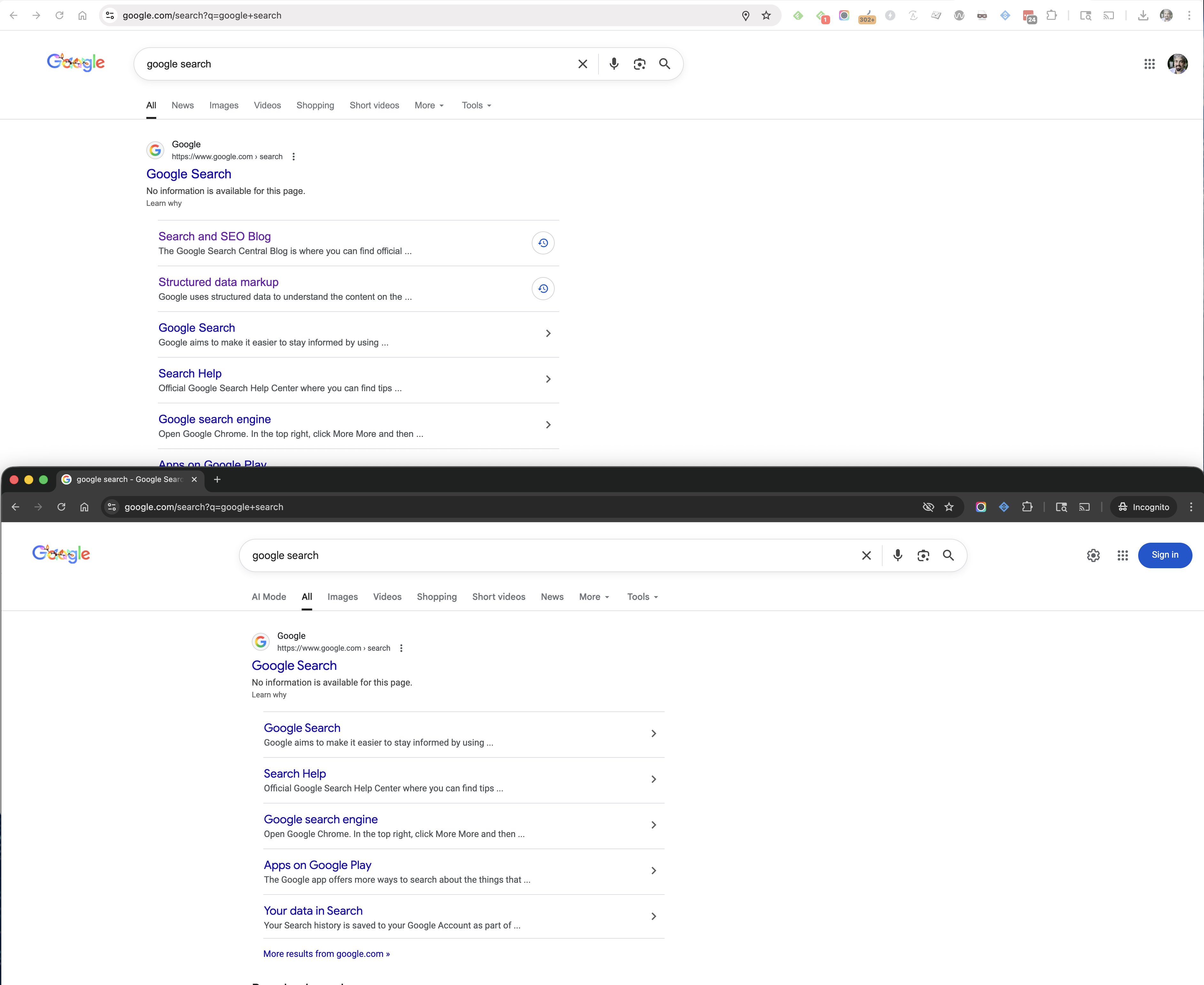
Google is testing placing the search results in the center of the screen, instead of aligning it more to the left of the screen. This is an ongoing test we have seen on and off over many years and it is still going on.
I personally spotted the test a few weeks ago and posted about it on X - here are my screenshots of the normal left aligned version compared to the centered version that Google is testing:
For the past 15 or so years, Google would post holiday-specific decorations at the top of its search results for Christmas, Hanukkah, and Kwanzaa. Well, this year Google did not.
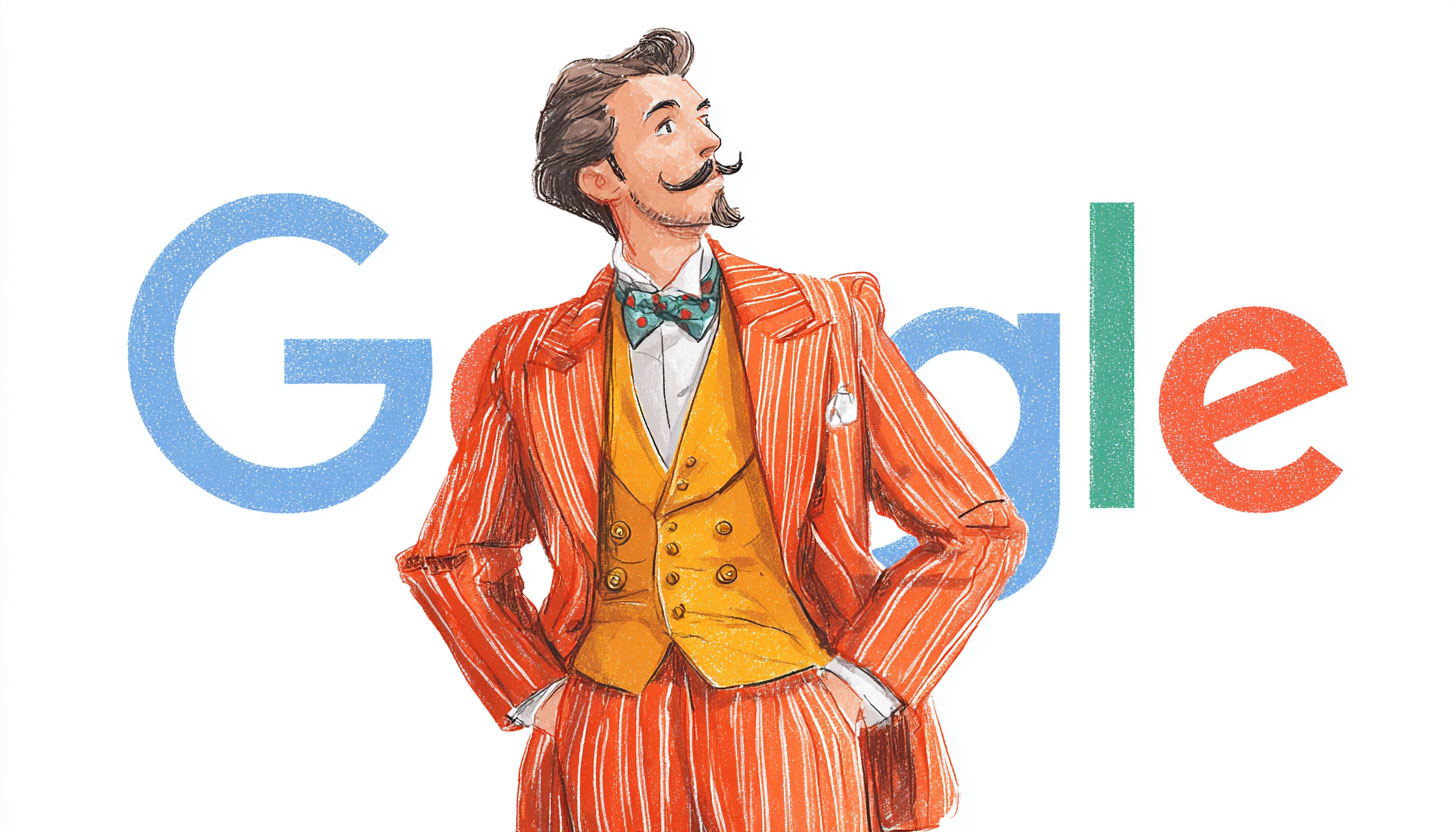
Google did post an Easter egg in the search results, which they do every year, and it posted the season's greeting Doodle, but not the holiday-specific decorations.
Here is what those looked like on mobile last year.
Christmas:
Hanukkah:
Kwanzaa:
But this year, those decorations at the top of the Google Search results page are not there.
Merry Christmas, Happy Hanukkah and Joyous Kwanzaa to all.
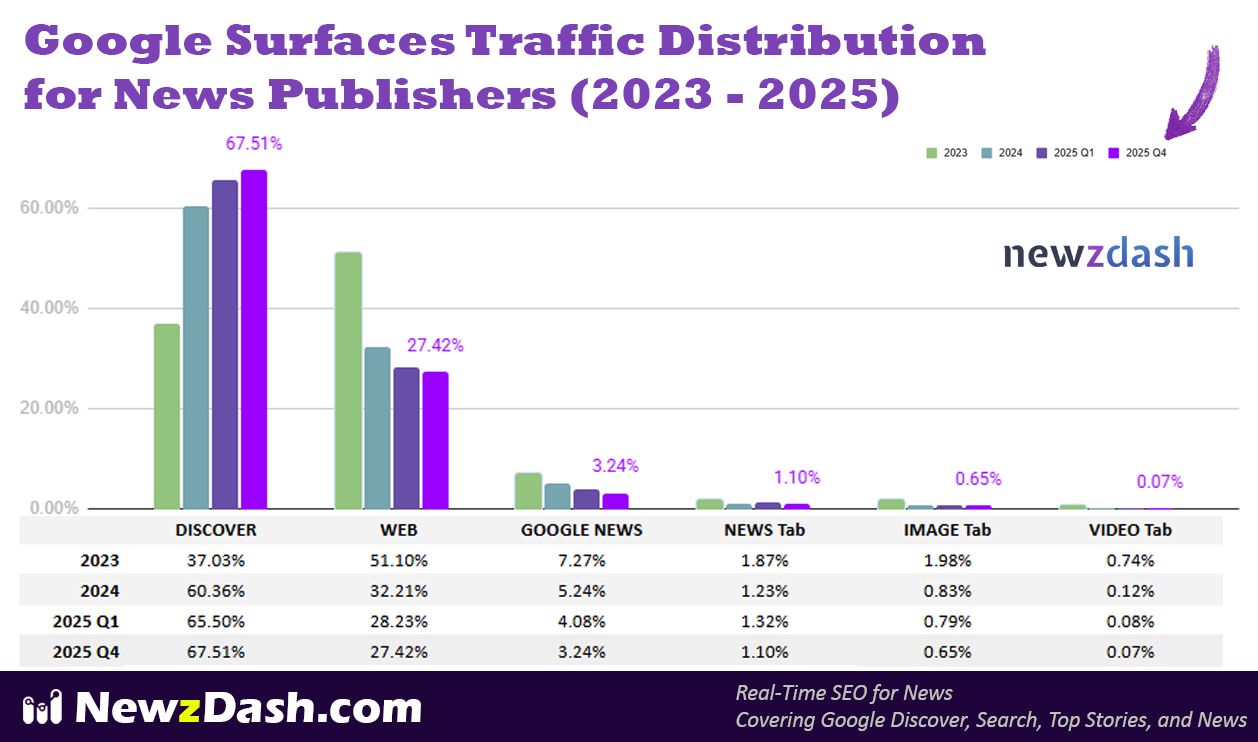
Google Search has been sending 25 percentage points less traffic to news publishers over the past two years, according to the folks over at Newzdash. In 2023, Google Web Search made up over 51% of traffic from Google surfaces to news publishers; that number is now down to 27%.
Instead, news publishers are depending on the super risky Google Discover feed to send traffic. Where now, news publishers get 67.5% of their traffic from, when it was only 37% two years ago.
This chart below was posted by John Shehata on LinkedIn who showed the Google traffic distribution by Google surface to news publishers over the past few years. The chart is scary, here it is:
Google Discover, for many publishers, can be super hit or miss. And it is just a scary place to try to get consistent and dependable, and more so, targeted traffic from.
John said this is based on an analysis of "over 400 news publishers worldwide by NewzDash confirms that Google Discover is now the undisputed leader in traffic distribution." "Google Discover's share has nearly doubled in two years, climbing from 37.03% in 2023 to 67.51% today," he wrote but "Traditional Web Search has plummeted from 51.10% to just 27.42% over the same period," he added.
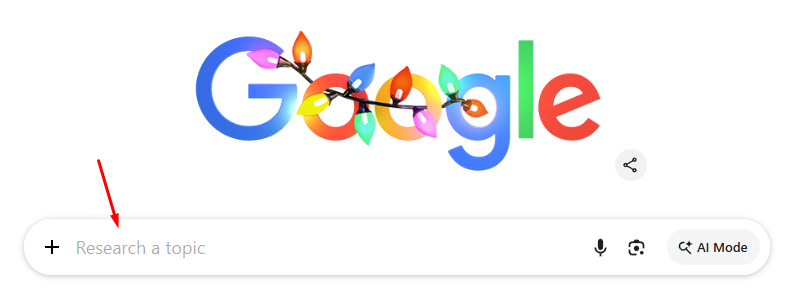
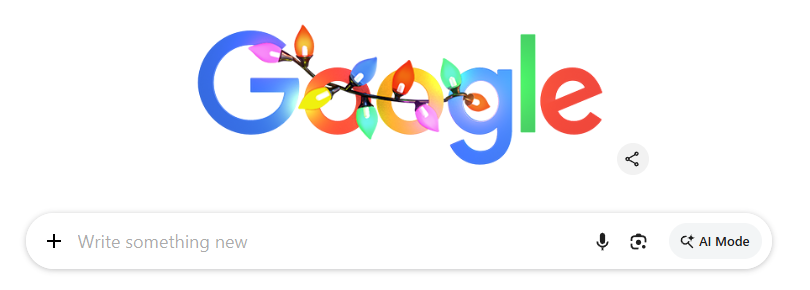
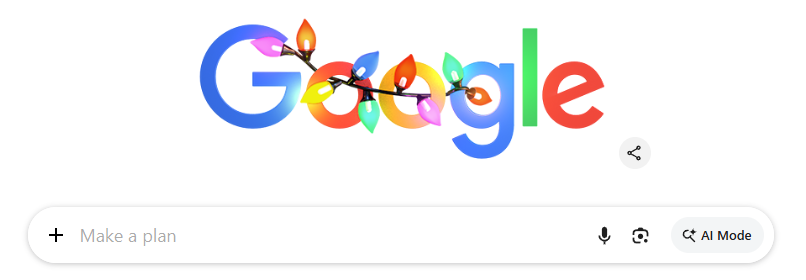
Google is testing prefilling the search bar in a new Chrome tab, with teasers to encourage you to search deeper with AI Mode. Google is putting in the search box, "Research a topic," "Write something new," "Ask Google," and "Make a plan."
Glenn Gabe spotted this change and posted on X saying, "Noticed this morning that Google had an animation of text running in the Google search bar in Chrome (in a new tab). This is based on the + sign added recently which lets you upload docs, images, use Deep Research, etc. Yep, we are witnessing the transformation of Search to something greater. It included "Research, write, plan, ask..."
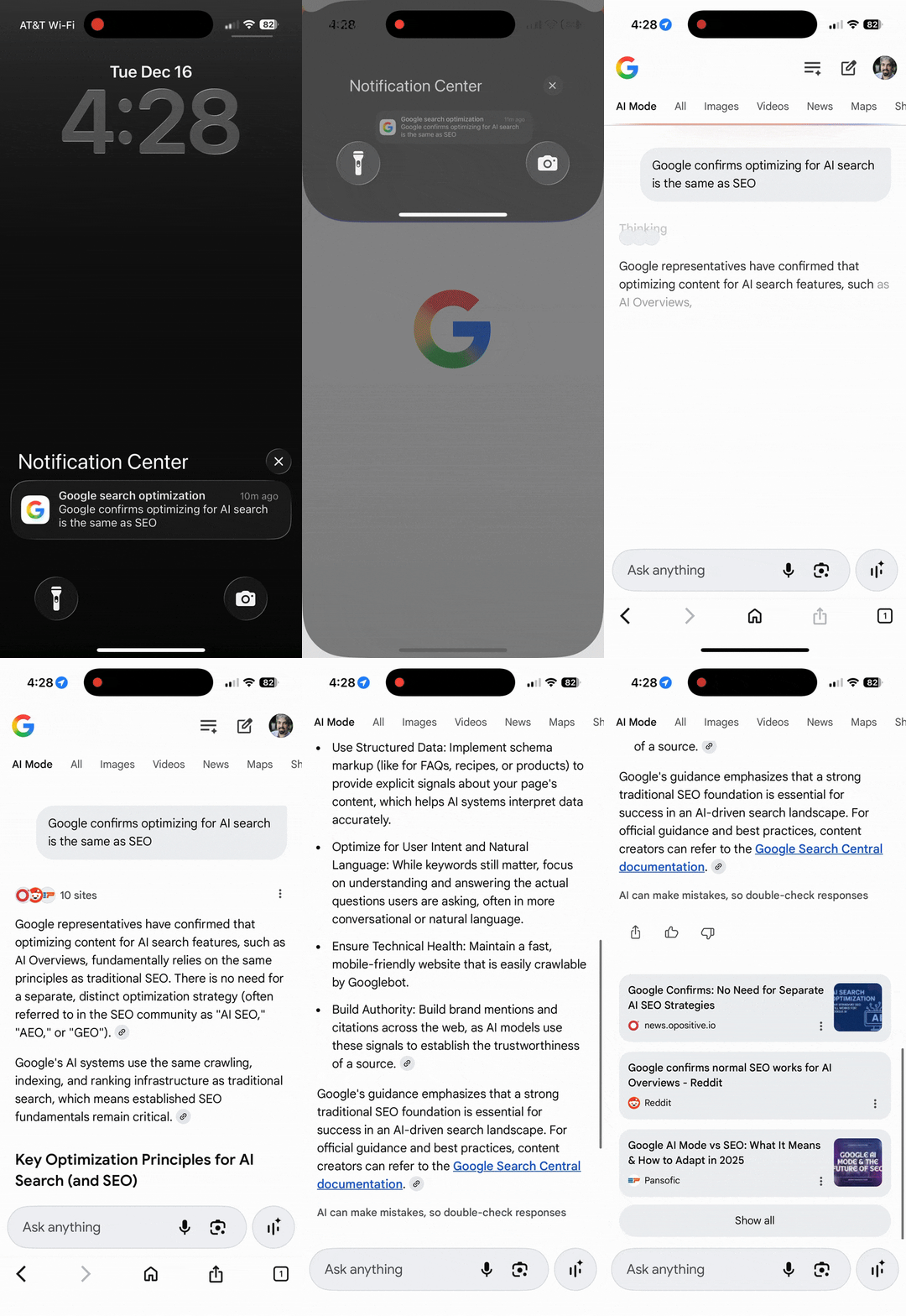
Have you seen those Google Discover notifications that pop up and seem like news notifications from the Google app but what they do is drive you into Google AI Mode. I find them incredibly annoying, because every time I click on it, I think I am going to a news article but instead, I am given an AI-generated AI Mode answer.
I don't ask for these, but Google Discover shows them to me based on, I guess, what I like to read in Google News and my Discover feed.
Here is a GIF of it in action:
I complained about this on X the other day. I mean, does Google really need to generate all these queries in AI Mode?
Nicola Agius replied, "It's really not right. This is not an AI 'summary'anymore. This is an AI article with all of the information stolen. Google is even doing this to publisher's big exclusives."
Tom Critchlow replied, "You would think it would be possible to build the most amazing content-recommendation system using LLMs! And yet all Google seems to have imagination for is juicing query volume...."
Kevin Mullett replied, ""Just serve users... unless it's us, then we'll do whatever serves our interest and inflates our numbers." ~ Google probably"
Inspired Taste replied, "Yeah, that is pretty bad."
Ryan Freeman replied, "One might almost say it's deceptive."
Anish Kattukaran, CPO at Google Home & Nest announced in the Google Gemini forums that Gemini will not be replacing Google Assistant by the end of 2025. He wrote, "We're adjusting our previously announced timeline to make sure we deliver a seamless transition, and will continue our work to upgrade Assistant users to Gemini on mobile devices into 2026."
He said they will have more to share on the timeline in the coming months.
Anish wrote:
Earlier this year, we shared our plans to upgrade the Assistant experience to Gemini on most mobile devices by the end of 2025. We're adjusting our previously announced timeline to make sure we deliver a seamless transition, and will continue our work to upgrade Assistant users to Gemini on mobile devices into 2026. We'll share more details on our plans in the coming months. Your feedback matters to us. Feel free to drop any further suggestions here.
Google told us in March 2025 that Gemini will replace the Google Assistant in 2025. Well, with a week or so left of the 2025 year, that is not happening. It will happen, sometime in 2026 now.
On Friday, Google announced it had filed a lawsuit (PDF) against SerpApi for scraping the Google search results. Google alleges that SerpApi is running an "unlawful" operation that bypasses Google's security measures to scrape search results at an astonishing scale.
Google called SerpApi's "business model is parasitic," adding "SerpApi uses automated means to scrape these other services." This generates "billions of artificial requests and then copying and selling the responses. SerpApi does not compensate the services it scrapes for the output or for the costs of responding to the massive burdens their automated processes impose on the services' computer infrastructures. Its scraping invariably violates the services' governing agreements and flouts access restrictions that those services convey to automated crawlers or 'bots' through robots.txt instructions," Google wrote.
Google claims SerpApi uses hundreds of millions of fake search requests to mimic human behavior. This allows them to bypass CAPTCHAs and other automated defenses that Google uses to prevent bots from overwhelming its systems.
SerpApi sells a "Google Search API" to third parties. Google argues this is deceptive because Google does not offer a public search API for this type of data. SerpApi is essentially selling a back door to Google's proprietary search engine.
Google argues that its security systems (like SearchGuard) are "technological measures" that control access to copyrighted work. By bypassing them, SerpApi is allegedly violating Section 1201 of the DMCA. Google claims SerpApi is violating Google's Terms of Service, which strictly prohibit automated scraping and the use of proxies to hide one's identity. Google alleges that SerpApi is profiting from Google's massive investment in organizing the world's information without contributing to the ecosystem or respecting the rules.
"Google estimates that SerpApi sends hundreds of millions of artificial search requests each day to Google. Over the last two years, that volume has increased by as much as 25,000%," Google said.
Google said in its filing that SerpApi cannot afford to pay Google damages from the lawsuit. Google wrote, "Google is entitled to recover from SerpApi the actual damages Google has suffered because of SerpApi's statutory violations as well as any additional, non-duplicative profits SerpApi has earned from them. Google may alternatively elect to recover statutory damages of no less than $200 and as much as $2,500 for each of SerpApi's many statutory violations."
"Google's harm will not be remedied by a statutory damages award because SerpApi will be unable to pay it. SerpApi reportedly earns a few million dollars in annual revenue, but already faces liability that is orders of magnitude higher and growing," Google wrote.
This is an interesting lawsuit for the SEO industry to follow...
Update: Statement from SerpApi's General Counsel, Chad Anson:
SerpApi has not been served with Google's complaint, and prior to filing, Google did not contact us to raise any concerns or explore a constructive resolution.
For more than eight years, SerpApi has provided developers, researchers, and businesses with access to public search data. The information we provide is the same information any person can see in their browser without signing in. We believe this lawsuit is an effort to stifle competition from the innovators who rely on our services to build next-generation AI, security, browsers, productivity, and many other applications.
As we state on our website: 'The crawling and parsing of public data is protected by the First Amendment of the United States Constitution.' We work closely with our attorneys to ensure our services comply with all applicable laws, including fair use principles.
SerpApi stands firmly behind its business model and will vigorously defend itself in court.
Google reportedly has a bug that displays incorrect product reviews in Google Search for a retailer. It is now pulling from text on the page that includes the Google Business Profile reviews, despite the product reviews not being there and not being marked up on the page.
This issue was spotted by Brodie Clark who posted on the SERP Alert channel on X - he explained this in much greater detail and wrote that he "discovered a pretty massive flaw with Google's review snippets that a client of mine is taking advantage of."
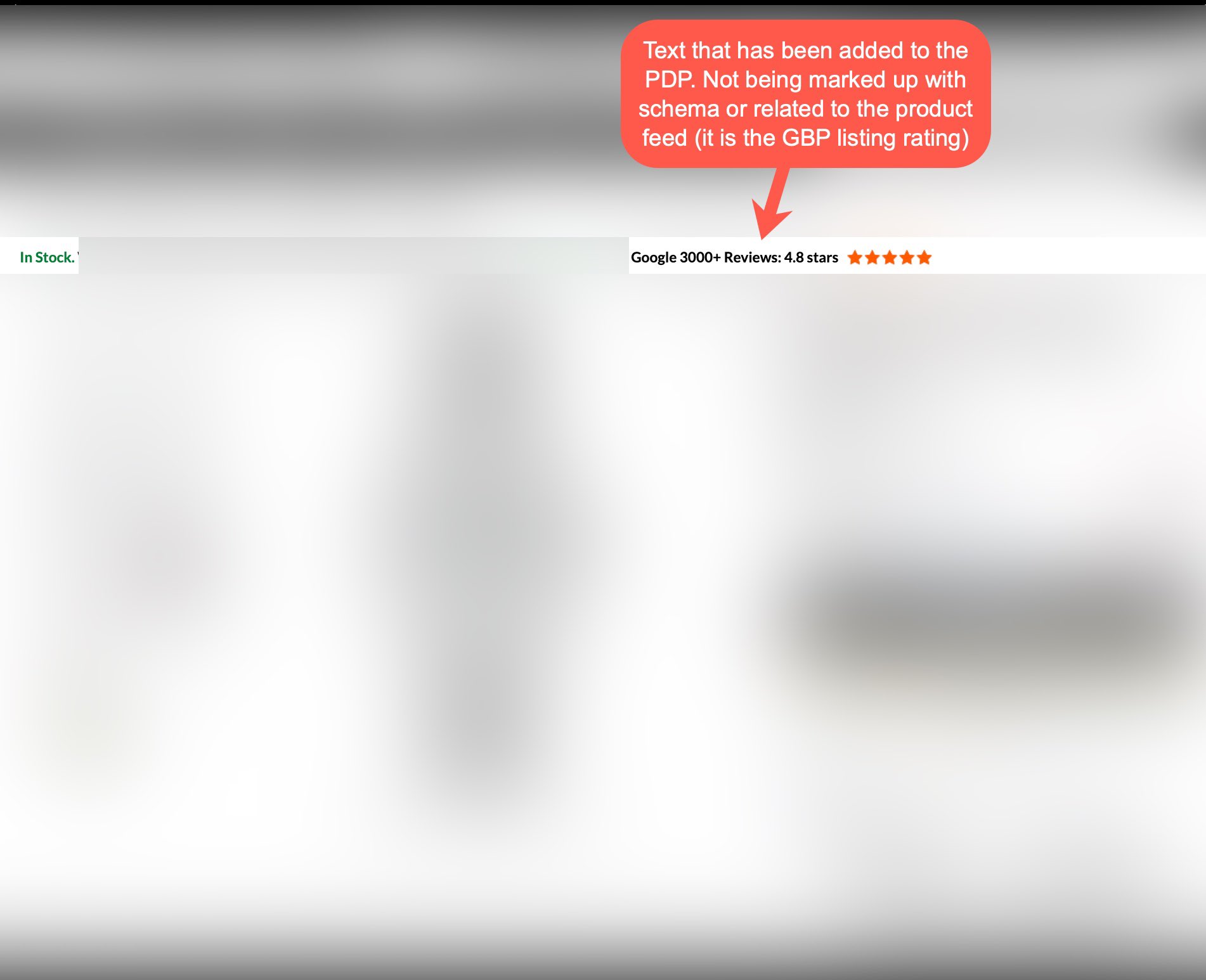
Here is the web page that shows the Google Business Profile link and reviews:
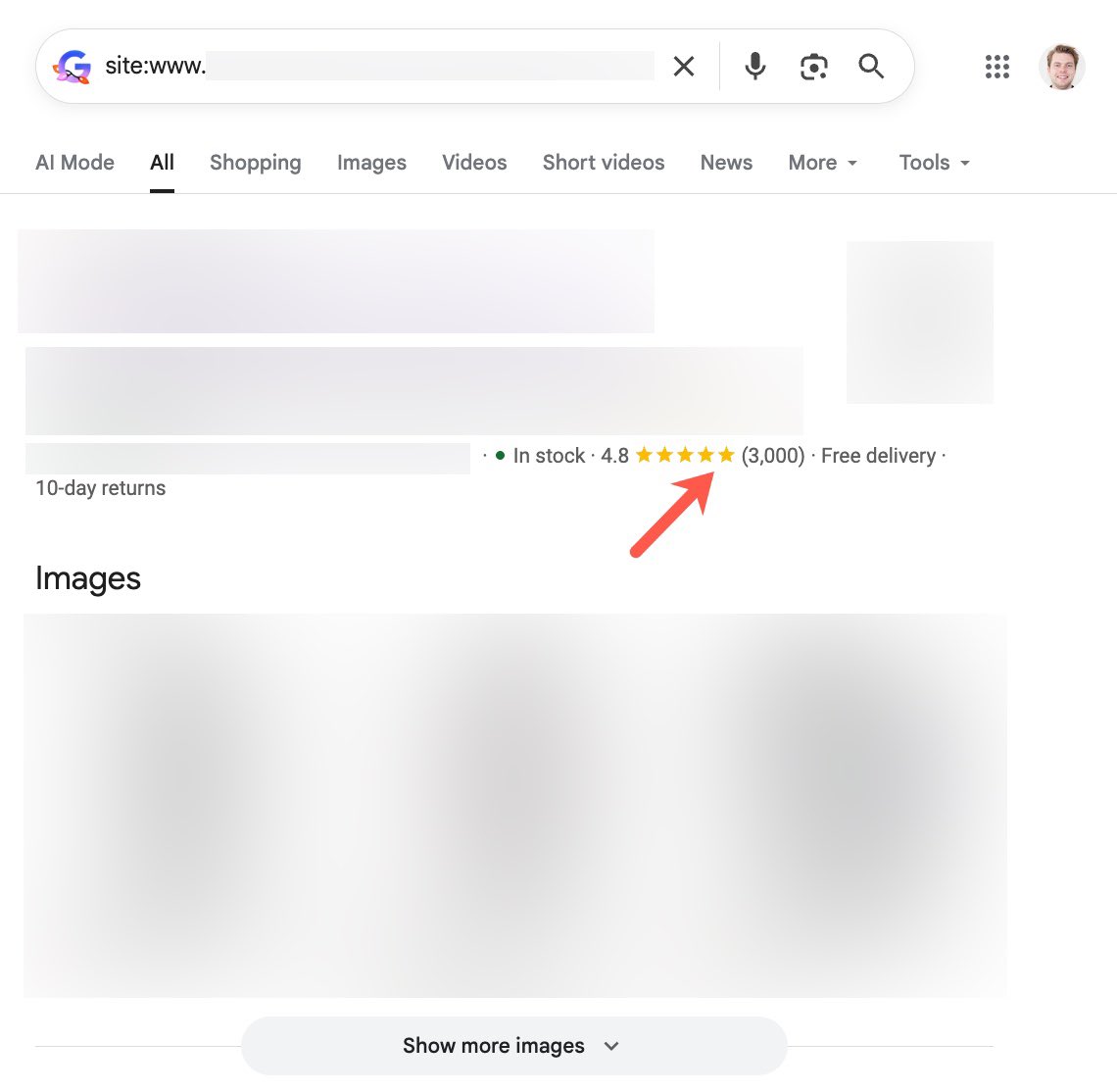
He then also showed the Google product retailer reviews listed in Google Search:
Here is how he explained it:
The site doesn't have PDP reviews enabled and isn't marking anything up on the page related to reviews as a result (the correct practice).
Instead, the site displays and links to their Google Business Profile at the top of all PDPs, with the number of reviews and average rating included.
Surprisingly, Google is bypassing their previous systems for review snippets for PDPs that are either picked up through structured data or feed-related information and taking into account the text that is shown on the page.
There is a major flaw in this approach from Google's end, as any site could make up an average rating and add it to their PDPs, and Google would then show it in search results at scale for all products '" and it wouldn't technically be against any specific guidelines.
And no, this isn't being picked up directly from the GBP listing. The reason that I know this is because it is providing an exact number of reviews (3000 of them), while the GBP listing has much more than this (over 4000 now).
In the meantime, my client is receiving considerable benefit from this issue, so I can't complain.
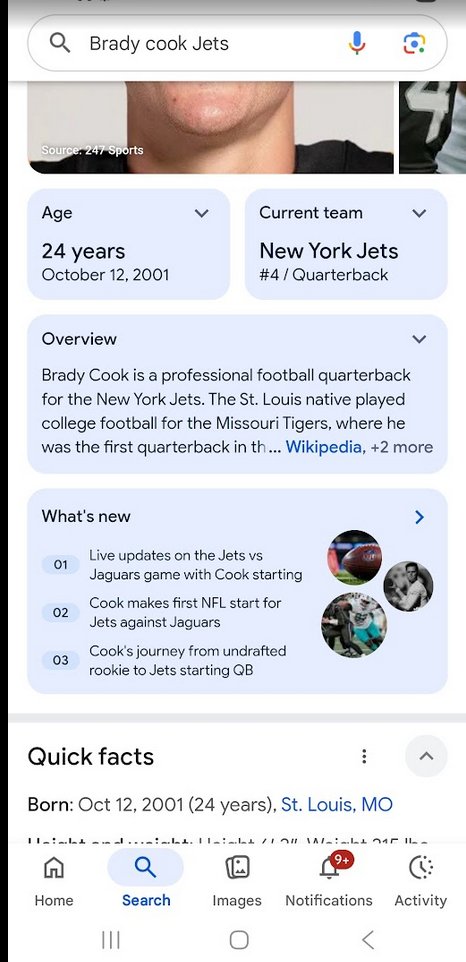
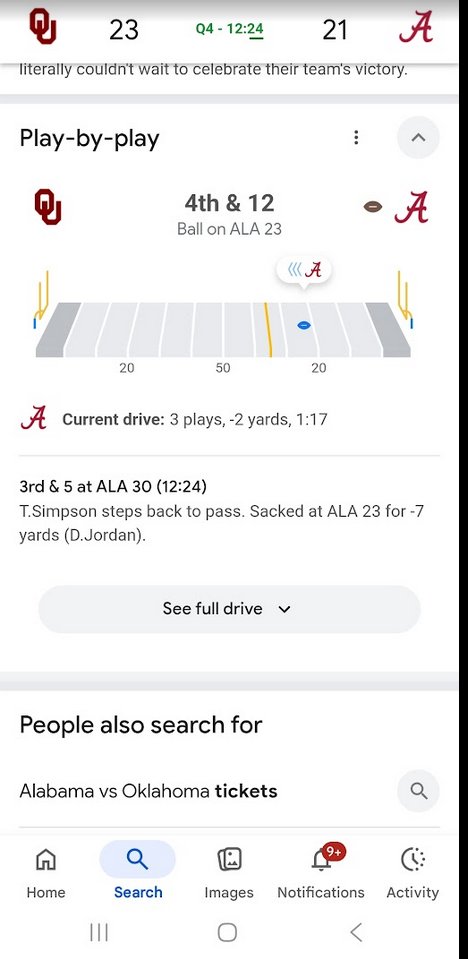
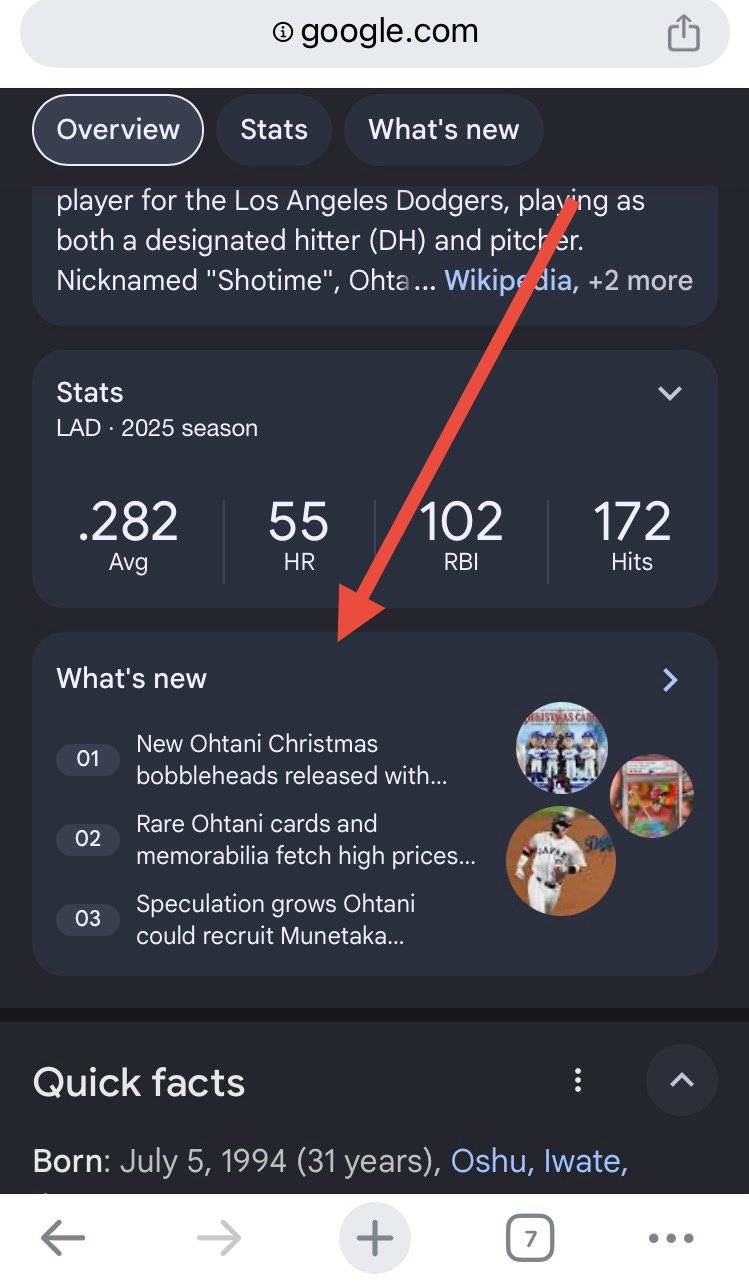
Google is testing a number of new sports-related search features within Google Search. These include a "What's new" section, "Discover more" section, a Play-by-play section, What people are saying and more. And some of these features, when clicked, take you into AI Mode.
These changes were spotted by Glenn Gabe and Matsushita Sotaro over the past few weeks or so.
Here are some of these screenshots they shared - I'll embed all the screenshots below:
Love sports? Google's SERP is filled with interesting features during college football games. Noticed this yesterday while checking the Alabama/OU score. Everything from play-by-play to Live 'what people are saying' to scoring summary to short videos to win probability... Pretty'... pic.twitter.com/1maEmrppmB
'" æ¾ä'ãè¡å¤ªé(Matsushita Sotaro) (@w55UMqzEVGqD7FP) December 7, 2025
More sports features showing up in the SERPs. This time I was seeing a "What's new" feature that provided a Discover-like feed based on the player I searched for. Each listing was AIO-like where you could tap the publisher list for more articles. Then at the bottom there was a'... pic.twitter.com/IWheRLKV7I
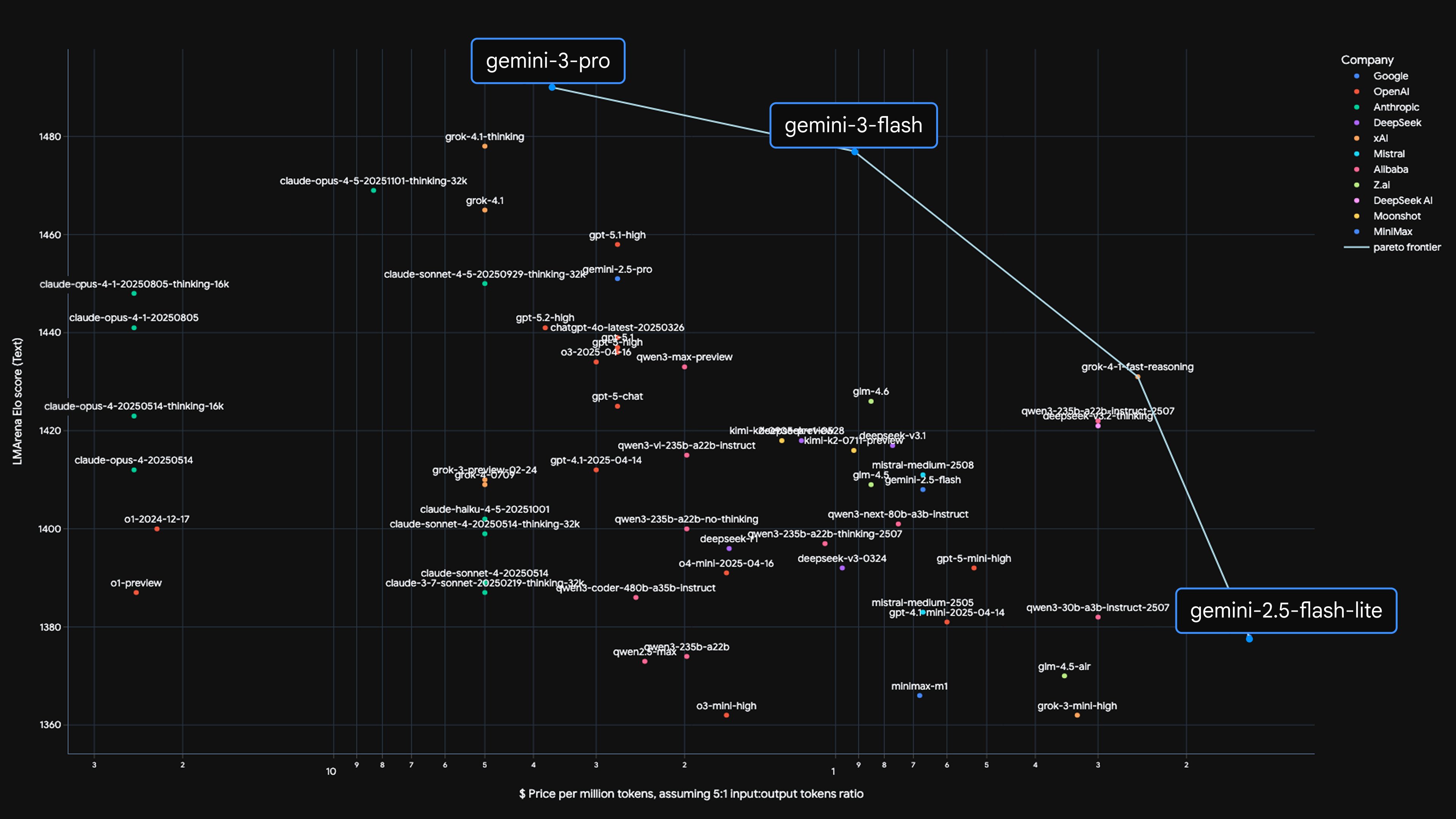
Google is bringing Gemini 3 Flash to AI Mode, bringing much of Gemini 3's power without waiting too long - hence the "Flash" part of the name. Robby Stein from Google said, "Starting today, we're rolling it out globally in Search as the default model in AI Mode." Less than a month ago, Google brought Gemini 3 to AI Mode and now the Flash version is rolling out.
Gemini 3 Flash, "latest model with frontier intelligence built for speed," "brings the incredible reasoning of our Gemini 3 model at the speed you expect of Search," Google wrote. Google added:
Gemini 3 Flash's strong performance in reasoning, tool use and multimodal capabilities enable AI Mode to tackle your most complicated questions with greater precision '" without compromising speed.
With this upgrade, AI Mode becomes an all-around more powerful tool. It's better at understanding your needs, so you can ask more nuanced questions and it will consider each of your constraints to provide a thoughtful, well-formatted response. And as always, you'll have access to real-time information and useful links from across the web, so you can explore further and take action.
Here is a video:
This is also rolling out to the Gemini App, not just Google AI Mode in Search.
AI Mode with Gemini 3 Flash tackles your most complicated questions with greater precision, considering every aspect of your request '" without compromising speed. You can ask more nuanced questions and it will provide a thoughtful, intelligently organized response, with helpful links to the web.
In the Gemini app you can:
Dictate a stream-of-consciousness idea and turn it into a prototype
Build fun and useful apps without prior coding knowledge
Use its strong multimodal capabilities to digest videos and images and understand content quickly
Gemini 3 Flash demonstrates that speed and scale don't have to come at the cost of intelligence, Google said. When processing at the highest thinking level, Gemini 3 Flash is able to modulate how much it thinks. It may think longer for more complex use cases, but it also uses 30% fewer tokens on average than 2.5 Pro, as measured on typical traffic, to accurately complete everyday tasks with higher performance.
We're also expanding access to Gemini 3 Pro and Nano Banana Pro in the U.S., which include powerful new AI creation tools. Google AI Pro and Ultra subscribers will have higher usage limits for both of these models. pic.twitter.com/dD7VghynoA
Gemini 3 Pro is now available in Search for everyone in the U.S. Simply select 'Thinking with 3 Pro' in the AI Mode model drop-down menu to get in-depth help for your toughest questions, including dynamic visual layouts with interactive tools and simulations '" generated specifically for you on-the-fly.
Google is also expanding access to Nano Banana Pro (Gemini 3 Pro Image) in Google Search. Now, more people in the U.S. can use our state-of-the-art image generation and editing model in AI Mode by selecting the 'Thinking with 3 Pro' model and choosing 'Create Images Pro.'
Gemini 3 Flash is now rolling out in the @GeminiApp, AI Mode in Search and our developer tools. Here's everything you need to know about our latest model '" offering frontier intelligence, built for speed'•' pic.twitter.com/u2OUbgJffk
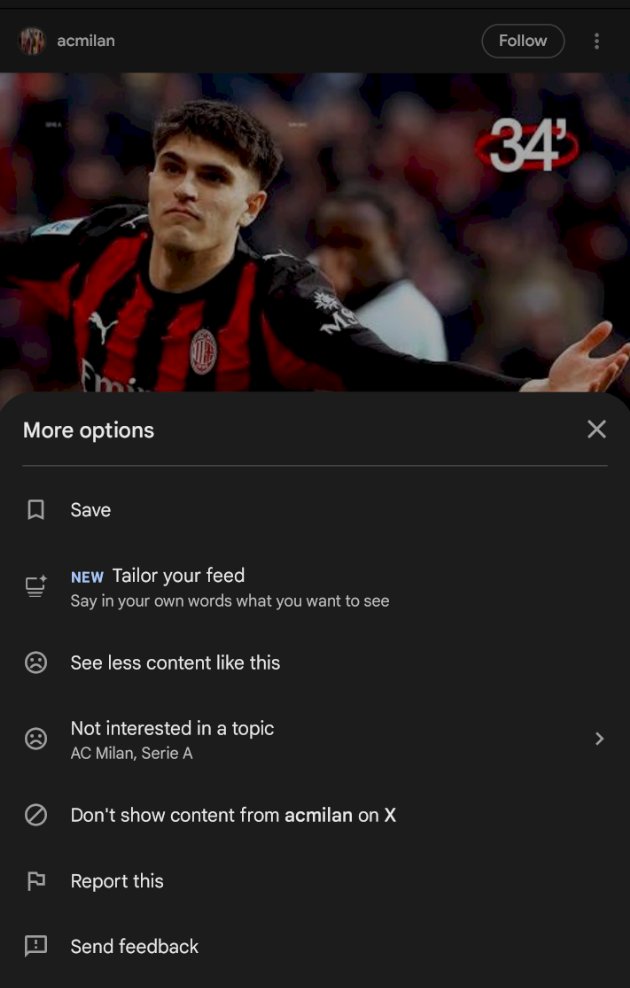
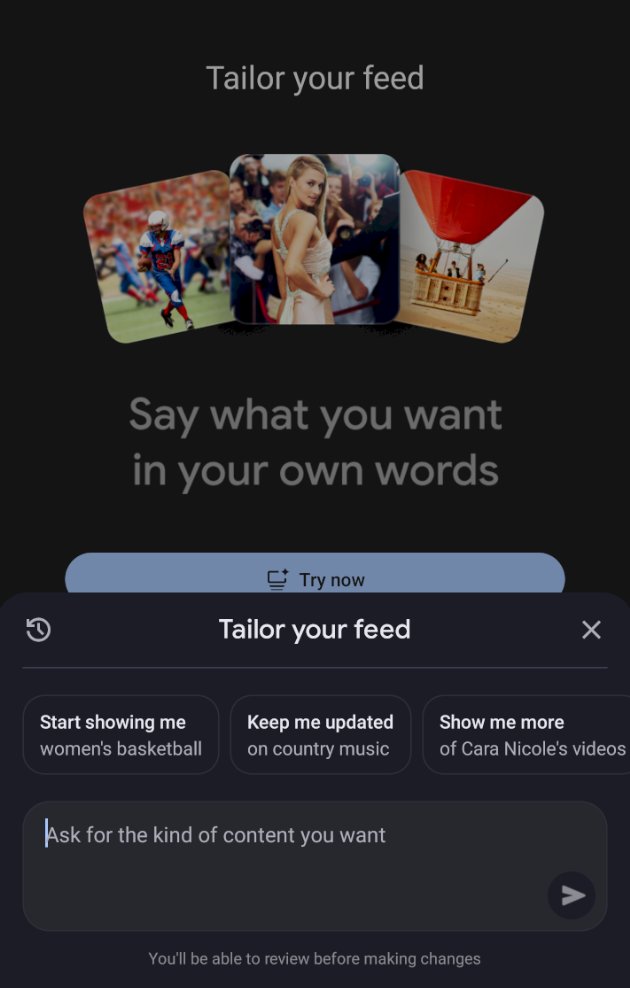
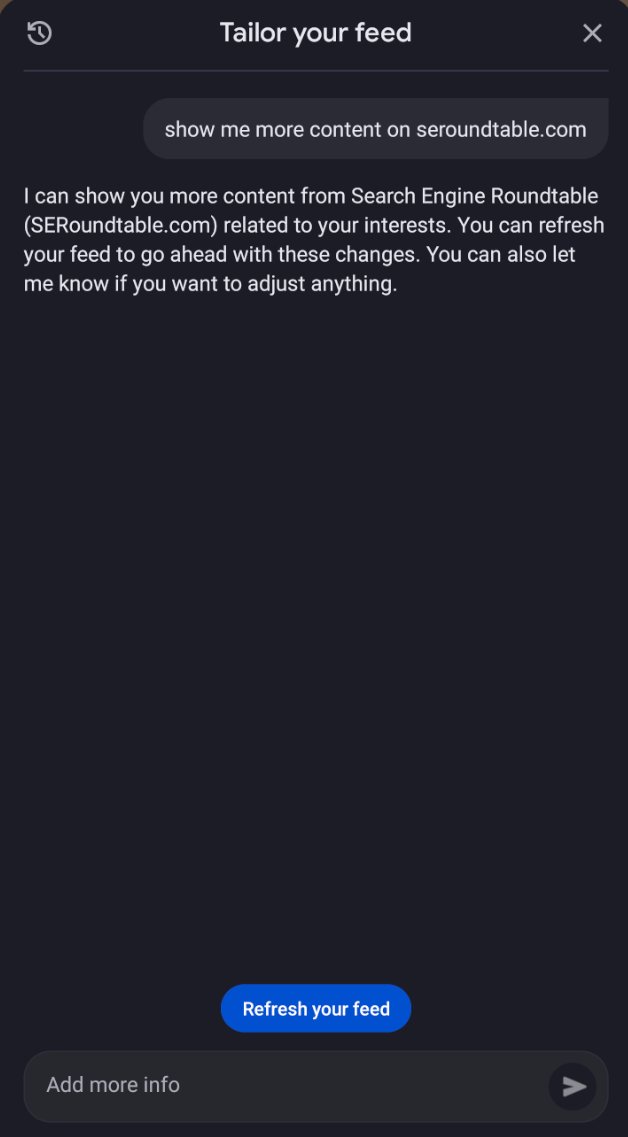
Google Discover is testing and maybe rolling out an option to "Tailor your feed." This allows you to tailor the feed with "Say in your own words what you want to see," and Google will try to figure it out.
This was spotted by Damien who posted about it on X, he said, "Google Discover is testing a new "Tailor your feed" feature that you can activate via Search Labs if you're in the US."
He shared these screenshots show the option.
(1) The tailor your feed setting option:
(2) This is the screen you are taken to after you click on it:
(3) Here is how it worked for this site:
Damien wrote:
I asked Google Discover's "Tailor Your Feed" to show me more content from
@seroundtable
, as you can see in the screenshot.
I didn't see anything; there were no Discover cards for "seroundtable." I resubmitted the prompt, and the response said it would show me more content from the site, including the four main keywords related to the site's theme in the description.
I scrolled through the page load, and nothing appeared for about four pages. Then I started seeing articles related to the keywords mentioned in the "Tailor Your Feed" response, but no "seroundtable."
I refreshed the feed, and now I have several http://X.com cards from "seroundtable."
Yes, I follow the publisher, but I barely had any content from them in my Discover feed before the request.
So, like the "follow" button, I get the impression that it will focus on entities related to the requested publisher and not just display the publisher we want.
I asked Google Discover's "Tailor Your Feed" to show me more content from @seroundtable, as you can see in the screenshot.
I didn't see anything; there were no Discover cards for "seroundtable." I resubmitted the prompt, and the response said it would show me more content from'... https://t.co/2AT3XjgmERpic.twitter.com/QbqQmGMqP0
Google discover provides some answers in the "Tailor your feed" prompt, well, almost.
In the screenshot, it says:
"Okay, I can show you less about football going forward. You can refresh your feed to apply this change. You can also let me know if you want to add more topics."'... https://t.co/2AT3XjgmERpic.twitter.com/Ds3Lcw1qSo
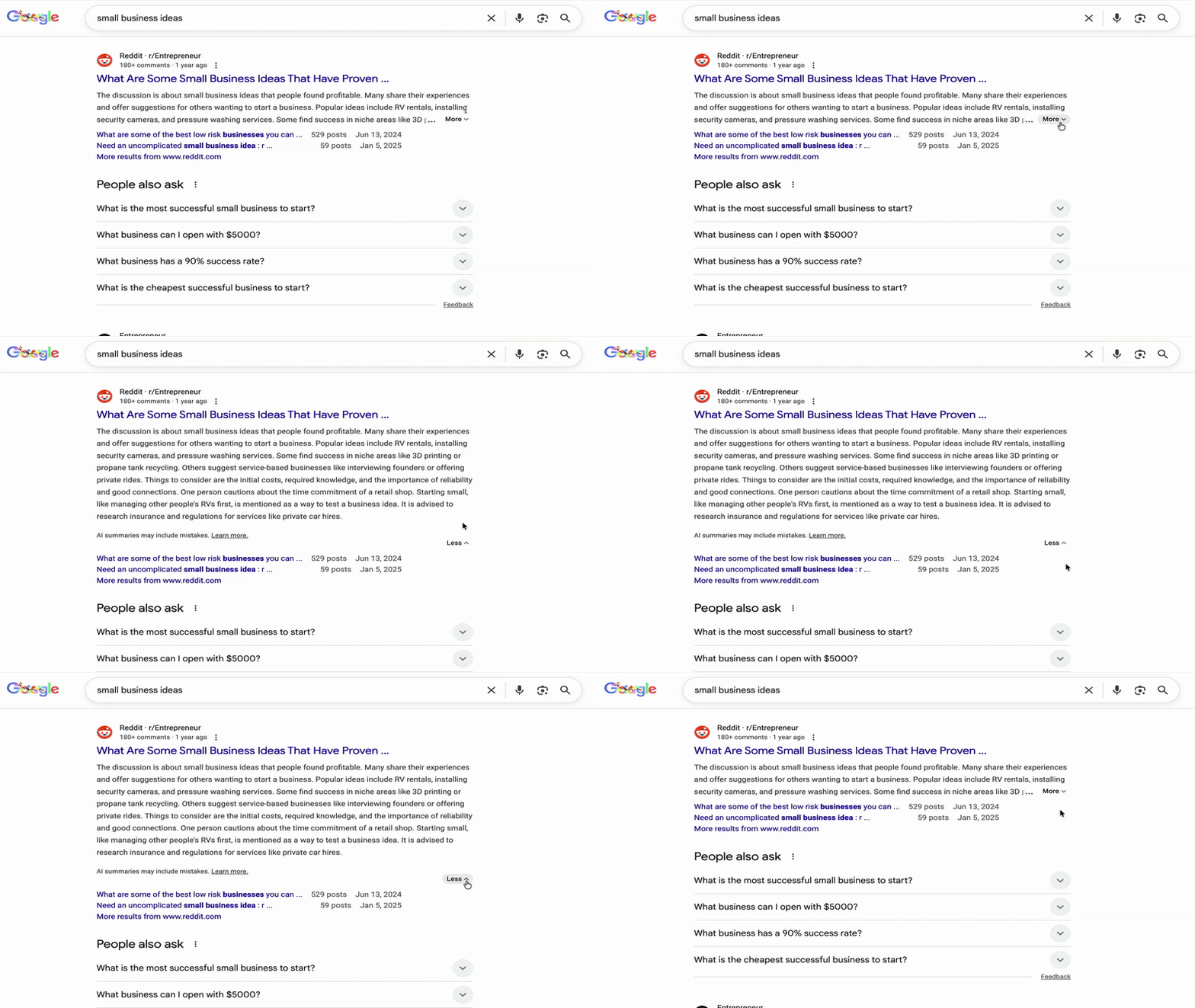
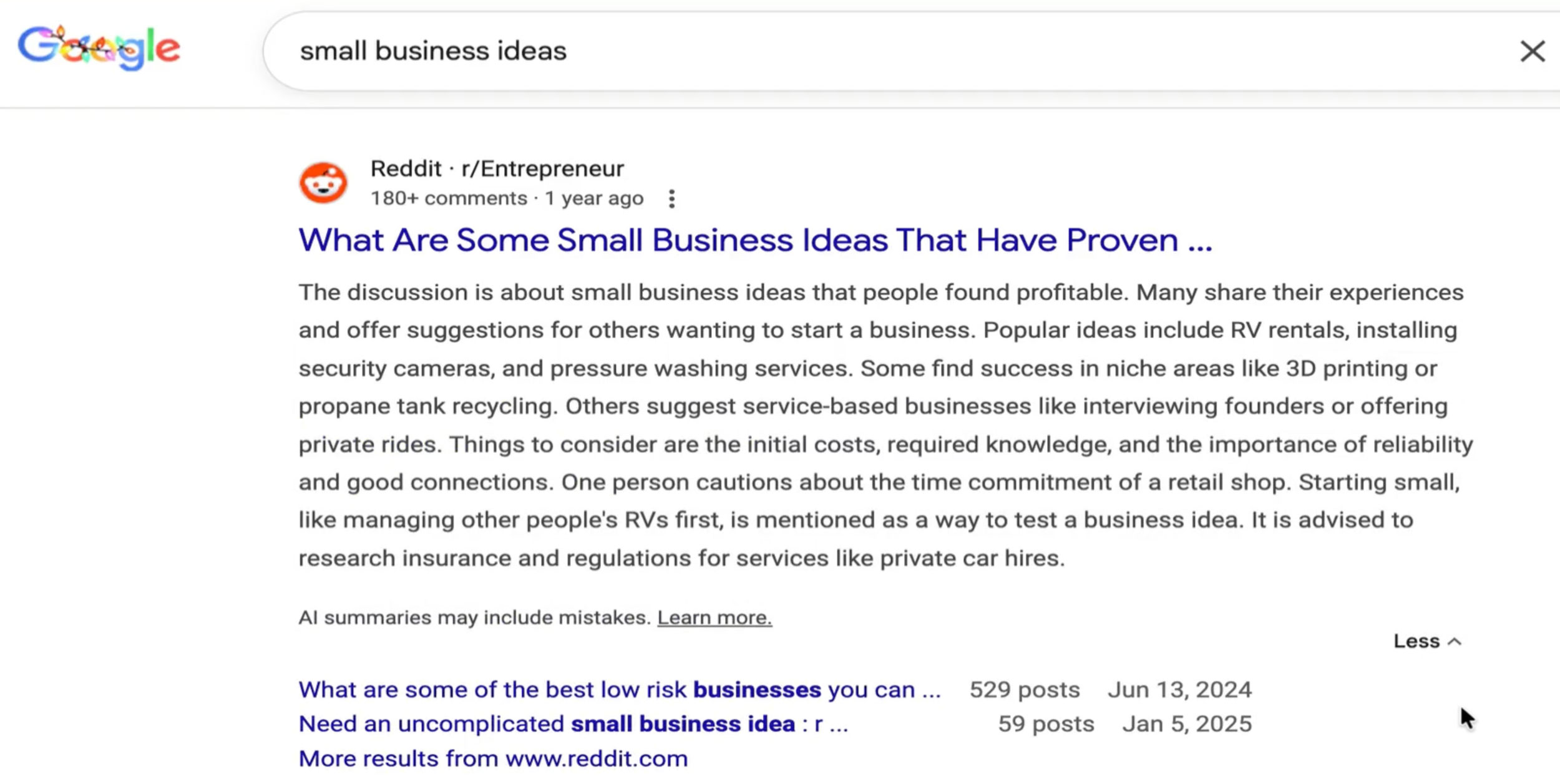
Google is testing extremely long and expandable search result snippet descriptions in the search results. These are also AI-generated snippets, which we've seen before, but not this long.
This goes on for eight lines of text.
This test was spotted by Brodie Clark who posted a video of it on X and on SERPAlerts - here is a GIF of that video:
Here is a screenshot of what it looks like expanded:
The disclaimer proves it is AI-generated, it says, "Al summaries may include mistakes."
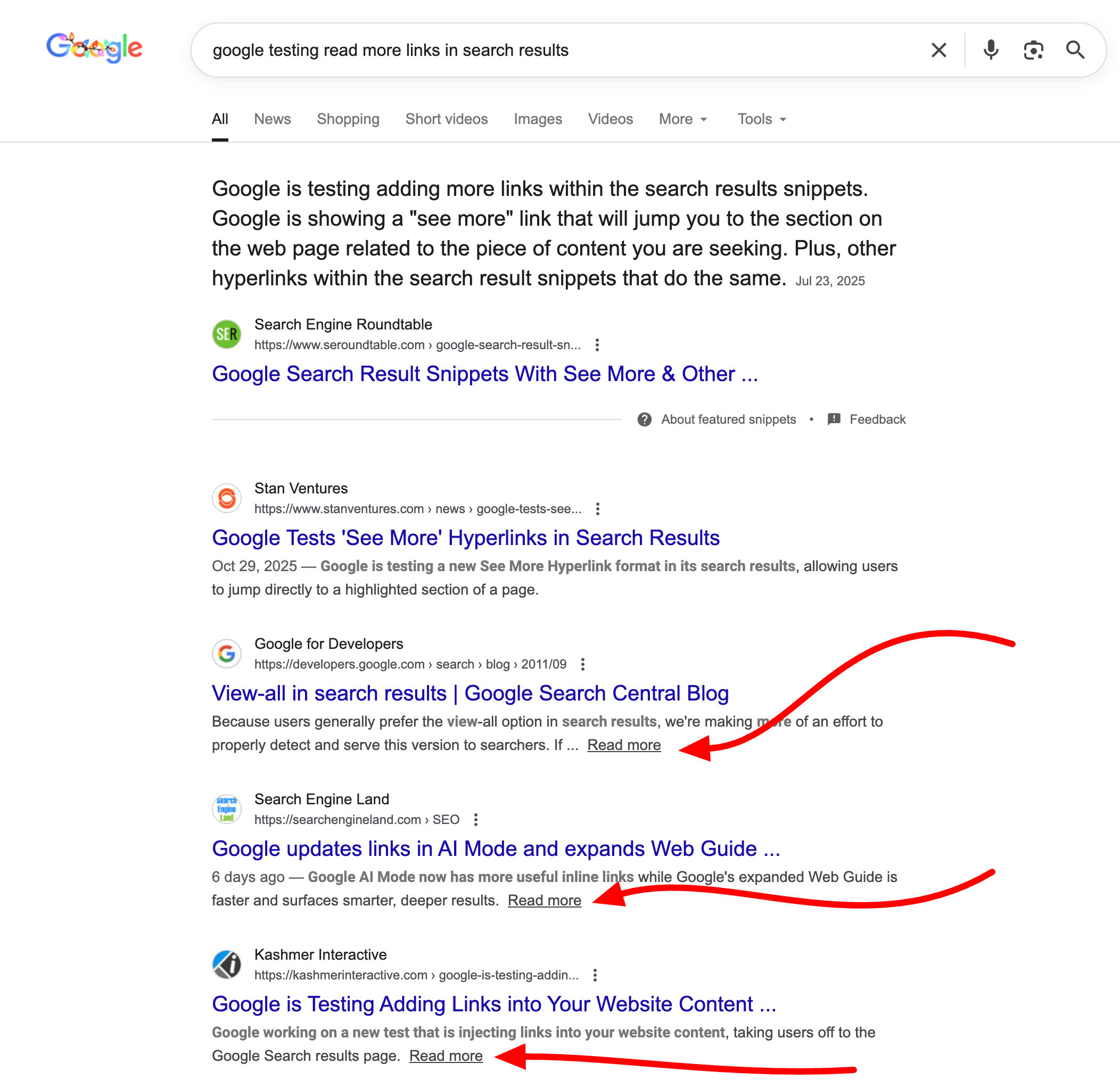
After several months of testing, Google seems to be rolling out the "Read more" links at the end of some of the search results listings. We saw Google test variations of this back in July and it now seems to be live.
This does not show on all the search result snippets but it shows on many. I woke up to tons of people asking me if this is new. The test we saw in July but again, it seems to be rolling out now. When you click on the read more link, it anchors you down to a portion of the page of that site it is linking to.
Here is a screenshot:
Here are others who pinged me about this:
Google just added a 'Read more' button to the description in Search results '" is this something new or part of an ongoing test, @rustybrick? pic.twitter.com/aumiSnyGu3
Heads-up: Google looks to have now globally launched the 'read more' snippet attached to descriptions. This was originally a test from October: https://t.co/QAqWacipXi, with the version that has been launched only appearing for desktop snippets (not mobile). h/t @SachuPatel53124pic.twitter.com/pwwlytsc0a
On Friday, Google announced a number of updates around translation, language, audio, voice interactions and thus Search Live. Google said it released a more "fluid and expressive conversations when you go Live with Search."
Google said this is possible because of the updated Gemini model for native audio that was released. This allows Gemini and also Search Live use more of the "naturalness of native audio." "This means you can more effectively brainstorm live with Gemini, get real-time help in Search Live, or build the next generation of enterprise-ready customer service agents," Google added.
Google shared a video of this happening within Search Live:
This is rolling out over the next week to all Search Live users in the U.S, Google said.
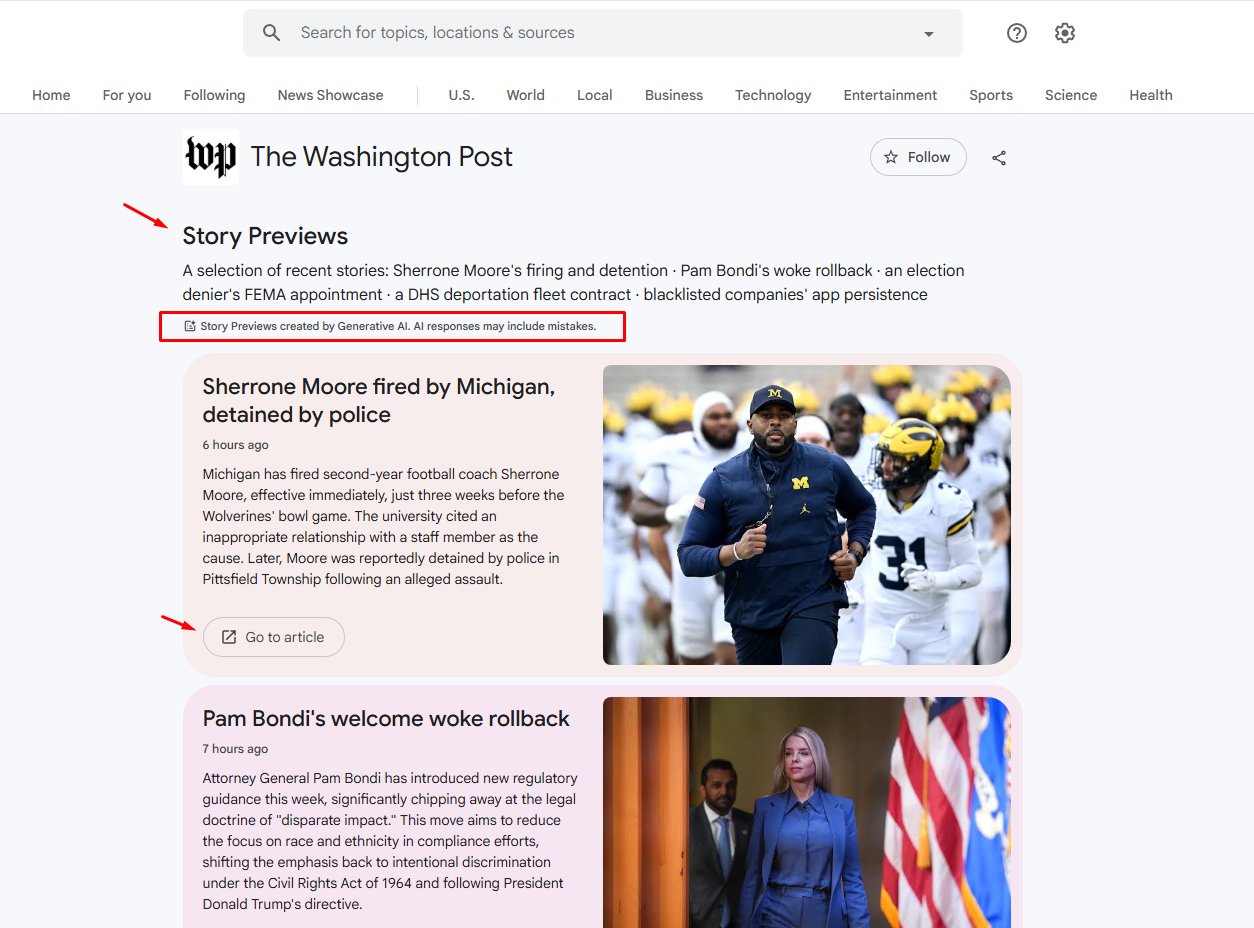
On Wednesday, Google announced a number of new AI features, which we covered (links below) but one other feature Google spoke about was "AI-powered article overviews." This is an experiment Google News is trying with a handful of publishers.
AI-powered article overviews generate story previews, using Generative-AI to give searchers "more context before they click through." Google said this is a "new AI pilot program, we're working with publishers to experiment with new features in Google News." Google partnered with "Der Spiegel, El País, Folha de S. Paulo, Infobae, Kompas, The Guardian, The Times of India, The Washington Examiner and The Washington Post, among others," the company said.
And Glenn Gabe spotted it for The Washington Post - which you can see here in Google News - and shared the following image on X:
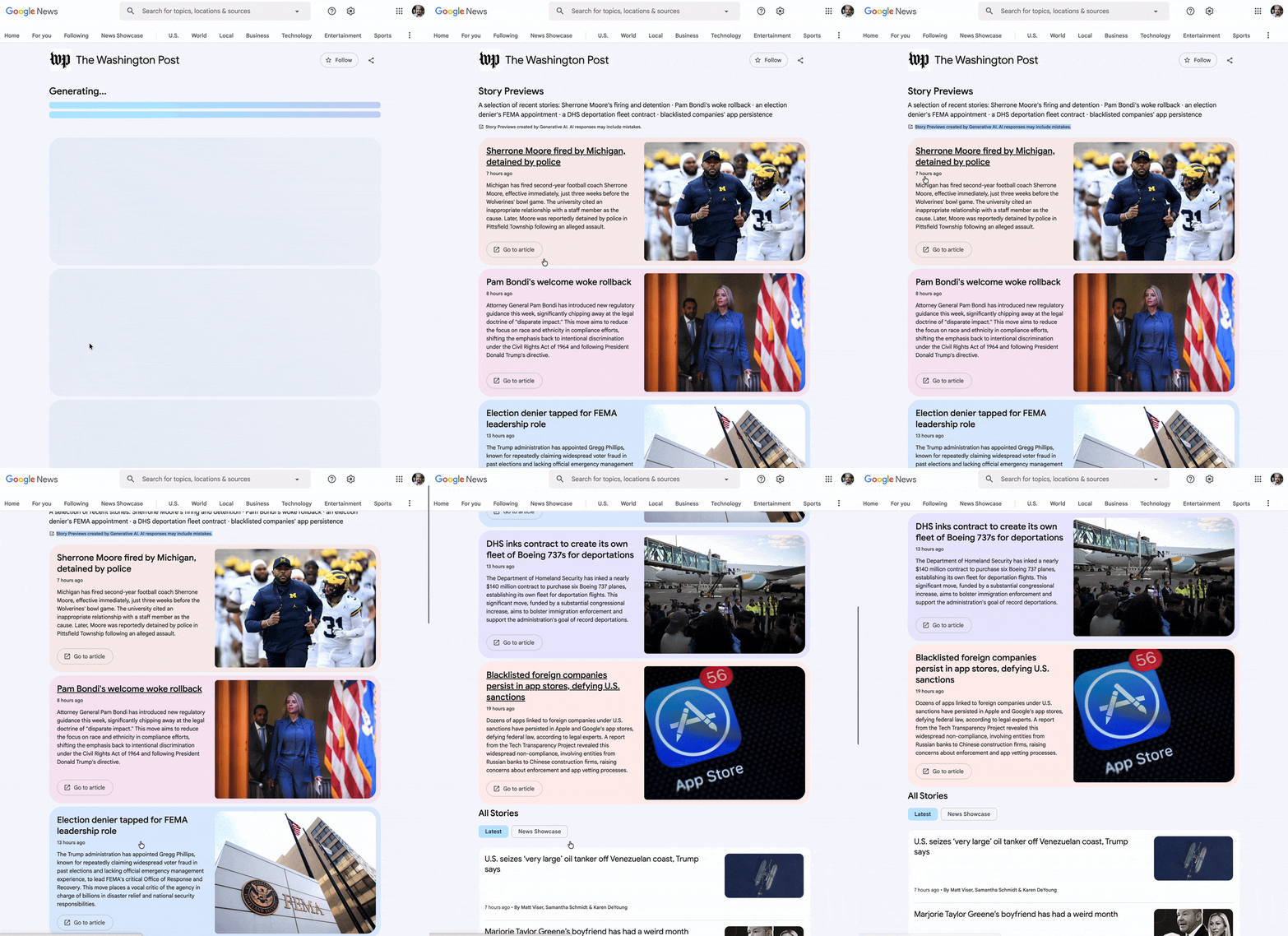
Here is a GIF I made of this in action:
Glenn wrote, "I'm now seeing the experiment where AI-powered article overviews are showing for The Washington Post. There is an AI disclaimer up top for "Story previews" and you can preview the article before clicking through. Then there is a prominent link to go to the article."
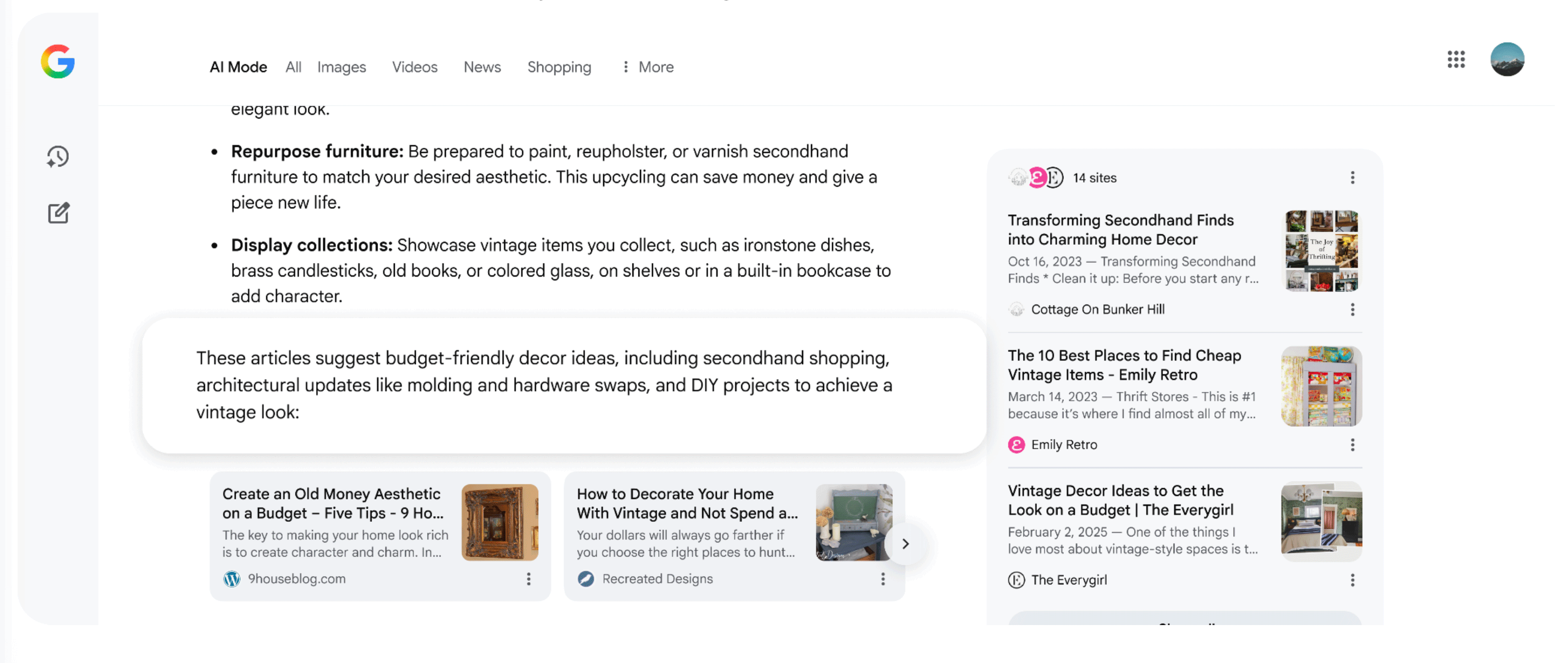
Google announced it has updated the links in AI Mode to encourage searchers to click more. Google also introduced contextual introductions to embedded links in AI Mode responses.
Google wrote, "We're increasing the number of inline links in AI Mode, and updating the design of those links to make them more useful. We're also adding contextual introductions to embedded links in AI Mode responses. These are short statements that explain why a link might be helpful to visit."
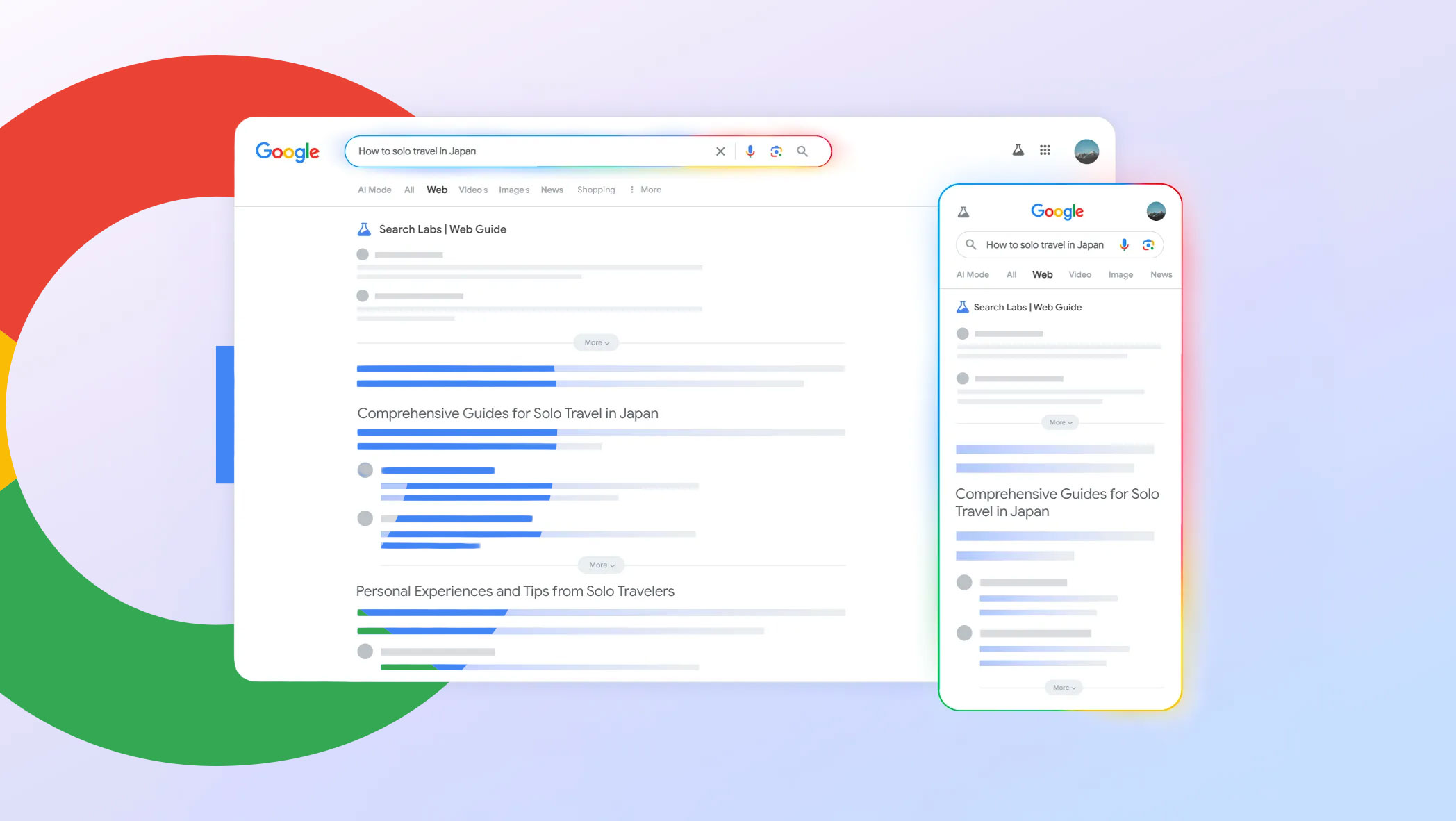
Google has officially expanded the Web Guide to the "All" tab. Originally, when it launched as a Search Labs beta, it was under the "Web" tab, but as we saw, Google began expanding it to the "All" tab.
Google has now confirmed it is now available in the all tab if you opt into the search labs experiment. There are a limited number of users who see the Web Guide without opting into it but that is a super limited test.
Google wrote:
We've heard positive feedback from users and websites about Web Guide, which helps people find links they may not have previously discovered and uses AI to organize links into helpful topic groups. It's especially useful for more complex, open-ended searches. We've updated Web Guide to make it twice as fast, and we're showing it on more searches in the 'All' tab on Search for people opted into the experiment.
Google is testing integrating Search Live (Gemini Live - voice search as you talk) in AI Mode. Plus, this version shows citation cards as part of the answer, as you are having a conversational search with AI Mode.
Sachin Patel spotted this and posted about it on X - in his screenshot, at the bottom right, you can see the Search Live button. When you click that button, Search Live is activated, and you can start talking to AI Mode for follow-up questions, with real-time responses.
Here is a video and more screenshots with this in action:
It also shows you citation cards during your conversational search:
As a reminder, Google Search Live went fully live in the US and no longer requires opt in to Search Labs in September. In July, Google released it on mobile in the U.S. for users enrolled in the AI Mode Labs experiment. Google initially demoed this at Google I/O in May. Then Google released the audio version a month later and then in July Google released the video version for opt-in users.
Now it seems Google is testing this directly within AI Mode.
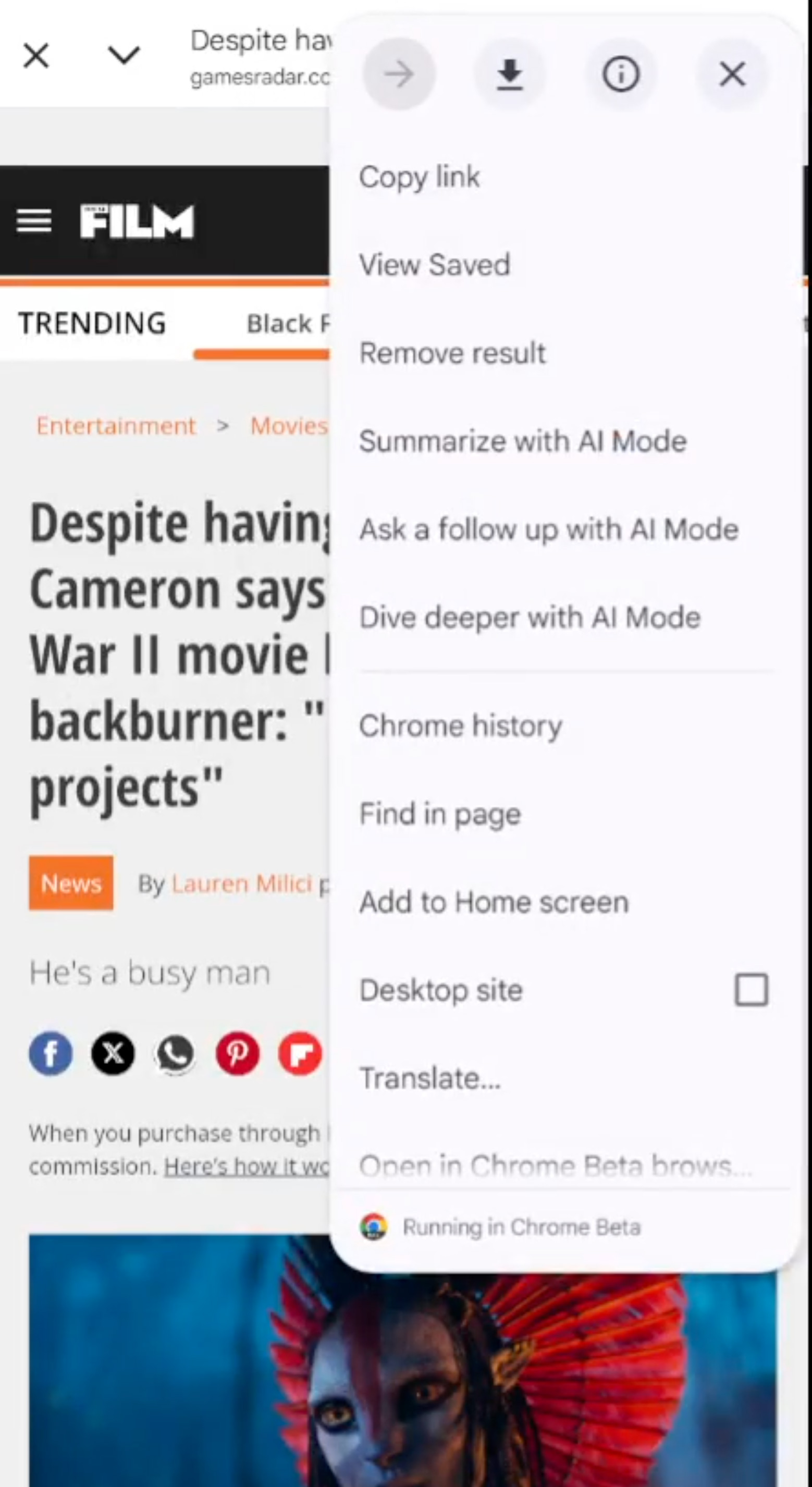
Google is adding more AI features to Google Discover, specifically pushing people from articles in Google Discover into Google AI Mode. When you click on an article from Google Discover and then click on the three dots at the top right of the screen, you are given three options to go into AI Mode.
To clarify, I am told this is not just Google Discover, but the Google App on Android, for any webpage you are looking at.
The options include:
Summarize with Al Mode
Ask a follow up with Al Mode
Dive deeper with Al Mode
This was spotted by Damien (adell) on X who posted a video of this in action - here is a screenshot from his video:
Here is the video:
AI Mode in Google Discover/Google App offers three options when visiting a URL via the Discover feed with Chrome.
Google is rolling out three new "AI Mode"-related options to the overflow menu of Chrome Custom Tabs opened from the Google app: Summarize, Ask a follow up, and Dive deeper:https://t.co/Ti1JFrLOAZpic.twitter.com/korZsC3LTU
This might be Android only. They added a chrome custom tab activity for AI mode in last week's beta update but I wasn't sure about its purpose until I saw the post when gagan tagged.
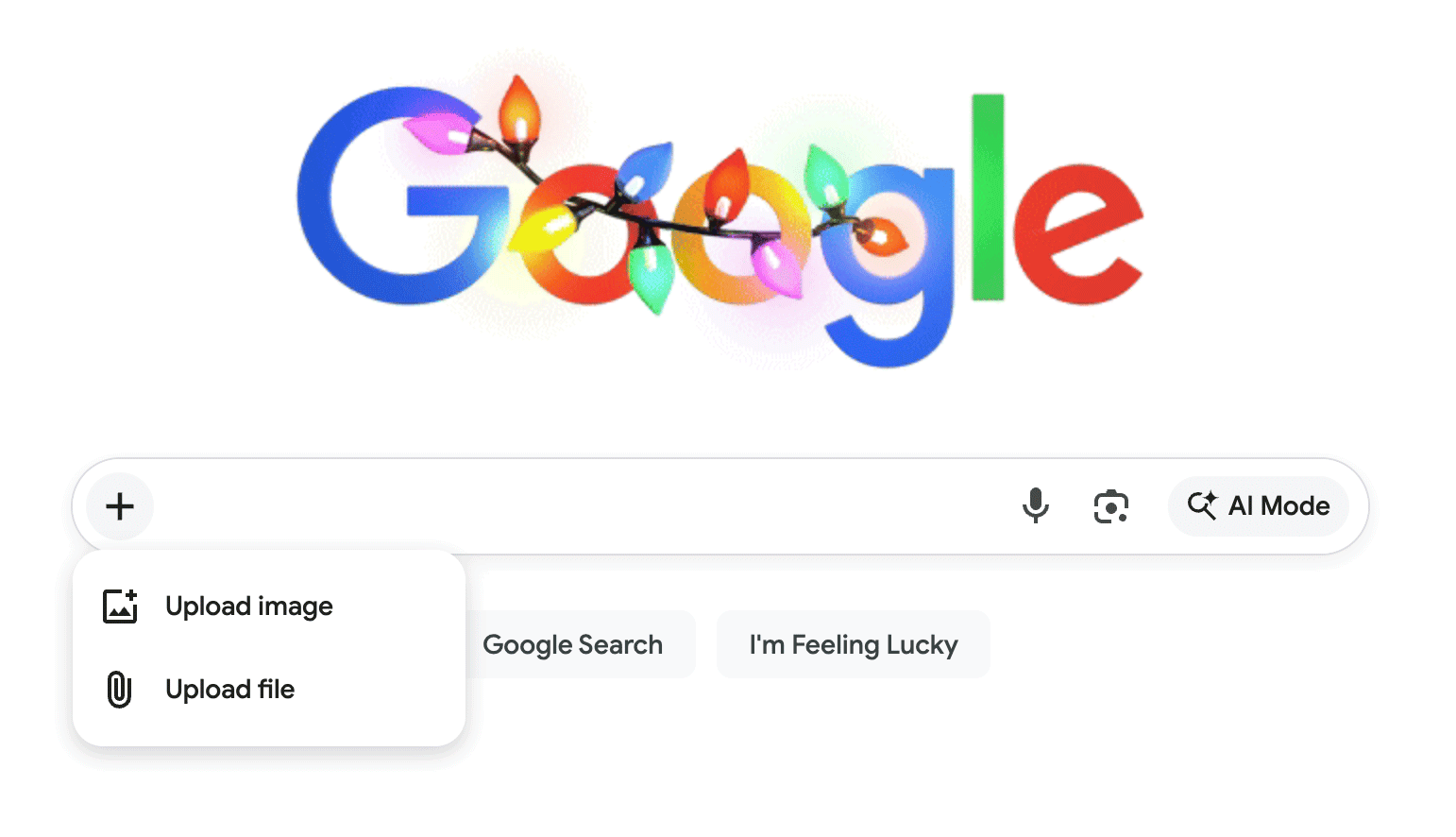
Google is pushing even more ways directly into AI Mode from the main Google home page's search bar. Now when you select to upload an image or file, it will take you into AI Mode by default. This is instead of taking you into Google Image search or main Google Search.
Here is how it works, you select the plus sign on the left of the search bar on the Google.com desktop interface:
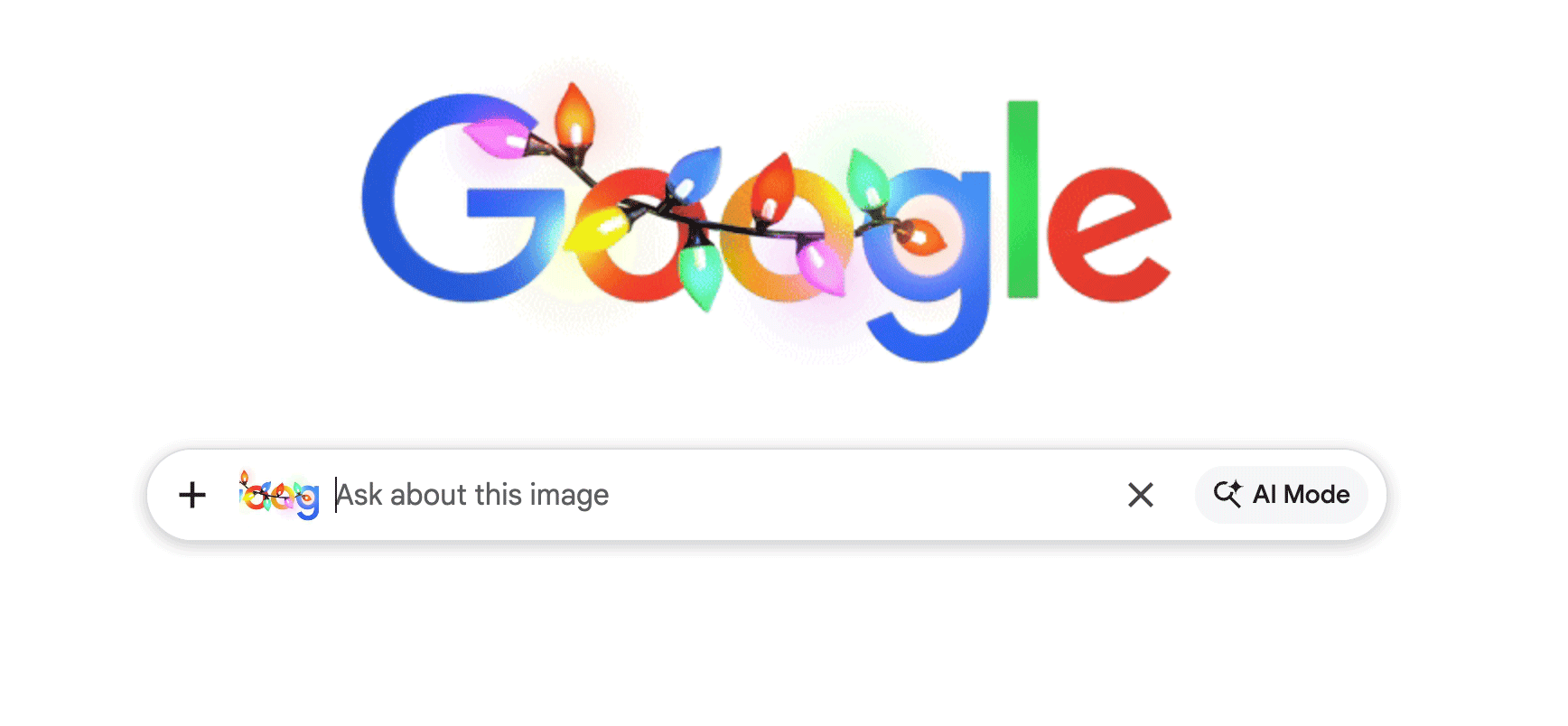
Then you upload the file or image and it attaches it to your query, you type in your query:
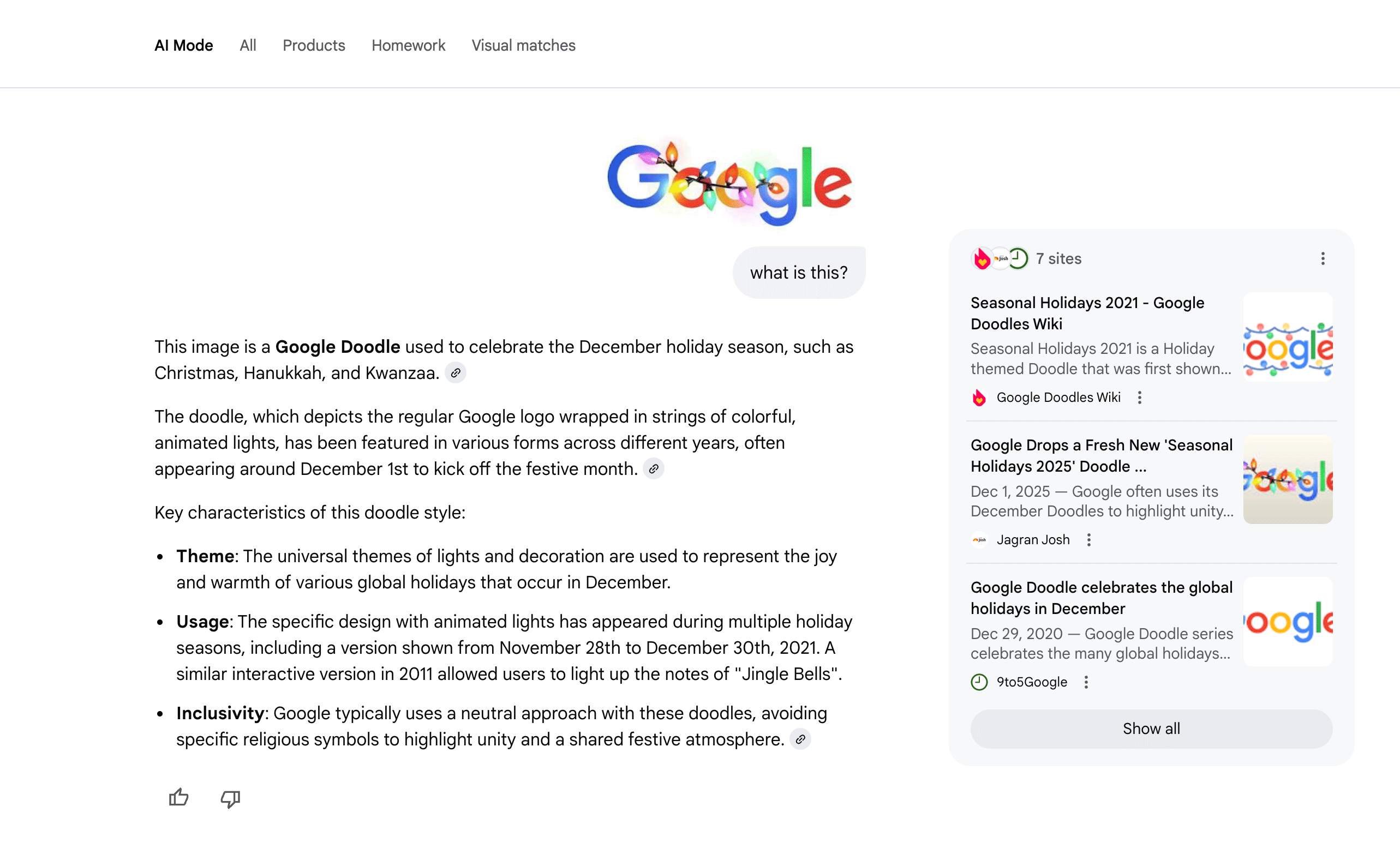
When you click search, you are not taken to Google Search or Image Search, you are taken directly to AI Mode:
Google looks to have now launched an image and file upload icon attached to their homepage on desktop by default in the US.
When uploading a file, entering the search takes the user directly to AI Mode. The expectation here is that adding a file assumes that AI Mode is a more'... pic.twitter.com/WjhIiCUfMc

 Giriş yap